 WatchWalls AI
Best Snowflake Wallpaper for Apple Watch: Crystal, Frost & Winter Designs (2026)
Why Snowflake Wallpapers Are Perfect for Winter on Apple Watch
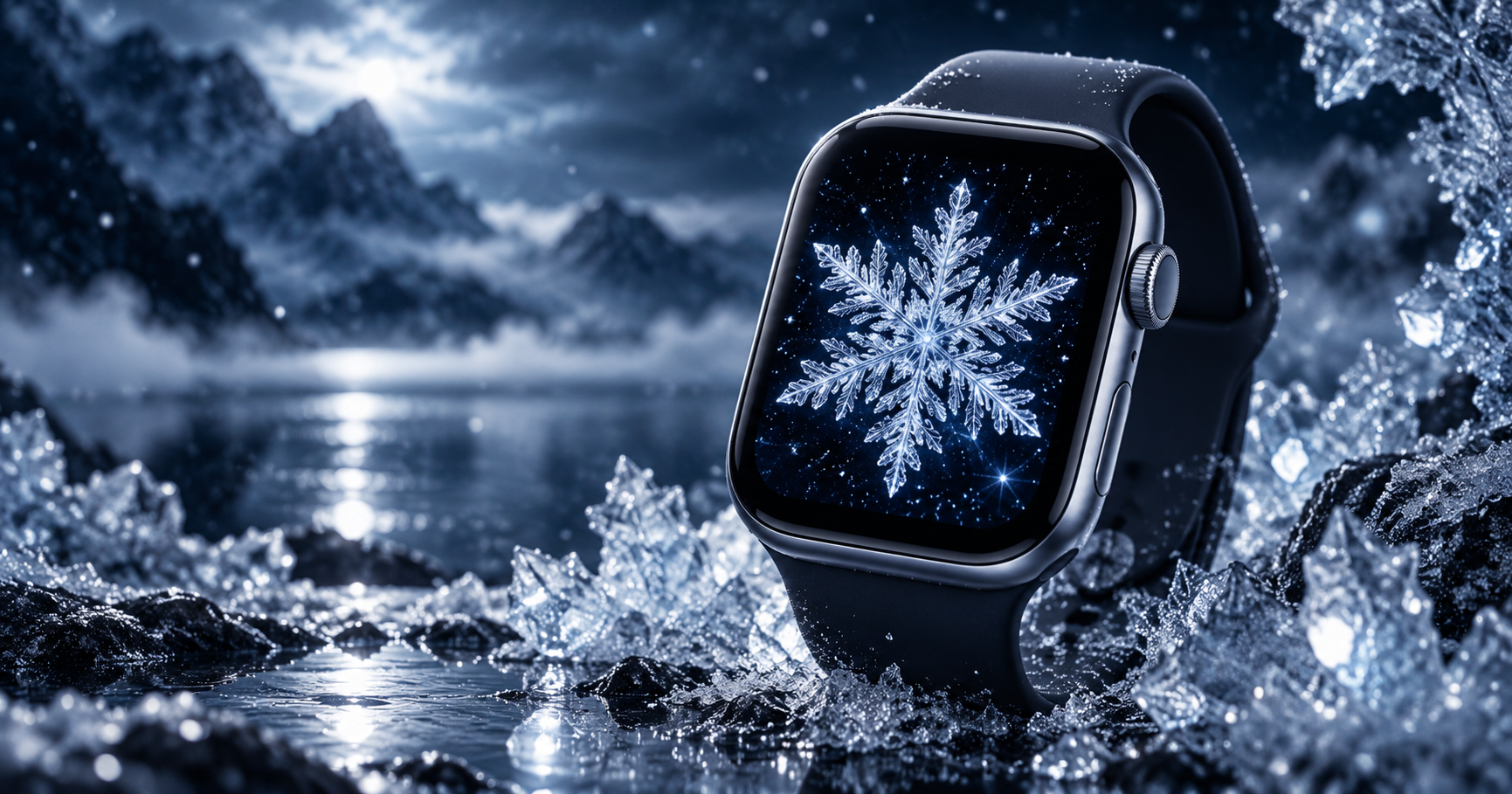
Snowflake wallpaper for Apple Watch is the quintessential winter wrist decoration — and it works better on OLED than almost any other seasonal subject. A snowflake is a bright, geometrically precise crystal against darkness. On Apple Watch’s OLED display, the dark background pixels are completely off (zero battery consumption) while the white or ice-blue crystal glows with individual pixel illumination. The snowflake appears to float in true darkness — not on a dark background, but in actual void.
The geometry is another advantage. Every snowflake has six-fold symmetry — a natural radial pattern that fills the rounded-rectangle watch screen with mathematical balance. Unlike photographs that lose detail at 41 mm, a snowflake’s geometric structure remains identifiable at any size. You always know it is a snowflake, whether the screen is 40 mm or 49 mm. “I change my watch face wallpaper every season — fall leaves in October, snow in December. It’s the little things,” as one Apple Watch user shared on Reddit.
Winter wallpapers also serve a practical purpose: they sync your watch with the world outside. When it is snowing, cold, or dark by 4 PM, a snowflake on your wrist creates a micro-moment of seasonal harmony every time you check the time. This emotional alignment between what is on your screen and what is outside your window is a subtle but real part of why seasonal wallpapers feel right.
For holiday-specific designs, see our Christmas wallpaper guide. For more nature themes, see nature wallpapers for Apple Watch.
12 Snowflake & Winter Wallpaper Styles for Apple Watch
Ranked by OLED display impact, winter mood, and versatility through the season.
1. Single Crystal Snowflake on Dark
One detailed, geometrically perfect snowflake — six branches with intricate sub-branches — centred on a dark navy or black background. This is the purest snowflake wallpaper: one crystal, maximum detail, zero clutter. The six-fold symmetry creates natural balance on the watch screen. White snowflake on black is the most OLED-efficient version; ice-blue on dark navy adds a cooler winter tone. Centre the snowflake precisely — even a slight offset breaks the symmetry and feels wrong.
2. Falling Snow Animation Effect
Multiple small snowflakes scattered across a dark background at various sizes and angles — simulating a snowfall frozen in a single frame. The scattered pattern fills the entire screen with winter atmosphere without needing a focal point. Use 15-25 visible snowflakes at varying sizes: a few large ones in focus, many small ones suggesting depth and distance. Too few looks sparse; too many becomes a white blur at 41 mm.
3. Frost Pattern on Glass
The natural ice crystal patterns that form on cold window glass — feathery, branching frost structures spreading from the edges of the frame toward the centre. Frost patterns are nature’s own abstract art, and their organic shapes create wallpapers that look both natural and intricate. Photograph real frost on a window (your iPhone handles this well in macro mode) or find high-resolution frost photography online. White frost on dark glass produces strong OLED contrast.
4. Snowy Mountain Landscape
Snow-covered mountain peaks against a dark winter sky — white snow below, deep blue-grey sky above. Mountains under snow combine the grandeur of landscape photography with the clean white-on-dark contrast that OLED loves. Position the snow line at the lower 40% of the frame so the dark sky dominates and complications remain readable. This connects to our mountain wallpaper collection but with a specifically winter treatment.
5. Snowflake Macro (Real Photography)
An extreme macro photograph of a real snowflake — the actual hexagonal ice crystal with its unique branch pattern visible in microscopic detail. Real snowflake photography (pioneered by Wilson Bentley in the 1880s and continued by modern macro photographers) reveals structure that is invisible to the naked eye. These photographs show that every snowflake truly is unique. The translucent ice against a dark background creates a jewel-like effect on OLED.
6. Winter Forest (Snow-Covered Trees)
Dark pine or birch trees heavy with fresh snow — a winter forest scene in soft whites, greys, and dark greens. The vertical tree trunks create natural structure in the portrait-oriented frame. Snow on branches adds white highlights against the dark forest, providing OLED contrast without needing a dramatic subject. This is the most serene winter wallpaper — quiet, still, and contemplative. Best paired with green Alpine Loop or dark leather bands.
7. Ice Blue Abstract
An abstract gradient or texture in ice-blue tones — from pale glacier blue to deep arctic navy — without any specific subject. This is winter distilled to colour alone: the cold blue palette suggests frost, ice, and winter sky without depicting any of them literally. The abstract approach makes this the most versatile winter wallpaper — it works from November through February without feeling tied to a specific holiday or weather event.
8. Snowflake Mandala
A mandala pattern constructed from snowflake elements — six-fold symmetry with ice crystal branches forming a circular, meditative pattern. This merges two wallpaper categories: the geometric precision of mandalas with the seasonal specificity of snowflakes. White or ice-blue mandala on dark navy creates the winter-meditation crossover. Connects to our mandala wallpaper collection with a seasonal twist.
9. Northern Lights Over Snow
The aurora borealis — green and purple curtains of light — above a snow-covered landscape. This combines two of winter’s most dramatic visual phenomena in one wallpaper. The dark sky between aurora bands provides OLED efficiency, the aurora provides colour, and the snow provides the seasonal anchor. This connects to our aurora wallpaper collection and works specifically during the winter months when aurora viewing peaks.
10. Frozen Water Texture
The surface of frozen water — cracked ice, bubble patterns trapped under ice, or the smooth translucent surface of a frozen lake. Ice textures have a natural beauty that photographs exceptionally well: the cracks create organic line patterns, the bubbles add depth, and the translucent surface lets dark water show through below. The cold blue-grey palette reads as unmistakably winter. This is the most tactile winter wallpaper — it looks cold.
11. Snowflake with Gold Accent
A white or ice-blue snowflake with gold detailing — gold edges, gold centre, or gold highlights on the branch tips. The gold adds warmth and luxury to the cold winter aesthetic, creating a wallpaper that bridges winter and holiday seasons. Gold on dark is one of the highest-contrast combinations on OLED, and the warm gold against cool blue creates a temperature contrast that is visually engaging. This is the most gift-worthy winter wallpaper — it looks special.
12. Minimalist Snowflake Line Art
A snowflake drawn in thin continuous line art — one-stroke illustration in white or ice-blue on dark background. This is the most minimal winter wallpaper: six simple lines radiating from a centre point with minimal branch detail. The simplicity makes it the most professional winter option — appropriate for work settings where a photographic snowflake might feel too seasonal. Thin lines on dark background produce maximum OLED efficiency with minimum visual weight.
Winter Colour Palette for OLED
| Colour | Hex | Use | OLED Effect |
|---|---|---|---|
| Crystal white | #F0F8FF | Snowflakes, frost, snow | Bright focal point against dark |
| Ice blue | #87CEEB | Sky, ice, cold tones | Cool glow, P3 advantage |
| Glacier blue | #6CB4EE | Deep ice, water under ice | Rich and calming |
| Arctic navy | #0A1929 | Night sky, deep background | Near-zero power |
| Frost silver | #C0C0C0 | Ice details, snowflake edges | Subtle metallic glow |
| Winter gold | #D4AF37 | Accent highlights, luxury details | Warm contrast against cold blue |
| Pine dark green | #1A3A1A | Forest, trees, nature | Natural and dark |
The key principle: winter wallpapers use cool tones (blues, whites, silvers) against dark backgrounds. The contrast between bright ice/snow elements and dark sky/water creates the visual drama that makes winter wallpapers work on OLED. Battery data based on WatchWalls Team testing: a snowflake-on-dark wallpaper with 70%+ dark area provides +10-15% battery life compared to a bright all-white snow scene.
Cropping Snowflake Images for Apple Watch
Centre single snowflakes precisely. A snowflake has mathematical symmetry. Its centre point should sit at exactly the horizontal midpoint and slightly above the vertical midpoint (40% from top). Even a 5% offset from centre is visible and feels wrong.
For snowfall scenes, keep the sky dominant. In falling-snow compositions, the dark sky should occupy at least 60% of the frame. This keeps the overall palette dark (battery-efficient) and provides clean space for time display. Snow-covered ground should be in the bottom 30-40%.
Increase contrast for frost and ice textures. Real frost and ice photographs often have low contrast — subtle whites and greys that can look muddy at 41 mm. Boost contrast by 15-20% before cropping to ensure the ice structures pop against the background.
Target resolution: 396×484 px for 45 mm (Series 7-10), 352×430 px for 41 mm, 410×502 px for Ultra. Save snowflake graphics as PNG for sharp crystal edges; save photographs as JPEG at 90%.
For the full wallpaper-setting process, see how to change Apple Watch wallpaper.
Resolution Reference Table
| Apple Watch Model | Screen Size | Recommended Resolution | Aspect Ratio |
|---|---|---|---|
| Ultra 2 / Ultra 3 | 49 mm | 410×502 px | ~4:5 |
| Series 7-10 (45 mm) | 45 mm | 396×484 px | ~4:5 |
| Series 7-10 (41 mm) | 41 mm | 352×430 px | ~4:5 |
| Series 4-6 (44 mm) | 44 mm | 368×448 px | ~4:5 |
| Series 4-6 (40 mm) | 40 mm | 324×394 px | ~4:5 |
| SE (2nd gen) | 40/44 mm | 324×394 / 368×448 px | ~4:5 |
Band Matching for Winter Wallpapers
- Crystal snowflake + white Sport Band: Ice on screen, snow on wrist. The cleanest winter pairing — monochrome cold.
- Frost pattern + silver Milanese Loop: Frost silver on screen, metal silver on wrist. Premium winter elegance.
- Snowy mountain + green Alpine Loop: Winter nature on screen, outdoor band on wrist. The skier’s pairing.
- Ice blue abstract + midnight braided Solo Loop: Cool gradient meets dark braid. Subtle winter without being literal.
- Snowflake with gold + gold Milanese Loop: Gold accents from screen to wrist. Holiday luxury.
- Winter forest + brown leather Classic Buckle: Pine trees and leather — the cabin aesthetic from screen to wrist.
- Northern lights over snow + black Sport Band: Dark band disappears, aurora and snow float. Maximum drama.
For more combinations, see our band and face matching guide.
Browse the full WatchWalls collection — hundreds of curated Apple Watch wallpapers including snowflake, frost, and winter designs for every model.
Browse All Apple Watch Wallpapers →
When to Switch to Your Winter Wallpaper
Seasonal wallpaper switching creates a rhythm that connects your watch to the world outside:
- Late November: Switch to winter wallpaper after Thanksgiving (US) or when the first frost appears in your area. This avoids the holiday rush and gives the wallpaper its own moment before Christmas wallpapers take over in December.
- December 1-24: Consider switching to a Christmas wallpaper if you celebrate — then back to snowflake after December 25.
- January-February: Snowflake and frost wallpapers peak during the coldest months. This is when winter wallpapers feel most natural — the season outside matches the season on your wrist.
- Early March: Switch to spring themes — cherry blossom or floral wallpapers — when the first signs of spring appear in your region.
Use Focus modes to automate the switch: create a “Winter” Focus with your snowflake face, and activate it by season or weather conditions.
Free Sources for Snowflake Wallpapers
- Unsplash — Snowflake Dark: Professional snowflake and winter photography. Search “snowflake macro” or “frost pattern” for the most detailed results.
- Pexels — Snowflake: Free snowflake and winter images with variety from macro crystals to landscapes.
- Pinterest — Snowflake Apple Watch: Community boards with pre-sized winter wallpapers.
- Your own iPhone camera: Modern iPhones capture excellent snowflake macros. Catch a snowflake on a dark glove or sleeve, zoom in with macro mode, and photograph before it melts. Your own snowflake is more personal than any stock image.
- Canva free tier: Search “snowflake” in Elements for crystal and frost graphics. Place on a dark navy canvas at 396×484 px.
FAQ
What is the best snowflake wallpaper for Apple Watch?
A single detailed crystal snowflake in white or ice-blue against a dark navy or black background is the best overall choice. The geometric symmetry centres naturally on the watch screen, and the bright crystal against true OLED black creates a glow effect. For a warmer look, add gold accents to the snowflake edges.
Do snowflake wallpapers save battery on Apple Watch?
Yes. A snowflake on a dark background uses 70%+ dark pixels, which consume zero OLED power. Testing on Series 9 shows snowflake-on-dark wallpapers provide 10-15% more battery life than bright, all-white snow scenes. The darker the background, the more battery you save.
What is the difference between snowflake and Christmas wallpapers?
Snowflake wallpapers focus on winter nature — ice crystals, frost, snow, and cold landscapes. They work from November through February. Christmas wallpapers feature holiday-specific elements — trees, ornaments, Santa, gifts — and are typically used in December only. Snowflake wallpapers are secular and season-long; Christmas wallpapers are holiday-specific.
Where can I find free snowflake wallpapers for Apple Watch?
Unsplash and Pexels have free snowflake and winter photography. Pinterest has pre-sized Apple Watch winter wallpapers. You can also photograph real snowflakes with your iPhone’s macro mode. Canva’s free tier includes snowflake and frost graphics for custom designs.
When should I switch to a winter wallpaper on Apple Watch?
Switch in late November when the first frost appears or after Thanksgiving. Keep the snowflake wallpaper through January-February. In December, you can temporarily switch to a Christmas wallpaper and return to snowflake after December 25. Switch to spring themes in early March when signs of spring appear in your area.
