 WatchWalls AI
Apple Watch Wallpaper Size Chart: Every Model Resolution (2026)
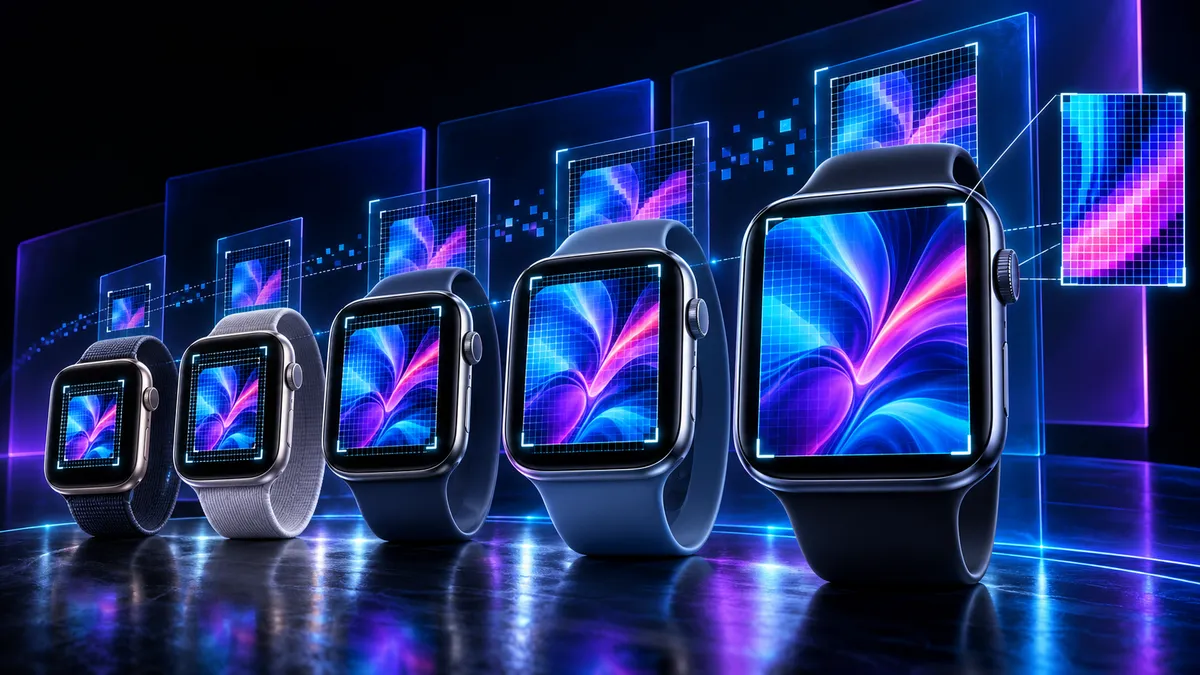
Complete wallpaper size chart for every Apple Watch ever made: Series 12 and 11 use 374×446 (42mm) and 416×496 (46mm). Series 7-10 use 352×430 (41mm) and 396×484 (45mm). Ultra and Ultra 2 use 410×502 (49mm). Series 4-6, SE, and SE 2nd gen use 324×394 (40mm) and 368×448 (44mm). Series 3 uses 272×340 (38mm) and 312×390 (42mm). Save this wallpaper size chart and you will always know the exact pixel dimensions your watch needs.
Complete Apple Watch Wallpaper Size Chart (Every Model)
Below is the definitive wallpaper size chart covering every Apple Watch model Apple has ever released. Bookmark this page — these are the exact pixel dimensions you need when creating or cropping wallpapers for any Apple Watch.
| Model | Case Size | Resolution (pixels) | Aspect Ratio |
|---|---|---|---|
| Series 12 | 46mm | 416 x 496 | ~5:6 |
| Series 12 | 42mm | 374 x 446 | ~5:6 |
| Series 11 | 46mm | 416 x 496 | ~5:6 |
| Series 11 | 42mm | 374 x 446 | ~5:6 |
| Series 10 | 46mm | 416 x 496 | ~5:6 |
| Series 10 | 42mm | 374 x 446 | ~5:6 |
| Ultra 2 | 49mm | 410 x 502 | ~5:6 |
| Ultra | 49mm | 410 x 502 | ~5:6 |
| Series 9 | 45mm | 396 x 484 | ~5:6 |
| Series 9 | 41mm | 352 x 430 | ~5:6 |
| Series 8 | 45mm | 396 x 484 | ~5:6 |
| Series 8 | 41mm | 352 x 430 | ~5:6 |
| Series 7 | 45mm | 396 x 484 | ~5:6 |
| Series 7 | 41mm | 352 x 430 | ~5:6 |
| SE (2nd gen) | 44mm | 368 x 448 | ~5:6 |
| SE (2nd gen) | 40mm | 324 x 394 | ~5:6 |
| SE (1st gen) | 44mm | 368 x 448 | ~5:6 |
| SE (1st gen) | 40mm | 324 x 394 | ~5:6 |
| Series 6 | 44mm | 368 x 448 | ~5:6 |
| Series 6 | 40mm | 324 x 394 | ~5:6 |
| Series 5 | 44mm | 368 x 448 | ~5:6 |
| Series 5 | 40mm | 324 x 394 | ~5:6 |
| Series 4 | 44mm | 368 x 448 | ~5:6 |
| Series 4 | 40mm | 324 x 394 | ~5:6 |
| Series 3 | 42mm | 312 x 390 | ~4:5 |
| Series 3 | 38mm | 272 x 340 | ~4:5 |
A few things jump out when you look at this wallpaper size chart all at once. First, Apple has only used five distinct resolution groups across the entire watch lineup. The newest models (Series 10, 11, and 12) share the same screen as each other. The mid-generation models (Series 7, 8, 9) share their screens too. And everything from Series 4 through Series 6, plus both SE models, uses an identical display resolution.
Second, every single Apple Watch screen is taller than it is wide. The aspect ratio hovers around 5:6 for most models, with the Series 3 being slightly narrower at closer to 4:5. This matters when you pick or create wallpapers — square images will always get cropped on an Apple Watch.
Third, the Apple Watch Ultra uses a unique resolution (410×502) that no other model shares. If you own an Ultra or Ultra 2, you cannot simply reuse wallpapers sized for a Series 9 or Series 10 without resizing. Close, but not pixel-perfect.
Why Exact Apple Watch Wallpaper Size Matters
You might wonder whether a few pixels really make a difference on a screen this small. They do, and there are three specific reasons why getting your apple watch wallpaper size right is worth the extra thirty seconds of work.
Blurry Upscaling
When you set a wallpaper smaller than your watch’s native resolution, watchOS stretches it to fill the screen. On a 45mm Series 9 (396×484 pixels), using a 324×394 image meant for a 40mm model forces the system to invent 40% more pixels through interpolation. The result looks soft and slightly smudged, especially around text, thin lines, and detailed patterns. You spent time picking the perfect wallpaper — upscaling ruins the sharpness that made you pick it in the first place.
Cropping Surprises
An image larger than your watch resolution gets cropped, not scaled down. watchOS centers the image and cuts off the edges. If your wallpaper features a face, a logo, or any element near the border, that element might get sliced. You intended to show a full moon in the center of a night sky — what you get is three-quarters of a moon shoved against the right edge. Matching the exact apple watch wallpaper resolution avoids this entirely.
OLED Pixel Perfection
Every Apple Watch uses an OLED display where each pixel emits its own light. When your wallpaper matches the native resolution exactly, each pixel in your image maps directly to one physical pixel on the screen. Colors are accurate. Blacks are truly black (the pixel is off). Edges are razor-sharp. This 1:1 pixel mapping is the difference between a wallpaper that looks printed onto the glass and one that looks like a screenshot of a screenshot.
Think of it this way: a 396×484 wallpaper on a 396×484 screen is like a tailored suit. Everything fits. A 500×600 image on that same screen is like wearing a coat two sizes too big — the fabric is fine, but the fit is wrong. The watch crops the excess, and you lose the design you intended.
How to Resize Wallpapers to Exact Dimensions
You found the perfect wallpaper image, but it is 1080×1350. Your Apple Watch needs 396×484. Here are three ways to resize it to your exact apple watch wallpaper dimensions, from easiest to most powerful.
Canva (Free, Browser-Based)
Open Canva and create a custom design. Enter your watch’s exact pixel dimensions as the canvas size — for example, 396 wide by 484 tall for a 45mm Series 9. Upload your image, drag it onto the canvas, and resize it until it fills the frame the way you want. Download as PNG. The exported file will be exactly the right number of pixels. Canva is free for this kind of basic work and runs entirely in your browser.
Preview on Mac
If you own a Mac, the built-in Preview app handles this without any downloads. Open your image in Preview, go to Tools > Adjust Size, uncheck “Scale proportionally” if needed, and enter the target width and height. Click OK, save, and you have a pixel-perfect wallpaper file. The advantage of Preview is speed — no sign-ups, no browser tabs, no waiting. The disadvantage is that nonproportional resizing can distort images, so crop first if the aspect ratio does not match.
Online Resize Tools
Sites like iLoveIMG let you upload an image, type in the exact width and height, and download the resized version in seconds. These tools are useful when you are on a device without Canva access or Preview. Most of them also offer cropping, which is helpful when your source image has a different aspect ratio than the roughly 5:6 ratio Apple Watch screens use.
Regardless of the tool you choose, always start with the highest-resolution source image you can find. Resizing a 4000×5000 photo down to 396×484 preserves every detail. Resizing a 200×250 thumbnail up to 396×484 creates a blurry mess. Quality goes in one direction — you can always scale down cleanly, but scaling up always loses sharpness.
Step-by-Step Resize Workflow
- Find your exact Apple Watch model and case size (check Settings > General > About on the watch itself).
- Look up the resolution in the wallpaper size chart above.
- Open your image in Canva, Preview, or an online tool.
- Crop the image to roughly the same aspect ratio as your target (about 5:6 for most models).
- Resize to the exact pixel dimensions.
- Save as PNG or JPEG.
- Transfer the image to your Apple Watch using the Watch app on iPhone.
Portrait vs horizontal: Which Orientation?
Always portrait. Every Apple Watch model has a screen that is taller than it is wide, with an aspect ratio close to 5:6. A horizontal-oriented image (wider than tall) will either get severely cropped on the sides or display with large black bars at the top and bottom.
Look at the numbers: a 45mm Series 9 is 396 pixels wide and 484 pixels tall. If you try to use a standard horizontal photo (let’s say 1920×1080), the watch must either crop nearly half the image away or shrink it down and leave empty space. Neither result looks good.
The ideal source image for any Apple Watch wallpaper is:
- Orientation: Portrait (taller than wide)
- Aspect ratio: Approximately 5:6 (or close to it)
- Minimum resolution: Equal to or larger than your watch’s native resolution
- Subject placement: Centered, with no important details near the edges
If you have a square image (1:1 ratio), it will work reasonably well — watchOS will crop a small strip from the left and right sides, but the center stays intact. Square images are the second-best option after true portrait images.
The only scenario where a horizontal image works is when you intentionally want to use just a horizontal strip of the image — for example, a panoramic mountain scene where you only want the mountain peaks centered on the watch face. In that case, crop the horizontal image to 5:6 portrait orientation yourself so you control which part appears on the screen.
What Happens When Wallpaper Size Is Wrong?
People set Apple Watch wallpapers without thinking about dimensions all the time. Understanding what goes wrong helps you see why matching the exact apple watch screen size wallpaper matters.
Image Too Small: Upscaling Artifacts
When your image has fewer pixels than the watch screen, watchOS scales it up. The algorithm fills in missing pixels by averaging neighboring ones, which creates a soft, slightly fuzzy look. Fine details like thin text, intricate patterns, or sharp edges become noticeably blurry. On a screen this small, blurriness is especially obvious because your eyes are only inches from the display when you check the time.
A 272×340 wallpaper (Series 3 size) displayed on a 416×496 screen (Series 12) means watchOS must generate over twice as many pixels as the original image contains. The result looks like a photo taken through fog.
Image Too Large: Unwanted Cropping
An oversized image gets centered and cropped. watchOS does not scale large images down to fit — it uses the center portion at 1:1 pixel mapping and discards everything beyond the screen’s edges. This means a 1000×1200 wallpaper on a 396×484 screen shows only the center 396×484 pixels. The outer 604 pixels of width and 716 pixels of height are invisible.
This is fine when the subject is centered and the edges are expendable (a gradient, a simple texture, a sky). It is a problem when your design has elements near the edges — borders, text, faces, or logos get cut off without warning.
Wrong Aspect Ratio: Stretching or Bars
A 1:1 square image on a 5:6 screen leaves thin strips on top and bottom, or gets cropped on the sides. A 16:9 horizontal image is the worst mismatch — the watch either stretches it vertically (making everything look unnaturally tall) or crops so aggressively that only a narrow horizontal band of the original image remains visible.
The fix for all three problems is the same: check the chart, resize your image, and transfer it at the exact right dimensions. Thirty seconds of preparation avoids disappointment every time you raise your wrist.
Quick Size Finder by Year
Not sure which Apple Watch model you own? Use the year you bought it to narrow down the right wallpaper size. This table covers the most common scenarios — if you bought the standard (non-Ultra) model in a given year, these are the likely resolutions you need.
| Year Purchased | Most Likely Model | Smaller Size Resolution | Larger Size Resolution |
|---|---|---|---|
| 2026 | Series 12 | 374 x 446 (42mm) | 416 x 496 (46mm) |
| 2025 | Series 11 | 374 x 446 (42mm) | 416 x 496 (46mm) |
| 2024 | Series 10 | 374 x 446 (42mm) | 416 x 496 (46mm) |
| 2023 | Series 9 | 352 x 430 (41mm) | 396 x 484 (45mm) |
| 2022 | Series 8 or SE 2nd gen | 352 x 430 (41mm) or 324 x 394 (40mm) | 396 x 484 (45mm) or 368 x 448 (44mm) |
| 2021 | Series 7 | 352 x 430 (41mm) | 396 x 484 (45mm) |
| 2020 | Series 6 or SE 1st gen | 324 x 394 (40mm) | 368 x 448 (44mm) |
| 2019 | Series 5 | 324 x 394 (40mm) | 368 x 448 (44mm) |
| 2018 | Series 4 | 324 x 394 (40mm) | 368 x 448 (44mm) |
| 2017 | Series 3 | 272 x 340 (38mm) | 312 x 390 (42mm) |
If you bought an Apple Watch Ultra (late 2022) or Ultra 2 (late 2023), your resolution is 410 x 502 regardless of when you purchased it — there is only one Ultra size at 49mm.
Still not sure? Check your watch directly. Go to Settings > General > About on the Apple Watch itself. The model name is listed right there. Once you know the model, come back to the full wallpaper size chart above and grab the exact pixel count.
For anyone buying a new watch in late 2026, Apple just announced the Series 12 on September 9. It uses the same 42mm and 46mm case sizes as the Series 10 and 11, with identical 374×446 and 416×496 resolutions. No new wallpaper sizes to worry about this generation.
Stop guessing your wallpaper size. Download free, perfectly-sized Apple Watch wallpapers from our wallpaper guide — every image is pre-cropped to the right dimensions for your model.
Frequently Asked Questions
What wallpaper size do I need for Apple Watch Series 12?
Apple Watch Series 12 uses 374 x 446 pixels for the 42mm model and 416 x 496 pixels for the 46mm model. These are the same resolutions used by Series 10 and Series 11, so any wallpaper sized for those models will work perfectly on a Series 12 without any adjustments.
Can I use the same wallpaper size for all Apple Watch models?
No. Apple Watch models use five different resolution groups, ranging from 272×340 on the smallest Series 3 to 416×496 on the newest 46mm models. Using a wallpaper sized for one model on a different model causes cropping, stretching, or blurriness. For the best results, resize your wallpaper to match your specific model’s exact pixel dimensions from the size chart.
Is Apple Watch wallpaper resolution the same as screen resolution?
Yes. The ideal wallpaper resolution matches the screen resolution exactly. When your image is the same pixel dimensions as the display, each pixel in the image maps directly to one physical pixel on the OLED screen. This produces the sharpest possible result with no upscaling, no cropping, and accurate color reproduction.
What file format should I use for Apple Watch wallpapers?
JPEG and PNG both work well. JPEG files are smaller and load slightly faster, while PNG supports transparency and tends to preserve sharper edges on graphic designs. HEIC (the default iPhone photo format) also works perfectly. At Apple Watch screen sizes, the quality difference between formats is practically invisible — focus on getting the pixel dimensions right rather than worrying about file format.
Do Apple Watch SE and Series 6 use the same wallpaper size?
Yes. Both the Apple Watch SE (1st and 2nd generation) and Series 4, 5, and 6 share identical screen resolutions: 324 x 394 for the 40mm case and 368 x 448 for the 44mm case. Any wallpaper created for one of these models fits all the others in this group without modification. Check our SE wallpaper guide for designs already sized for these dimensions.
