 WatchWalls AI
Best Retro Wallpapers for Apple Watch: Vintage & Throwback Designs
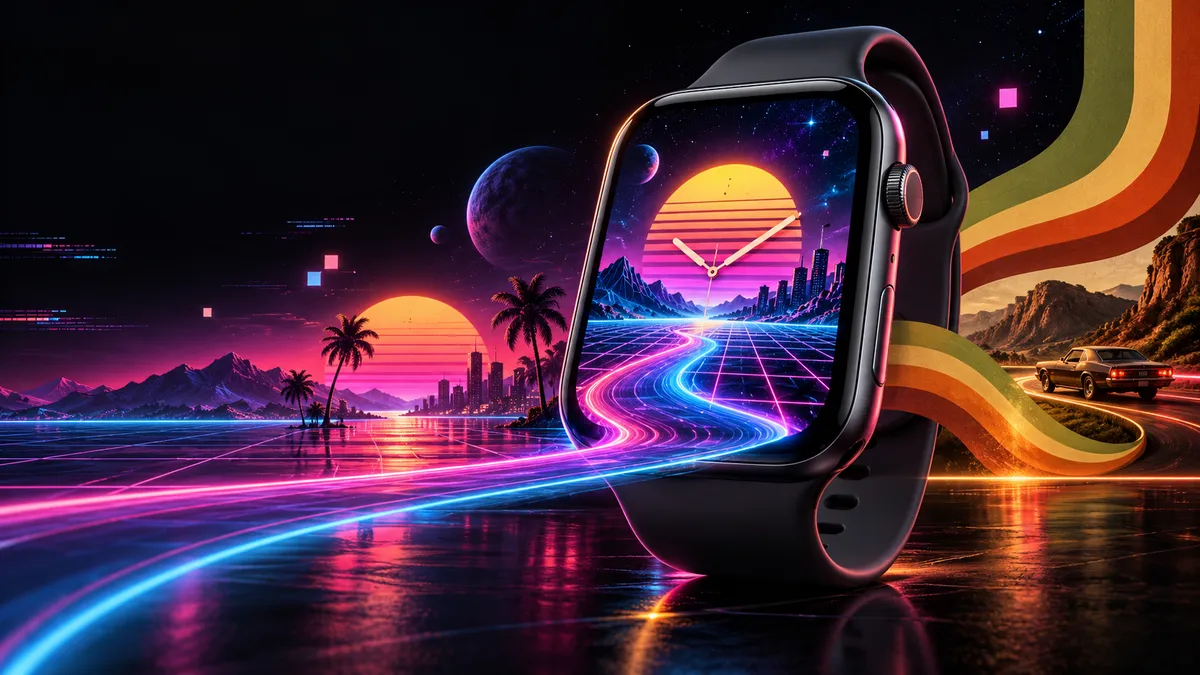
Looking for the best retro wallpaper for your Apple Watch? The most popular vintage styles include synthwave neon grids, pixel art sprites, VHS glitch effects, Casio calculator aesthetics, TV test patterns, vintage watch dials, the Apple rainbow logo, Polaroid frames, vinyl record labels, arcade cabinet art, 70s groovy swirls, and vintage travel posters. This guide covers all 12 styles with color tips, free sources, DIY methods, and exact resolution specs for every model.
- Why Retro Wallpaper Looks Great on Apple Watch
- 12 Best Retro Wallpaper Styles for Apple Watch
- Retro Color Palettes That Pop on OLED
- How to Set a Retro Wallpaper on Apple Watch
- Matching Retro Wallpapers With Watch Bands
- Free Sources for Retro Apple Watch Wallpapers
- Make Your Own Retro Wallpaper
- Resolution Table by Apple Watch Model
- FAQ
Why Retro Wallpaper Looks Great on Apple Watch
Apple Watch screens are small, high-contrast OLED displays with pure black backgrounds. That combination makes retro wallpaper styles with bold colors and simple shapes pop in a way they never could on a phone screen. The limited screen real estate actually works in favor of vintage aesthetics because retro designs tend to be graphic and bold rather than photo-realistic and detailed.
Throwback designs also create visual tension. You are wearing one of the most advanced pieces of personal technology ever built, but your watch face shows a VHS tracking line or a pixelated Space Invader. That contrast between old and new catches people’s attention.
There is a practical side too. Retro wallpapers with dark backgrounds consume less battery on OLED screens. A synthwave grid with a few neon lines against black uses less power than a bright photograph.
12 Best Retro Wallpaper Styles for Apple Watch
1. Synthwave Neon Grid
The classic 1980s retrowave look: a perspective grid in hot pink or cyan vanishing toward a sunset horizon, often with a glowing sun split by horizontal lines. On an Apple Watch screen, keep the grid lines thick enough to stay visible at small sizes. The best synthwave wallpapers for Apple Watch use no more than three colors — black background, one neon accent (magenta or cyan), and one warm tone (orange or purple) for the sky gradient.
2. Pixel Art Sprites
8-bit and 16-bit character sprites look surprisingly sharp on Apple Watch displays because the pixels in the artwork align well with the physical pixels on screen. Classic game characters, simple pixel hearts, retro game items like mushrooms or potions, and pixel scenery all work. The key is choosing designs with fewer than 32×32 pixel detail — anything more complex becomes a smudge at watch size.
3. VHS Glitch Effect
Horizontal scan lines, RGB color separation, and tracking distortion bars give your Apple Watch the look of a paused VCR tape from 1987. These wallpapers work best when the glitch effect is applied over a recognizable image — a sunset, a palm tree, or even the Apple logo. Pure abstract glitch without a subject can look like a broken screen.
4. Casio Calculator Aesthetic
Re-creating that segmented LCD display look on an Apple Watch is a popular style — gray-green background with dark digital segments. Some versions include fake “buttons” around the edge. It is ironic and nostalgic: a $400 smartwatch pretending to be a $15 Casio. The Apple Watch community on Reddit’s r/AppleWatch regularly shares these designs.
5. TV Test Pattern
The SMPTE color bars or the Indian Head test card that appeared on televisions after broadcast hours. These bold, geometric color blocks translate perfectly to a tiny screen. A simplified version with just the vertical color bars (white, yellow, cyan, green, magenta, red, blue, black) makes a surprisingly good-looking Apple Watch wallpaper.
6. Vintage Watch Dial
A photograph or illustration of a classic analog watch face — think Rolex Submariner, Omega Speedmaster, or a mid-century dress watch dial in cream with gold indices. The trick is to use only the dial portion without hands, so the digital time display does not clash with frozen analog hands underneath.
7. Apple Rainbow Logo
The six-color Apple logo used from 1977 to 1998 is one of the most recognizable retro tech symbols. A simple rainbow Apple silhouette centered on a black background works perfectly as an Apple Watch wallpaper. You can also find versions with the rainbow stripes filling the entire screen as horizontal bands. Apple themselves have referenced this design in their Pride Edition watch bands and faces.
8. Polaroid Frame
A miniature Polaroid-style white border framing a tiny photo on your watch screen. The white frame eats into screen space, but that is part of the charm. This style works best with warm, faded photos: slightly overexposed, soft warm tones, mild vignetting. Check our aesthetic Apple Watch wallpaper collection for similar artistic styles.
9. Vinyl Record Label
A close-up of a vinyl record label — the circular center sticker on a 12-inch LP. Classic labels from Motown, Sun Records, or Columbia with their distinctive color schemes fit the Apple Watch screen well when cropped to show the label and a ring of grooves. The circular geometry naturally centers itself on the watch face.
10. Arcade Cabinet Art
Side art and marquee graphics from classic arcade cabinets — Pac-Man, Galaga, Donkey Kong, Street Fighter II — are intensely colorful and designed to grab attention from across a room. Crop a section that features one strong graphic element (the Pac-Man character, a spaceship, a fighter’s portrait) rather than trying to squeeze an entire cabinet side panel onto a 40mm screen.
11. 70s Groovy Swirls
Psychedelic swirls, peace signs, and flower-power patterns in burnt orange, avocado green, mustard yellow, and chocolate brown. These patterns are abstract and scale-independent — they look good at any crop and size. A simple three-color swirl is one of the easiest retro wallpapers to create yourself. See our gradient wallpaper guide for similar flowing designs.
12. Vintage Travel Poster
National park posters, airline advertisements, and tourism art from the 1930s through 1960s share a common style: flat colors, bold outlines, and minimal detail. A vintage “Visit Mars” or “See the Grand Canyon” poster cropped to show the main illustration translates well to Apple Watch. The flat color areas render cleanly on OLED without banding artifacts.
Retro Color Palettes That Pop on OLED
Not every retro wallpaper looks good on OLED. Black pixels are truly off, and bright colors appear intensely saturated. Choosing the right color palette makes the difference between a wallpaper that glows and one that looks muddy.
| Palette Name | Key Colors (Hex) | Best For |
|---|---|---|
| Synthwave Neon | #FF00FF, #00FFFF, #FF6600 on #000000 | Grid, glow, sunset scenes |
| VHS Distortion | #FF0000, #00FF00, #0000FF, #1A1A1A | Glitch, scan lines, tracking bars |
| 70s Earth | #D2691E, #556B2F, #DAA520, #8B4513 | Swirls, flowers, groovy patterns |
| Casio LCD | #8B9A6B, #2C3E2D, #A0B88C | Calculator, digital segment displays |
| Arcade Bright | #FFD700, #FF4500, #00CED1, #FF1493 | Game sprites, cabinet art, text |
| Faded Polaroid | #F5DEB3, #DEB887, #FFE4C4, #FFF8DC | Photo frames, warm vintage shots |
The general rule: neon-on-black styles (synthwave, arcade) look most striking on OLED. Warm earth tones (70s, Polaroid, travel poster) still look good but lack the same contrast punch. Large bright areas will use more battery than dark backgrounds.
How to Set a Retro Wallpaper on Apple Watch
Setting a custom retro wallpaper takes about two minutes. For the full walkthrough, read our how to change Apple Watch wallpaper tutorial. Quick version:
- Save the wallpaper image to your iPhone’s Photos app. Make sure it is cropped to your watch’s exact resolution (see the resolution table below).
- Open the Watch app on your iPhone. Tap Face Gallery at the bottom.
- Select the Photos watch face. Tap “Choose Photo” and pick your retro wallpaper from your camera roll.
- Adjust the position if needed. Pinch and drag to center the design on the watch preview.
- Tap Add. The new retro watch face appears on your Apple Watch within seconds.
Alternatively, you can set wallpapers directly from the Photos app on your Apple Watch. Open Photos on the watch, find the image, force-press (or long-press on newer models), and select “Create Watch Face.” This method is faster but gives you less control over positioning.
Matching Retro Wallpapers With Watch Bands
A retro wallpaper paired with the wrong band looks off. Match the era and energy of your wallpaper to your band:
- Synthwave / Arcade / VHS: Black Sport Band or black braided Solo Loop. The dark base lets the wallpaper colors pop.
- 70s Groovy / Vintage Travel Poster: Tan or saddle brown leather, canvas NATO straps in olive or khaki.
- Casio / Pixel Art: Black Sport Band mimics the utilitarian Casio strap. Third-party transparent “jelly” bands also echo the Casio look.
- Apple Rainbow Logo / TV Test Pattern: Pride Edition Sport Band or a neutral white Sport Band.
- Polaroid / Vintage Watch Dial: Milanese Loop in silver or gold, or leather link bands in chalk.
The general principle: if the wallpaper is loud and colorful, the band should be neutral. If the wallpaper is muted and warm, the band can match. Avoid pairing two loud elements — a neon wallpaper with a bright orange band creates visual chaos on your wrist.
Free Sources for Retro Apple Watch Wallpapers
You do not need to pay for retro wallpapers. Several sources offer high-quality throwback designs at no cost:
- Pinterest: Search “Apple Watch retro wallpaper” or “vintage watch face background” to find hundreds of ready-to-use designs. Many are pre-sized for Apple Watch. Pin collections from other users are a great way to browse curated sets.
- Reddit communities: r/AppleWatch, r/watchfaces, and r/outrun (for synthwave) regularly have users sharing free custom wallpapers. Sort by top posts of all time in these communities for the highest-quality options.
- Unsplash and Pexels: Search for “retro texture,” “vintage pattern,” or “neon grid” on these free stock photo sites. The images are not pre-sized for Apple Watch, but cropping takes seconds.
- Retro effect tools: Photopea (free Photoshop alternative) has retro filters you can apply to any image and then crop to Apple Watch size.
- Our own collections: Browse the Apple Watch wallpaper ideas page for curated collections including vintage and retro themes.
When downloading from any source, check the image resolution before transferring. Many shared wallpapers are sized for iPhone screens and need to be cropped to Apple Watch dimensions.
Make Your Own Retro Wallpaper
Creating a custom retro wallpaper is straightforward even without design skills. The simplest approach uses free tools you already have.
Method 1: Canva (Easiest)
Open Canva (free account works), create a custom-sized canvas matching your Apple Watch resolution (for example, 396×484 for a 45mm Series 9), and pick a retro template. Canva has dozens of templates tagged “retro,” “80s,” and “vintage.” Export as PNG and transfer to your iPhone.
Method 2: Photopea or GIMP (More Control)
For glitch effects and pixel art, use Photopea (browser-based, free) or GIMP (desktop, free). Start with a black canvas at your watch resolution. Add a gradient for synthwave sunsets, use the line tool for neon grids, or apply the “pixelate” filter to any photo for an instant 8-bit look. The RGB shift glitch effect comes from duplicating a layer and shifting the red channel 3-5 pixels left and the blue channel 3-5 pixels right.
Method 3: iPhone Shortcuts (Fastest)
Apple’s Shortcuts app can automate the process. Build a shortcut that takes a photo, applies a color filter (warmth and grain for vintage, contrast and vignette for VHS), crops to your watch size, and saves. Once built, it processes any photo into a retro watch wallpaper in seconds. For more creative starting points, see our cyberpunk wallpaper guide.
Resolution Table by Apple Watch Model
Every retro wallpaper you create or download must match your specific Apple Watch screen resolution. Using the wrong size causes blurriness, unwanted cropping, or stretching. Here are the exact pixel dimensions for every current and recent model:
| Apple Watch Model | Case Size | Resolution (W x H) |
|---|---|---|
| Series 12 / 11 / 10 | 46mm | 416 x 496 |
| Series 12 / 11 / 10 | 42mm | 374 x 446 |
| Ultra 2 / Ultra | 49mm | 410 x 502 |
| Series 9 / 8 / 7 | 45mm | 396 x 484 |
| Series 9 / 8 / 7 | 41mm | 352 x 430 |
| SE (2nd gen) / Series 6 / 5 / 4 | 44mm | 368 x 448 |
| SE (2nd gen) / Series 6 / 5 / 4 | 40mm | 324 x 394 |
| Series 3 | 42mm | 312 x 390 |
| Series 3 | 38mm | 272 x 340 |
Always crop and resize before transferring to your Apple Watch. A 1080×1080 synthwave grid manually resized to 396×484 will look sharper than letting watchOS handle the scaling.
Ready to go retro? Browse our full Apple Watch wallpaper ideas collection for hundreds of curated designs including vintage, synthwave, pixel art, and more throwback styles — all free to download and pre-sized for every Apple Watch model.
Frequently Asked Questions
What is the best retro wallpaper style for Apple Watch?
Synthwave neon grids and pixel art sprites are the two most popular retro wallpaper styles for Apple Watch. Synthwave works well because neon-on-black takes full advantage of OLED displays. Pixel art works because the small screen size means individual pixels are visible and intentional, giving 8-bit designs a clean, authentic look.
Where can I download free retro wallpapers for Apple Watch?
The best free sources are Pinterest (search “apple watch retro wallpaper”), Reddit communities like r/AppleWatch and r/outrun, and free stock photo sites like Unsplash and Pexels. Many Reddit users share original designs at the correct Apple Watch resolution. For stock photos, crop to your watch’s pixel dimensions using Canva or Photopea before transferring.
Do retro wallpapers drain Apple Watch battery faster?
It depends on the style. Retro wallpapers with dark or black backgrounds (synthwave, pixel art, VHS glitch) use less battery because OLED pixels turn off for black areas. Bright styles like TV test patterns or the rainbow Apple logo use more. For the best battery life, choose designs where at least 60 percent of the image is dark or black.
Can I make a retro wallpaper that shows the time on Apple Watch?
Yes. The Photos watch face automatically overlays the digital time on top of your wallpaper. You do not need to include time in your design. If you use a Casio-style wallpaper with fake time numbers, you will see two different times. For Casio-style designs, leave the time area blank or use a version without numbers.
What size should a retro wallpaper be for Apple Watch Series 12?
Apple Watch Series 12 uses 374 x 446 pixels (42mm) and 416 x 496 pixels (46mm). Crop your retro wallpaper to these exact dimensions. These match Series 10 and 11, so wallpapers sized for those models work on Series 12 without changes.
