 WatchWalls AI
Best Luxury Wallpaper for Apple Watch: Designer & Premium Styles
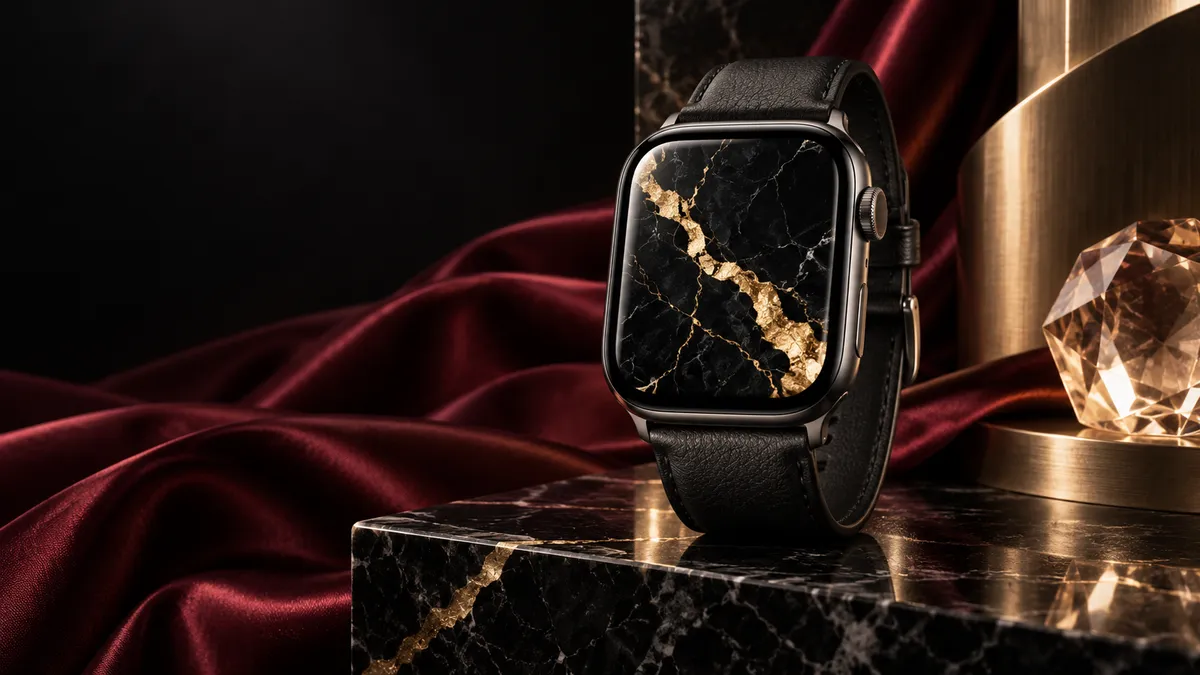
Want a luxury wallpaper that makes your Apple Watch look like a million-dollar timepiece? Premium aesthetic backgrounds featuring gold foil, black marble, brushed titanium, and Italian leather textures give your wrist the high-end treatment without spending a cent. Download a ready-made design from Etsy or Pinterest, or photograph real luxury materials with your iPhone for a one-of-a-kind background. Crop to your watch resolution (396 x 484 px for Series 7+), set it as a Photos face, and enjoy that designer feel every time you raise your wrist.
- Why Luxury Wallpapers Transform Your Apple Watch
- 12 Best Luxury Wallpaper Styles for Apple Watch
- Best Color Palettes for Luxury Wallpapers
- How to Set Luxury Wallpapers on Apple Watch
- Luxury Wallpaper + Band Pairing Guide
- Where to Find Premium Apple Watch Wallpapers
- DIY: Photographing Luxury Textures
- Resolution Guide
- FAQ
Why Luxury Wallpapers Transform Your Apple Watch
A luxury wallpaper changes the entire personality of your Apple Watch. The same aluminum Sport model that looks casual with a default face suddenly reads as refined and intentional with a black marble or rose gold background glowing beneath the glass. It is the cheapest upgrade in all of fashion — zero dollars for a transformation that strangers actually notice.
Think about what makes a traditional luxury watch desirable. Beyond the movement, it is surface materials: polished metal, textured dials, gemstone inlays, sapphire glass catching light. Your Apple Watch already has the premium glass and sleek case. A well-chosen wallpaper fills in the missing piece — the dial texture that separates a $300 watch from a $30,000 one.
The OLED display on every Apple Watch from Series 4 onward makes this work especially well. Pure black pixels stay completely off, which means dark luxury textures like black marble or carbon fiber blend smoothly into the bezel. There is no visible boundary between wallpaper and case. The gold veins in a marble pattern or the metallic sheen of a brushed titanium texture appear to float inside the watch itself.
Unlike a real Rolex or Cartier, you can switch luxury styles in seconds. Gold foil for a dinner event, leather texture for the office, carbon fiber for the weekend — one watch, unlimited expensive looks. If you already enjoy customizing your watch face, our aesthetic wallpaper guide covers the broader styling approach. This article goes deeper into especially premium and designer-inspired backgrounds.
12 Best Luxury Wallpaper Styles for Apple Watch
Each style below works across all Apple Watch models. Darker options save slightly more battery on OLED screens, but the difference is negligible for still wallpapers. Choose based on the look you want and the band you wear.
1. Gold Foil on Black
This is the single most popular apple watch luxury wallpaper category, and for good reason. Crumpled gold foil or hammered gold leaf on a pure black background creates an unmistakable premium feel. The irregular texture of real gold foil catches imaginary light, making the watch face look different from every angle. OLED black merges the background with your watch bezel, so the gold elements appear to float in darkness. Best paired with a black band of any material — the contrast keeps all attention on the golden glow.
2. Black Marble with Gold Veins
Nero Marquina marble with thin gold veins running through it is a staple of luxury interior design, and it translates beautifully to a 41mm or 45mm screen. The organic, unpredictable lines of the veining mean no two marble wallpapers look the same, which gives your watch a bespoke quality. Look for high-resolution macro photographs of real marble rather than digitally generated patterns — genuine stone has a depth and randomness that algorithms struggle to replicate. Dark marble also pairs naturally with both gold and silver watch cases.
3. Brushed Metal (Titanium/Steel Texture)
Fine linear brushing on steel or titanium creates a wallpaper that looks like an extension of the watch case itself. This is a subtle, understated luxury — the kind that whispers rather than shouts. A brushed titanium wallpaper on an actual titanium Apple Watch Ultra creates a smooth monochrome look that reads as a much more expensive single-piece design. For standard aluminum models, this wallpaper “upgrades” the perceived material of your entire watch. Keep the brushing direction horizontal for the most natural dial appearance.
4. Leather Texture (Crocodile, Italian)
Crocodile, alligator, and fine-grain Italian leather textures reference the world of haute horlogerie, where exotic leather straps cost hundreds on their own. A close-up photograph of dark brown crocodile leather, with its distinctive rectangular scales catching light across their ridges, brings that tactile richness to your watch face. Burgundy, deep cognac, and black work best at watch scale. This style pairs logically with an actual leather band — matching the wallpaper leather to your strap color creates a cohesive, luxury-brand look.
5. Diamond/Crystal Pattern
Macro photographs of cut diamonds, Swarovski crystals, or even ice crystals create dazzling wallpapers full of refracted light. The faceted surfaces produce dozens of tiny light points against dark backgrounds, mimicking the appearance of a gem-set watch dial. For the most elegant result, choose images with cool white or faintly blue-tinted sparkle on black — this reads as “diamond” rather than “glitter.” A single large stone centered on the face works better than a scattered field of small crystals, which can look busy at watch scale.
6. Rose Gold Gradient
A smooth gradient from warm rose gold to deep copper or soft blush delivers instant premium aesthetics with zero visual clutter. This is one of the easiest luxury styles to pull off because there are no intricate details that might get lost on a small screen. The gradient catches the eye without competing with complications or the time display. Rose gold wallpapers are a natural match for the gold or pink-toned Apple Watch cases (Gold, Pink, Starlight). For more gradient inspiration, check our gradient wallpaper guide.
7. Dark Wood Grain (Ebony, Mahogany)
Rich dark wood textures connect your Apple Watch to the tradition of luxury car dashboards and high-end watch boxes. Ebony, wenge, and dark mahogany all have pronounced grain patterns that photograph beautifully for wallpapers. The key is choosing wood with visible but not overwhelming grain — you want the texture to be noticeable at a glance, not just a brown blob. Burl wood (the swirled pattern from tree knots) is particularly striking because the organic spirals create a natural focal point at the center of the watch face.
8. Champagne Bubbles/Bokeh
Golden bokeh lights or macro shots of champagne bubbles rising through amber liquid produce warm, celebratory wallpapers that feel opulent without being heavy. The soft circles of light create depth and movement in a still image. This style works especially well for evening and social settings — your watch face literally looks like a glass of champagne. For the cleanest result, choose images with a dark or deep amber background so the bokeh circles have strong contrast. Avoid images with too many bubbles packed together, which read as noise on a small display.
9. Silk/Satin Fabric Texture
Flowing silk or satin fabric, photographed to show its characteristic light-and-shadow folds, adds a tactile softness to your watch face. Dark colors work best: black silk, midnight navy satin, deep burgundy charmeuse. The fabric folds create subtle gradients that change visually depending on how light hits your actual watch screen. This is a quieter form of luxury compared to gold foil or diamonds — it suggests taste and refinement rather than wealth. Silk textures pair beautifully with the Milanese Loop band, where the woven metal mirrors the woven fabric.
10. Mother of Pearl Iridescent
Mother of pearl (nacre) displays shifting rainbow iridescence across a white or cream base — the same material used in luxury watch dials by brands like Omega, Rolex, and Longines. A high-resolution photograph of real mother of pearl captures the way colors shift between pink, green, blue, and gold depending on the viewing angle. While your watch screen will not physically shift colors, a well-photographed image preserves enough of that opalescent quality to read as premium. This is one of the few luxury textures that works best as a light rather than dark wallpaper.
11. Carbon Fiber Pattern
The tight, woven 2×2 twill pattern of carbon fiber is synonymous with high-performance luxury — supercars, racing watches, and premium phone cases. On an Apple Watch, a carbon fiber wallpaper adds an athletic, technical edge to the premium look. The repeating geometric weave is visually clean at any scale and pairs with our black wallpaper collection. True carbon fiber photographs show a subtle sheen where light catches the resin between fibers, adding depth beyond a simple pattern. This style leans masculine and sporty — perfect with a Nike Sport Band or rugged strap.
12. Monogram/Designer Pattern
Repeating geometric monogram patterns, inspired by the style of high-fashion houses, create instantly recognizable luxury signals. You can design your own monogram using your initials set in a serif font, repeated in a diagonal grid with small geometric separators — stars, diamonds, or crosses. Keep colors muted: dark brown on tan, navy on cream, or charcoal on black. Do not use actual brand logos or trademarked patterns, as this raises both legal and taste concerns. A custom monogram unique to you is more genuinely luxurious than copying an existing brand — it implies you have your own house, your own mark.
Best Color Palettes for Luxury Wallpapers
Color combinations determine whether a wallpaper reads as “luxury” or “loud.” These four palettes consistently produce premium results on Apple Watch screens.
Gold + Black. The classic combination. High contrast, universally recognized as premium. Works with any watch case color. The gold should lean warm (hex #D4AF37 or similar) rather than bright yellow, which reads as cheap. Best for: foil textures, marble veins, geometric patterns.
Rose Gold + Blush. Softer and more contemporary than traditional gold. The low contrast between rose gold and blush pink creates a tonal, monochromatic look that feels curated and modern. Works particularly well on gold, starlight, and pink Apple Watch cases. Best for: gradients, silk textures, subtle patterns.
Silver + Navy. Cooler and more conservative, this palette suggests understated old-money elegance. Think yacht club, not nightclub. Silver details on a deep navy background pair naturally with silver and midnight-colored Apple Watch cases. Best for: brushed metal, pinstripe patterns, nautical-inspired designs.
Champagne + Cream. The most subdued of the four, this warm neutral palette creates a wallpaper that complements rather than dominates. Ideal for professional settings where you want your watch to look refined without drawing attention. Cream-on-champagne textures need strong material detail (visible fabric weave, paper grain, leather pores) to avoid looking flat. Best for: leather, linen, fine paper textures.
How to Set Luxury Wallpapers on Apple Watch
Once you have your premium wallpaper image saved to your iPhone, the setup process takes under a minute.
- Open the Watch app on your iPhone.
- Tap Face Gallery at the bottom of the screen.
- Scroll to and select the Photos watch face.
- Tap Choose Photo and select your luxury wallpaper from your library.
- Pinch and drag to center the most visually important element — for marble, center the thickest gold vein; for bokeh, center the brightest light cluster.
- Add or remove complications as needed. Luxury wallpapers generally look best with minimal complications — the time plus one small corner complication at most.
- Tap Add to push the face to your Apple Watch.
Pro tip: Create multiple luxury faces and swipe between them throughout the day. Leather for morning meetings, gold foil for evening events, carbon fiber for workouts. The Watch app lets you store dozens of faces, and switching takes a single swipe on your wrist.
For a full step-by-step walkthrough including screenshots, visit our guide on matching your band and face which also covers luxury pairing strategies.
Luxury Wallpaper + Band Pairing Guide
A premium apple watch luxury wallpaper reaches its full potential when matched with the right band. The wrong combination can undermine even the most beautiful wallpaper.
Leather bands pair naturally with leather, wood grain, and warm-toned wallpapers. A brown leather band with a cognac crocodile wallpaper creates a smooth, tonal look. Black leather works with nearly everything but shines with gold foil and marble wallpapers. If you own a Rolex-inspired face, a leather band completes the traditional luxury watch aesthetic.
Milanese Loop is the most versatile luxury band. The woven stainless steel mesh pairs with brushed metal, silk, and monogram wallpapers. Silver Milanese against a navy-and-silver wallpaper is one of the most sophisticated Apple Watch combinations possible. Gold Milanese with a rose gold gradient wallpaper creates warmth and coherence.
Link Bracelet demands wallpapers that match its weight and presence. Bold choices work here — heavy gold foil, dramatic marble, high-contrast diamond patterns. Subtle textures like silk or linen get overpowered by the visual mass of a polished steel bracelet. Keep the wallpaper at the same intensity level as the band.
Sport Band might seem like an odd pairing with luxury wallpapers, but a matte black Sport Band with a gold foil or carbon fiber wallpaper creates an interesting contrast between casual and premium. This works as a daily wear option when a leather or metal band feels like too much for the setting.
Where to Find Premium Apple Watch Wallpapers
The quality of your luxury wallpaper depends entirely on the source image. Low-resolution or poorly lit textures will look muddy and cheap on your watch — the opposite of what you want. These sources consistently deliver premium-quality results.
Etsy has become the go-to marketplace for curated Apple Watch wallpaper packs. Sellers offer themed sets of 10 to 50 luxury wallpapers for a few dollars, already cropped to the correct resolution and color-corrected for small screens. Search for “luxury Apple Watch wallpaper” or “premium watch face background.” The advantage of Etsy packs is that someone has already done the work of selecting, cropping, and optimizing each image for watch display.
Pinterest is excellent for discovering specific textures and aesthetic directions. Search “luxury watch dial texture,” “gold foil texture,” or “marble wallpaper dark” to find high-resolution source images. The limitation is that most Pinterest images need manual cropping and may not be at the ideal resolution. Use Pinterest for inspiration and source material, then crop and resize yourself.
Unsplash offers free, high-resolution photographs of real textures — marble surfaces, metallic materials, fabric close-ups, gemstones. These are professional photographs with excellent lighting, which makes a huge difference at watch scale. Search by material name and download the highest resolution available, then crop to your watch dimensions.
WatchWalls AI generator lets you describe the exact luxury wallpaper you want and generates it at the correct watch resolution. Type “black marble with thin gold veins, macro, dark moody lighting” and get a purpose-built result. This eliminates the cropping and resizing step entirely and produces textures that do not exist anywhere else.
DIY: Photographing Luxury Textures
Your iPhone camera is capable of capturing luxury textures that outperform any stock image. The trick is getting close enough to fill the frame with pure texture, eliminating context that shrinks the perceived quality.
Jewelry and watch dials. If you own a luxury watch, photograph the dial from directly above at macro distance. The surface textures of a real Omega or Tag Heuer dial — sunburst brushing, guilloche patterns, applied indices — make extraordinary Apple Watch wallpapers. Use portrait mode or macro mode (iPhone 15 Pro and later) to capture the fine detail. Do not include the hands or bezel in the shot. Just the dial surface, cropped tight.
Fabric and leather. Lay a silk tie, leather wallet, or designer handbag on a flat surface under indirect natural light. Photograph from above, filling the entire frame with the material. Avoid direct flash, which flattens textures. Side lighting from a window brings out the depth of leather grain and fabric weave. A single crocodile leather wallet can produce five or six different wallpapers depending on which area you photograph and how tightly you crop.
Natural stone. Hotel lobbies, kitchen countertops, and bathroom vanities made from marble or granite provide ready-made photographic subjects. Get your camera close to the surface and fill the frame with stone. The veining and color variation in real marble is infinitely more complex than any stock photo. Dark marble in a dimly lit setting produces especially moody, atmospheric wallpapers.
Metal surfaces. Brushed stainless steel appliances, brass fixtures, copper pots — any polished or brushed metal surface in your home is a potential wallpaper source. Photograph at a slight angle to catch the directional brushing or reflective surface. The key detail is keeping the focus on the texture itself, not the object. Nobody should be able to tell whether your wallpaper came from a Cartier bracelet or a kitchen faucet — the texture is what matters.
Resolution Guide
| Apple Watch Model | Case Size | Resolution (px) |
|---|---|---|
| Series 4, 5, 6, SE | 40mm | 324 x 394 |
| Series 4, 5, 6, SE | 44mm | 368 x 448 |
| Series 7, 8, 9, 10 | 41mm | 352 x 430 |
| Series 7, 8, 9, 10 | 45mm | 396 x 484 |
| Apple Watch Ultra / Ultra 2 | 49mm | 410 x 502 |
When in doubt, save your luxury wallpaper at 410 x 502 pixels — the largest standard resolution. The Photos face will crop and scale the image down for smaller watches without losing quality. Texture-based wallpapers are especially forgiving with scaling because there is no specific detail that must stay in frame. A marble surface looks equally good whether you see the full slab or a cropped section of it.
For source images from Unsplash or your own photography, start with the highest resolution available and crop down. Scaling a 500 px image up to 800 px introduces visible softness, which destroys the tactile quality that makes luxury textures convincing. Always crop down, never scale up.
Explore the full WatchWalls collection for hundreds of luxury-inspired backgrounds — gold foil, marble, brushed metal, leather, and more. Find the premium wallpaper that matches your style and band in seconds.
Explore WatchWalls CollectionFrequently Asked Questions
Do luxury wallpapers drain Apple Watch battery faster?
No. A luxury wallpaper is a static image, and the Photos watch face consumes the same battery as any other still face. In fact, dark luxury textures like black marble, carbon fiber, and gold foil on black can save a tiny amount of battery because OLED pixels in black areas stay completely off. The difference versus a bright wallpaper is small, but it exists. Your battery life will not change in any noticeable way by switching to a premium wallpaper.
What is the best luxury wallpaper style for Apple Watch?
Gold foil on black is the most universally popular luxury wallpaper because it works with every Apple Watch case color, saves battery with its dark background, and delivers the strongest visual impact at small scale. Black marble with gold veins is a close second. Both styles look expensive, photograph well in any lighting, and pair easily with leather bands, Milanese Loop, or even a black Sport Band.
Can I use designer brand patterns as Apple Watch wallpaper?
You can technically set any image as your watch wallpaper for personal use. However, using trademarked logos and brand-specific patterns (like monograms belonging to specific fashion houses) is legally questionable and generally unnecessary. A custom monogram using your own initials in a similar repeating geometric style looks more genuinely luxurious than a copied brand pattern. It also signals personal taste rather than brand dependence.
Where can I find free luxury wallpapers for Apple Watch?
Unsplash offers free high-resolution photographs of gold, marble, leather, and other luxury textures that you can crop to Apple Watch dimensions. Pinterest surfaces thousands of luxury texture images (download and crop manually). The WatchWalls AI generator also lets you create custom luxury wallpapers at the correct watch resolution. For curated, pre-cropped packs, Etsy sellers offer affordable sets starting at two to three dollars for collections of 20 or more wallpapers.
How do I make a luxury wallpaper look good on a small screen?
Three rules: use macro/close-up textures rather than wide shots, choose high-contrast images (light details on dark backgrounds), and keep complications minimal. A full marble countertop photographed from across the room will look like a gray smudge on your watch. The same marble photographed from two inches away, filling the frame with a single dramatic vein, will look stunning. Crop tight, keep it bold, and let the texture speak for itself.
