WatchWalls AI
Best Desert Wallpaper for Apple Watch: 12 Warm Designs That Glow on OLED
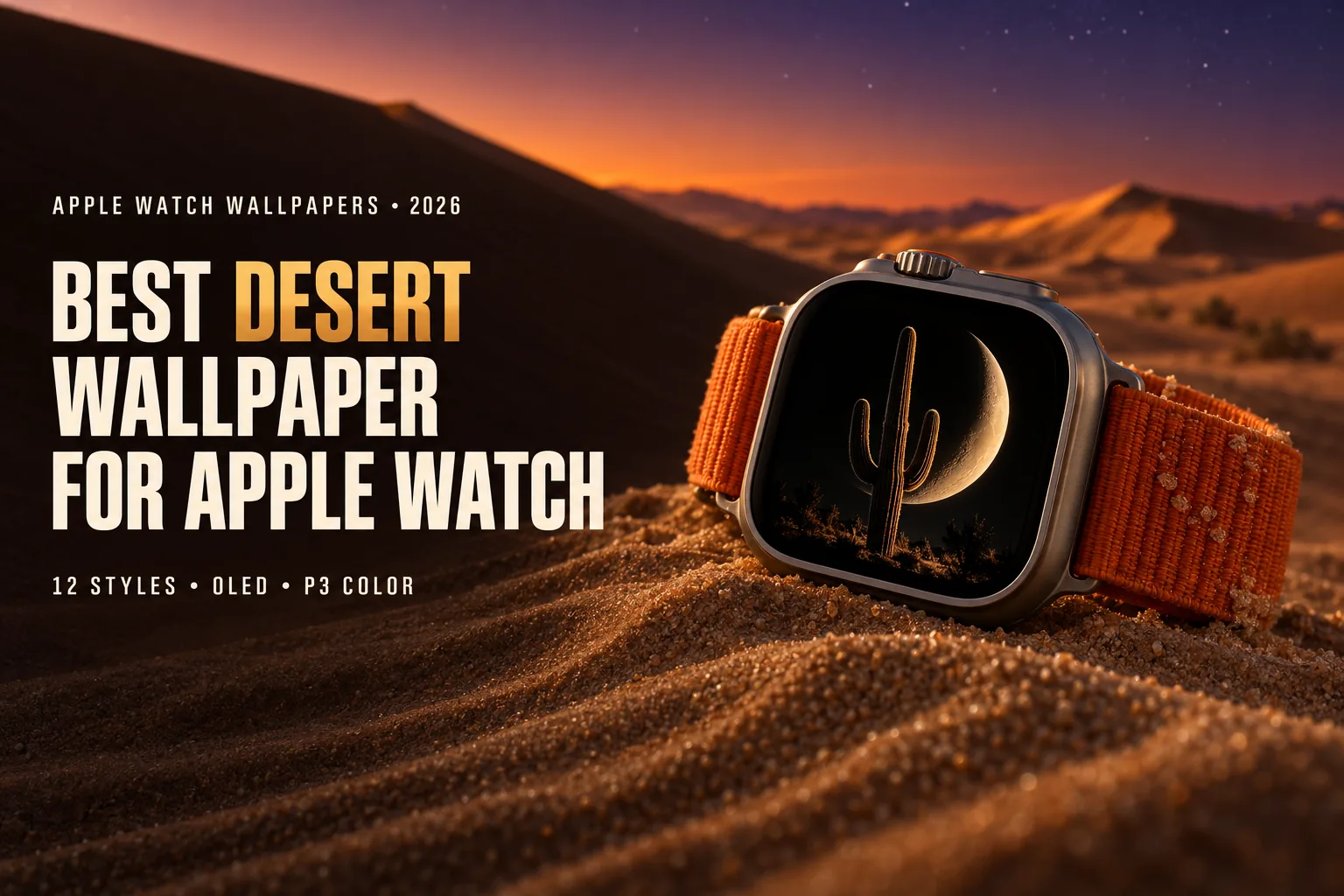
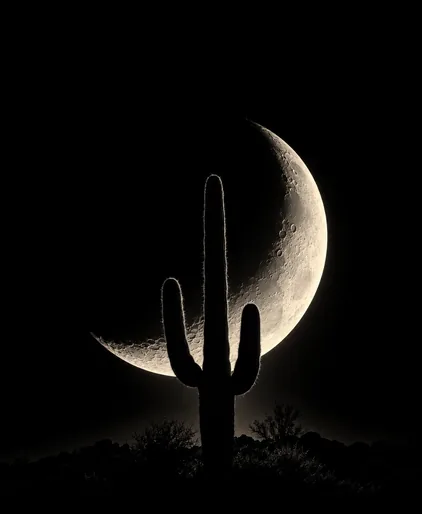
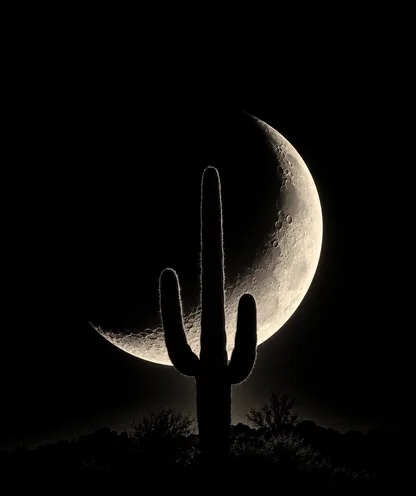
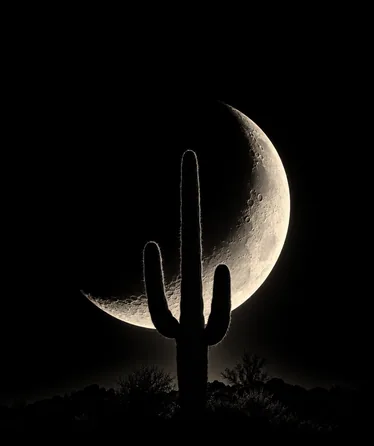
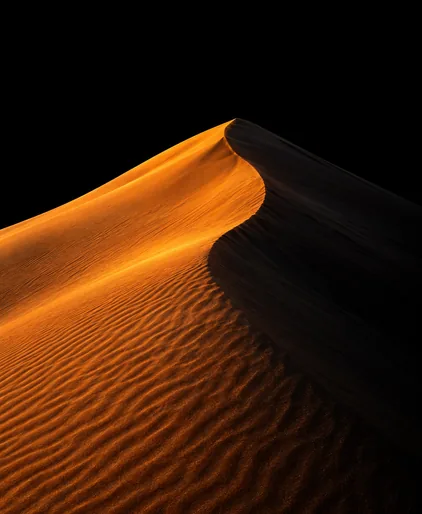
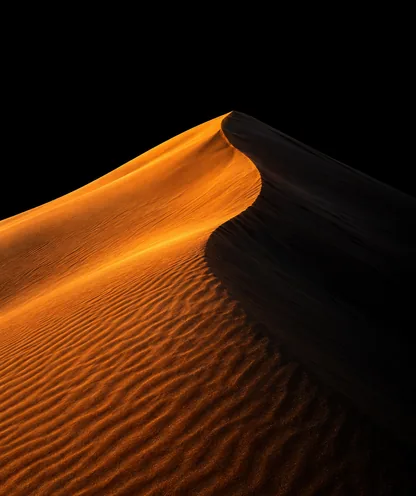
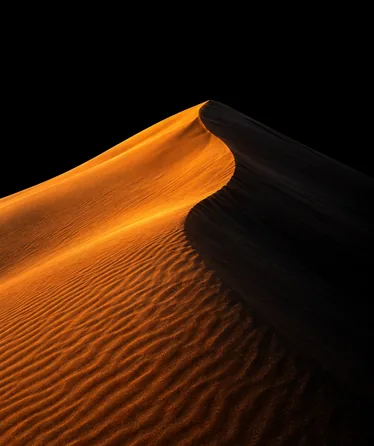
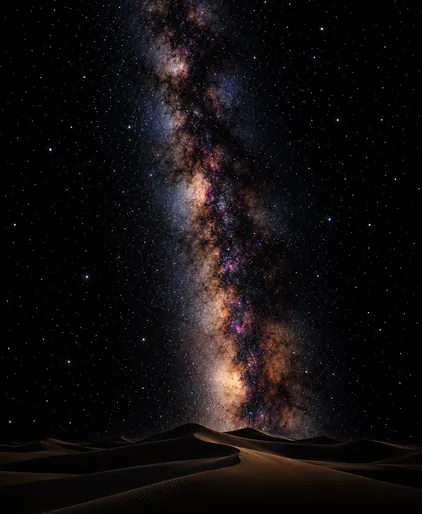
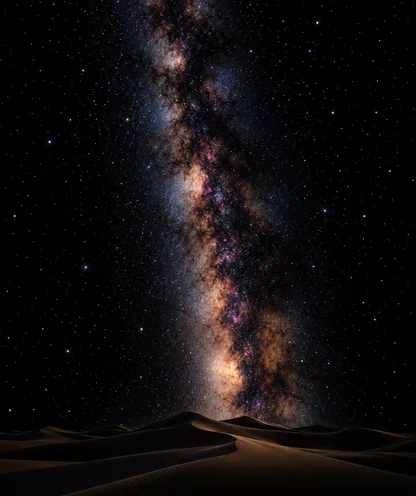
Download 6 Free Desert Wallpapers for Apple Watch
Original desert designs on true black, so only the dunes, cacti and sky light up on OLED. Pick your screen size and save the PNG, then add it through the Photos face (step-by-step guide).
See all free Apple Watch wallpapers →
Free for personal use. Not sure which size you need? Check the Apple Watch wallpaper size chart. Want your own version? The WatchWalls AI app generates custom designs.
Why a Desert Wallpaper Works on Apple Watch
A desert wallpaper for Apple Watch works because the desert is already a minimal landscape. There are no crowds of trees, no buildings and no clutter, just sand, rock and sky. One dune ridge or one cactus is the whole picture, and a single clear shape is exactly what a small screen needs. You raise your wrist, see the curve of a dune or the arms of a saguaro, and you know what you are looking at in a fraction of a second.
The colours help too. Desert scenes are built from warm, saturated tones: terracotta, burnt orange, ochre, rust and gold. Apple Watch covers the Display P3 colour space, about 25% wider than standard sRGB, and warm reds and oranges are where that extra range shows most. On P3 a red dune at sunset keeps its depth instead of turning into flat orange, and the shift from sand to sky looks smooth.
Then there is the desert night. Far from city lights, desert skies are some of the darkest on Earth. Death Valley, for example, is an International Dark Sky Park, and the stars there look sharp and countless. A desert scene at night is mostly black, which is perfect for the OLED display: every black pixel is switched off, the edge of the wallpaper disappears into the black glass, and only the dunes, the moon or the stars stay lit.
Finally, the desert carries a mood. It stands for calm, space, heat and adventure. A desert wallpaper suits a rugged Ultra on a road trip, but it also brings a warm, quiet tone to a leather band at the office. If you like big open landscapes, our mountain wallpaper guide is the cooler companion to this one.
12 Desert Wallpaper Styles for Apple Watch
Each desert wallpaper style below was judged on the same three points we use across WatchWalls: how much of the screen stays dark, how well the scene reads at wrist size, and how much clean space it leaves for the time and complications. We, the WatchWalls Team, test our picks on real watches from Series 4 through Ultra 2.
1. Sand Dune Ridge at Golden Hour
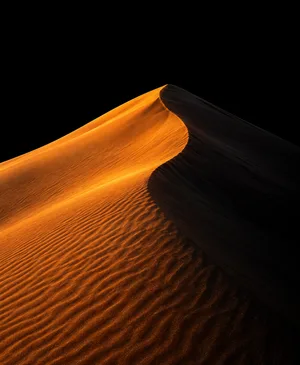
A single sharp dune ridge, lit gold on one side and in deep shadow on the other. The light edge draws a clean curve across the screen, and the shadow side gives you a dark area for the time. This is the classic desert wallpaper and one of the easiest to read on any case size. Choose a photo taken in the last hour before sunset, when the shadows are long and the sand turns orange.
2. Saguaro Cactus Silhouette
The saguaro, the tall cactus with raised arms that grows in the Sonoran Desert of Arizona and Mexico, is the most recognisable desert shape in the world. As a black silhouette against an orange or violet sky, it reads instantly even on a 40 mm case. Place the cactus off-centre and let the sky fade to black at the top, so the digits sit on a dark background.
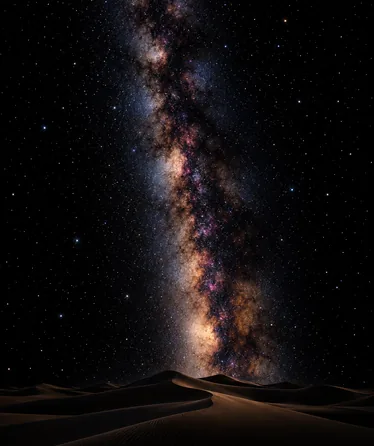
3. Desert Night Sky with the Milky Way
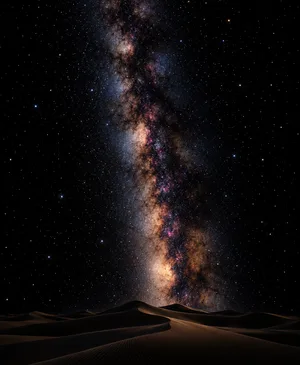
A dark horizon of dunes or rocks with the band of the Milky Way rising above it. This style is mostly black, so it is very battery-friendly, and the stars look crisp on OLED. Pick an image where the stars are bright and sparse rather than a dense grey haze, which turns into noise on a small screen. It works well on the Always-On display, where the dark scene stays calm when the watch dims.
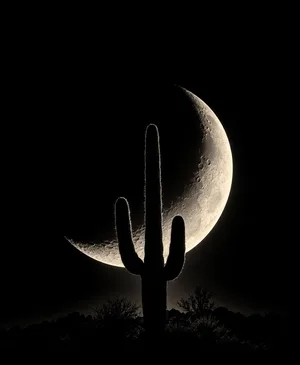
4. Crescent Moon over the Dunes
A thin crescent moon hanging low over soft dune shapes, with nothing else in the sky. The moon gives one small light source, and the rest of the screen stays almost black. It is a quiet, elegant design that suits a minimal face with only the time. Keep the moon in the lower half or at one side, so it does not sit behind the digits.
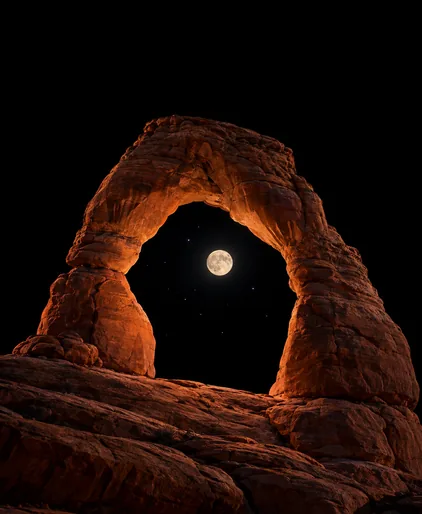
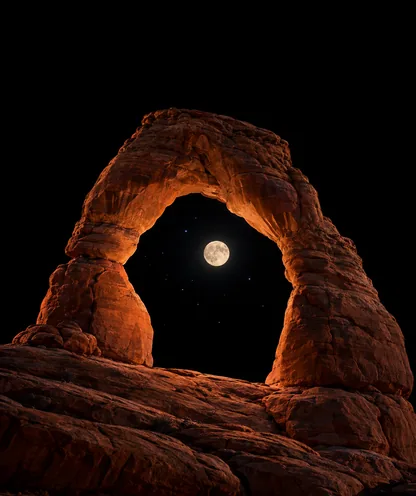
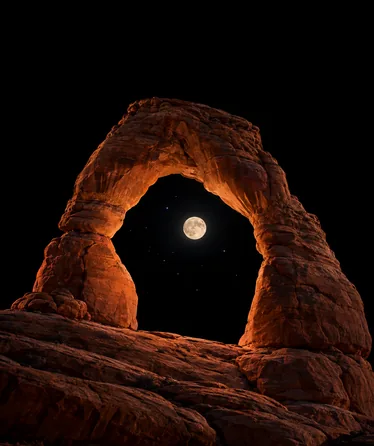
5. Red Sandstone Arch
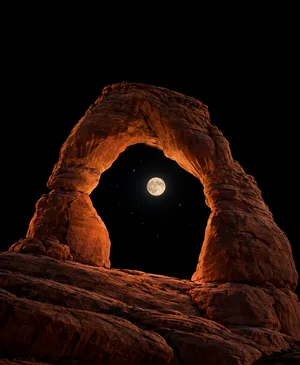
A natural rock arch, like the ones in Utah’s red rock country, framing a patch of sky or a few stars. The arch is a strong, simple shape and the red sandstone glows on the P3 display. Shoot or crop so the arch sits in the lower two-thirds and the opening is clearly visible. A night photo with the arch lit softly by the moon makes a particularly dramatic desert wallpaper.
6. Slot Canyon Light
Narrow sandstone walls in curving layers of orange, pink and purple, with a soft beam of light from above. Slot canyon photos are pure colour and texture, almost abstract, and they fit the tall watch screen naturally because the canyons themselves are tall and narrow. Choose a darker image where the walls fade into shadow at the edges, so the light in the middle becomes the focus.
7. Joshua Tree at Dusk
The Joshua tree, with its twisted branches and spiky tufts, grows in the Mojave Desert and has a shape unlike any other tree. As a silhouette against a pink and violet dusk sky, it gives a wild, slightly surreal look. Like the saguaro, it reads well because the outline is so distinct. Keep the ground dark and the tree compact so it fits the frame without being cut off.
8. Minimal Line-Art Dunes
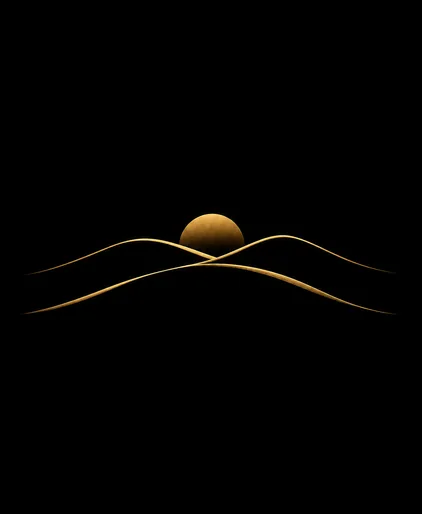
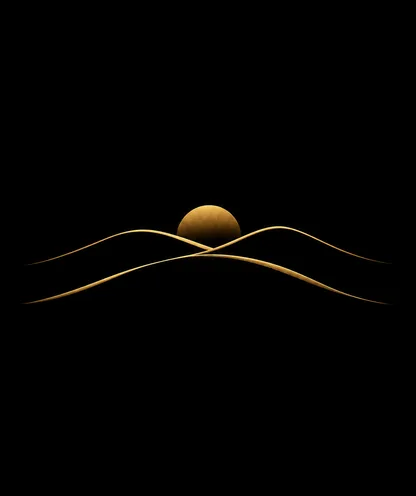
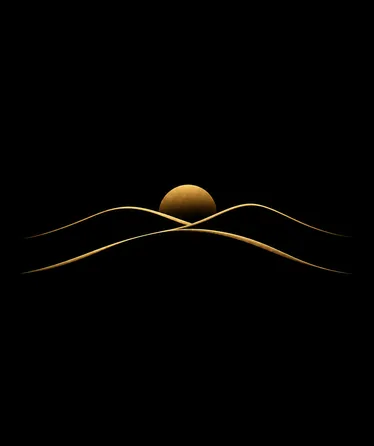
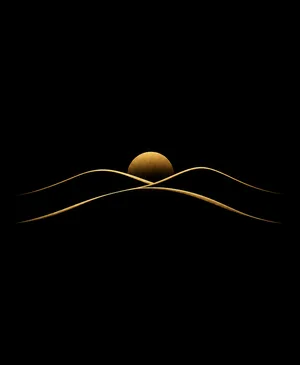
Two or three smooth lines in gold, sand or soft orange that suggest overlapping dunes, on pure black. Line art keeps nearly the whole screen dark and looks clean next to the time and complications. It is the most modern, design-led desert wallpaper on this list. If you like this approach, our minimalist wallpaper guide has more designs in the same spirit.
9. Camel Caravan Silhouette
A small line of camels and riders walking along a dune crest, shown as black shapes against a glowing horizon. It tells a story in one image and feels like a scene from a travel film. The figures are small, so the key is a clean horizon line and strong contrast. Crop so the caravan sits in the lower third and the sky above fades into darkness.
10. Desert Oasis with Palms
A few palm trees around a small pool of water in the middle of the sand. The green palms and blue water give a welcome contrast to the warm desert tones, and the scene feels calm and inviting. Choose a design with a dark or dusk sky rather than a bright blue daytime one, so the screen is not fully lit. An illustrated oasis often works better than a photo here, because the shapes are cleaner.
11. Cracked Earth Texture
A close-up of dry, cracked ground in the desert, with dark lines running between pale plates of earth. It is an abstract texture rather than a landscape, and it gives the watch a raw, rugged look that suits titanium cases and Ultra models. Darken the cracks to near black so the pattern stays sharp and the overall screen is not too bright.
12. Boho Desert Sun
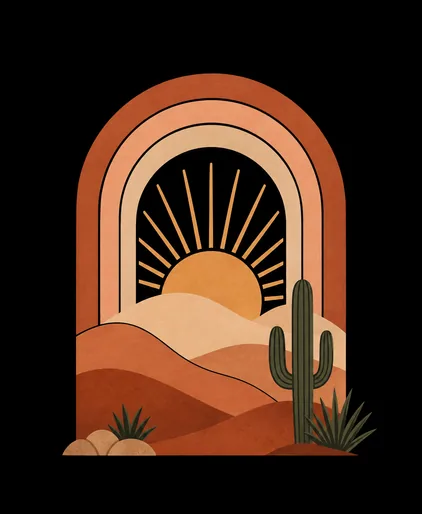
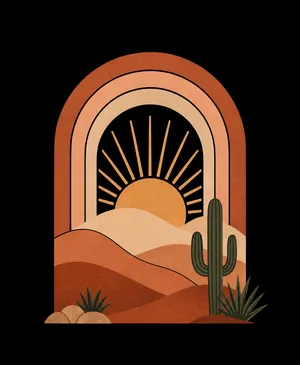
A flat illustration in the boho style: a half sun with rays, layered arches of terracotta, peach and sand, maybe a small cactus. This is the soft, decorative side of the desert wallpaper and pairs beautifully with pastel and leather bands. Keep the shapes large and the background dark, or the design will light up the whole screen. For more warm graphic ideas, see our fall wallpaper guide.
Desert Colour Guide: Sand, Rock and Sky
Deserts are not all the same colour, and the tones you choose decide the mood of the wallpaper. This quick guide shows the main desert palettes and how they behave on the watch screen. The colours depend on the minerals in the sand and rock and on the time of day.
| Desert Look | Main Colours | Where You See It | Mood on the Watch | Best Styles |
|---|---|---|---|---|
| Red dunes | Rust, deep orange, apricot | Namib Desert, Wadi Rum | Bold, warm, dramatic | Dune ridge, camel caravan |
| Golden sand sea | Gold, honey, cream | Sahara, Arabian Desert | Classic, sunny | Dune ridge, line art |
| Red rock country | Terracotta, brick, rose | Utah, Arizona | Rugged, adventurous | Arch, slot canyon |
| Cactus desert at dusk | Violet, magenta, orange | Sonoran, Mojave | Wild, cinematic | Saguaro, Joshua tree |
| Salt flats and dry lakes | White, pale grey, sky blue | Death Valley, Bolivia | Clean, airy | Cracked earth, minimal |
| Desert night | Black, navy, silver | Any remote desert | Calm, mysterious | Milky Way, crescent moon |
The famous red dunes of the Namib get their colour from iron oxide, essentially a thin coat of rust on the sand grains. That deep red is a gift for the P3 display, but it is also bright. If you want a red dune desert wallpaper that does not light up the whole screen, choose a scene where half the dune is in shadow.
As a rule of thumb, the warmer and more saturated the sand, the more it benefits from a dark sky. A red or gold dune under a black or deep violet sky gives strong contrast and keeps the time readable. Pale salt flats and white sand are better as small details on a dark background than as a full-screen image, because they light almost every pixel.
Using Your Own Desert Travel Photos
Your own photo from a road trip through the American Southwest, a dune camp in Morocco or a safari in Namibia is the most personal desert wallpaper you can have. A few habits make those photos work on the watch.
Shoot at the edges of the day. At midday the desert is flat, bright and washed out. In the hour after sunrise and before sunset, shadows stretch across the dunes and the sand turns gold and orange. Those are the photos that look good at wrist size.
Shoot vertically. The Apple Watch screen is taller than it is wide. A vertical shot of a cactus, an arch or a dune ridge gives you room to crop without cutting the subject.
Look for one subject. A single cactus, one rock tower or one ridge line reads far better than a wide panorama. Wide desert vistas shrink to a thin stripe of detail on the watch.
Protect your gear and the land. Sand and heat are hard on phones and cameras, so keep them covered and out of direct sun when you are not shooting. Stay on marked trails, do not walk on fragile desert crust and never climb on arches. The Saguaro National Park and Death Valley National Park websites have good advice on visiting safely, including the best seasons and heat warnings.
Once you have a few good shots, the Photos face can rotate them through the day. Our guide to making an Apple Watch face from a photo explains which kinds of pictures hold up best at wrist size.
Desert Wallpaper and Battery Life
On an OLED display, each pixel uses power roughly in proportion to how bright it is, and a black pixel uses none. That makes the choice of desert wallpaper matter. A bright daytime desert, with pale sand and a blue sky filling the screen, lights almost every pixel. A desert at night, or a silhouette on a dark sky, lights only a small part of it. In our own testing on a Series 9, dark wallpapers gave roughly 10–15% more battery life than bright ones over a typical day.
The most efficient desert styles are the night sky, the crescent moon, the silhouettes and the line-art dunes. Golden hour dunes sit in the middle, because the shadow side is dark but the lit side is bright. If you spend long days outdoors, on a hike or a desert drive, a dark desert wallpaper is the smart choice: it saves power when you need it most.
Desert silhouettes also suit the Always-On display. When the watch dims, a cactus outline or a dune curve stays recognisable, while a busy daytime photo can fade into a muddy blur. If you like dark designs in general, our black wallpaper guide goes deeper into true-black backgrounds.
Which Apple Watch Models Suit Desert Designs
- Ultra 2 and Ultra 3: the largest 49 mm screen and the brightest displays in the range, built for outdoor use. The screen stays readable in harsh desert sun, and there is room for detailed scenes such as the slot canyon or the camel caravan. Our Apple Watch Ultra wallpaper guide has more model-specific tips.
- Series 10, 11 and 12: the wide-angle OLED panel and thin borders bring the image closer to the edge of the case, so a dune ridge or night sky feels wide and immersive.
- Series 7, 8 and 9: strong all-rounders with an Always-On display. Silhouettes and moonlit dunes stay readable when the screen dims.
- Series 4 to 6: still OLED and still good for dark wallpapers, but the 40 and 44 mm screens are small. Choose one clear subject, such as a saguaro, a crescent moon or line-art dunes.
- Apple Watch SE: the same OLED principle applies, so the true black looks just as deep when the screen is on. SE models before the SE 3 have no Always-On display, so you see the wallpaper only when you raise your wrist or tap the screen.
How to Set a Desert Wallpaper on Apple Watch
From your iPhone:
- Save the desert wallpaper to the Photos app on your iPhone, ideally in its own album.
- Open the Watch app, tap Face Gallery and choose the Photos face.
- Under Content, pick the album or select the photo.
- Choose the time position and complications, then tap Add.
On the watch: touch and hold the current face, swipe to the end and tap +, then choose Photos. The image must already be synced to the watch through an album.
If you like variety, make an album with three or four desert designs, for example golden dunes for the morning, a saguaro at sunset for the afternoon and the Milky Way for the evening, and let the Photos face rotate them. Our full guide on how to change Apple Watch wallpaper covers every option, including the Portraits face.
Cropping and Exporting a Desert Wallpaper
Put the horizon low. On most faces the time sits at the top. Place the horizon or the dune crest in the lower half of the screen, so the digits sit on the sky. A dark or night sky makes the time easiest to read.
Mind the rounded corners. Apple Watch screens have rounded corners, and newer models curve towards the case edge. Keep cactus arms, rock tips and the moon away from the corners, or they will be cut off.
Darken the sky. A bright daytime sky lights the whole top of the screen. In any photo editor, pull the sky down towards deep blue or black, or fade it to #000000 at the top. This keeps the warm sand as the focus and saves battery.
Save as PNG. Smooth gradients in a sunset sky and in sand are where JPEG compression shows most, as visible bands and blocky patches. PNG keeps the gradients clean, and at watch resolution the files stay small.
Design at the final size. A wide landscape photo squeezed into a tall watch screen loses most of the scene. Start with a canvas at your exact resolution from the table below and crop around one subject. Our guide on how to make an Apple Watch wallpaper walks through Canva and other free tools step by step.
Resolution Reference Table
| Apple Watch Model | Case Size | Recommended Resolution | Aspect Ratio |
|---|---|---|---|
| Ultra / Ultra 2 | 49 mm | 410×502 px | ~4:5 |
| Ultra 3 | 49 mm | 422×514 px | ~4:5 |
| Series 10 / 11 / 12 | 46 mm | 416×496 px | ~5:6 |
| Series 10 / 11 / 12 | 42 mm | 374×446 px | ~5:6 |
| Series 7 / 8 / 9 | 45 mm | 396×484 px | ~4:5 |
| Series 7 / 8 / 9 | 41 mm | 352×430 px | ~4:5 |
| Series 4–6, SE | 44 mm | 368×448 px | ~4:5 |
| Series 4–6, SE | 40 mm | 324×394 px | ~4:5 |
Not sure which model you have? Check the back of the case or follow Apple’s guide to identifying your Apple Watch. Our full Apple Watch wallpaper size chart covers every generation.
Band Matching for Desert Wallpapers
- Golden dune ridge + tan or saddle-brown leather band: Warm, natural tones that echo the sand. A classic everyday look.
- Saguaro at sunset + orange Alpine Loop: A bold adventure combination, perfect on an Ultra in natural titanium.
- Desert Milky Way + black Sport Loop: The band disappears and only the stars and dunes stand out.
- Red sandstone arch + terracotta or clay Sport Band: Rich and earthy, made for road trips and hikes.
- Oasis with palms + olive or sage green Solo Loop: A soft, fresh pairing that brings out the green.
- Boho desert sun + peach or pink sand Braided Solo Loop: Warm, gentle and decorative.
- Line-art dunes + gold Milanese Loop: Elegant and minimal, ready for dinner or an event.
For more outdoor pairing ideas, our forest wallpaper guide shows how green and earth tones work with Trail Loops and leather bands.
Browse the full WatchWalls collection of curated Apple Watch wallpapers, including nature, landscape and dark designs sized for every model, or generate your own desert scene in the WatchWalls AI app.
Browse All Apple Watch Wallpapers →
5 Mistakes That Ruin a Desert Wallpaper
- A flat midday photo. Desert pictures taken at noon have no shadows and pale, washed-out sand. On the watch they look like a beige rectangle. Use golden hour, dusk or night scenes instead.
- A wide panorama. A sweeping desert vista becomes a thin line of detail on a tall watch screen. Crop to one cactus, one dune or one rock.
- A bright sky behind the time. White digits on a pale blue or white sky are hard to read. Darken the sky or choose a night scene.
- Banding in the sunset. Heavily compressed JPEGs turn smooth sunset gradients into visible stripes. Export as PNG at the exact resolution.
- Wrong resolution. A phone wallpaper squeezed onto the watch looks soft and stretched. If your desert wallpaper looks blurry, read our guide on why an Apple Watch wallpaper looks bad and re-export at the exact size.
Free Sources for Desert Wallpapers
- Unsplash — Desert: High-resolution photos of dunes, cacti and red rock, including many vertical shots at golden hour.
- Pexels — Desert: Free desert landscapes, night skies and close-up sand textures.
- Pinterest — Desert Apple Watch Wallpaper: Community boards with boho, cactus and dune designs. Check the resolution and the black level before you use one.
- Canva free tier: Create a canvas at your watch resolution, set the background to black, add a dune, cactus or sun illustration and export as PNG.
- Etsy: Inexpensive digital downloads of boho desert prints, cactus illustrations and watch wallpaper sets in Apple Watch sizes.
For ready-made designs from our own collection, start with our free Apple Watch wallpapers page. If you want more landscapes and outdoor themes, our nature wallpapers guide is a good next stop.
FAQ
What is the best desert wallpaper for Apple Watch?
A single desert shape, such as a dune ridge, a saguaro cactus or a crescent moon over the sand, on a black or deep night sky background is the best all-round desert wallpaper. It reads instantly on every case size, leaves room for the time and keeps most OLED pixels switched off.
Does a desert wallpaper drain Apple Watch battery?
It depends on the scene. A bright daytime desert with pale sand and blue sky lights most of the screen and uses more power. A desert at night, a silhouette or line-art dunes on black lights only a small part of the OLED display and usually saves battery.
Which desert scenes look best on a small watch screen?
Scenes with one strong shape work best: a cactus silhouette, a dune crest, a rock arch or a crescent moon. Wide panoramas and busy daytime photos lose their detail at wrist size, so crop tightly and keep the background dark.
What size should a desert wallpaper be for Apple Watch Ultra?
Use 410×502 pixels for Apple Watch Ultra and Ultra 2, and 422×514 pixels for Ultra 3. For a 46 mm Series 10 or later, use 416×496 pixels, and for a 42 mm model, 374×446 pixels. Save the file as PNG to keep sunset gradients smooth.
Can I use my own desert travel photo as an Apple Watch wallpaper?
Yes. Save the photo to an album on your iPhone, then choose that album in the Photos face in the Watch app. For the best result, crop vertically around one subject, darken the sky and keep the horizon in the lower half of the screen.