 WatchWalls AI
Best Halloween Wallpapers for Apple Watch: Spooky & Cute Designs
- 15 Best Halloween Wallpaper Ideas for Apple Watch
- Best Color Schemes for Halloween Watch Wallpapers
- How to Set a Halloween Wallpaper on Apple Watch
- Resolution Guide by Apple Watch Model
- Where to Find Free Halloween Wallpapers
- DIY: Creating Your Own Halloween Wallpaper
- Halloween Watch Band + Wallpaper Combos
- When to Switch: Timing Your Seasonal Wallpaper
- FAQ
15 Best Halloween Wallpaper Ideas for Apple Watch
Spooky season is calling, and your Apple Watch deserves a costume too. Whether you’re all about the scares or prefer something adorable, there’s a halloween apple watch background out there that matches your vibe perfectly. Let’s break down the best options by style.
Spooky & Dark Designs
If you love the darker side of Halloween, these apple watch halloween wallpaper ideas will get your wrist ready for fright night:
- Glowing Skulls on Black — A neon-outlined skull against a pitch-black background. The contrast makes your watch screen pop, and the OLED display makes the black areas truly disappear. This is one of the most downloaded spooky apple watch wallpaper designs every October.
- Haunted House Silhouette — A crumbling Victorian mansion silhouetted against an orange or purple sky. Bats flying across the moon complete the scene. This classic horror imagery looks surprisingly sharp even on a small screen.
- Bat Swarm — Dozens of tiny bat silhouettes scattered across a deep purple or midnight blue gradient. The scattered pattern works well because it doesn’t compete with your watch complications.
- Dark Forest Path — Twisted, bare trees lining a foggy forest trail. The muted grays and blacks create an atmospheric wallpaper spooky without being over-the-top. Great for daily wear throughout October.
- Full Moon with Clouds — A glowing full moon partially hidden behind wispy clouds. This halloween watch face style works on any watch model and pairs beautifully with white or silver complications. If you enjoy dark aesthetics beyond Halloween, check out our guide to black apple watch wallpapers for year-round options.
Cute & Fun Designs
Not everyone wants to be spooked every time they check the time. These cute halloween wallpapers bring all the fall fun without the fright:
- Kawaii Ghosts — Round, blushing little ghosts with tiny smiles floating around the screen. These adorable spirits come in pastel purples and pinks, giving your pumpkin apple watch wallpaper collection a soft twist. Fans of cute styles should also browse our cute apple watch wallpaper roundup.
- Cartoon Pumpkin Patch — Smiling, round pumpkins piled together in a cartoon style. Bright oranges and greens make this one cheerful and perfect for the office where a bloody skull might raise eyebrows.
- Candy Corn Pattern — Repeating candy corn in diagonal rows across a dark background. The yellow, orange, and white color combo screams Halloween without a single scary element. Simple, sweet, and instantly recognizable.
- Friendly Monsters — A lineup of goofy, one-eyed or multi-armed monsters in bright colors. Think Monsters, Inc. energy. These work great for parents whose kids love peeking at their Apple Watch.
Classic Jack-o’-Lantern Designs
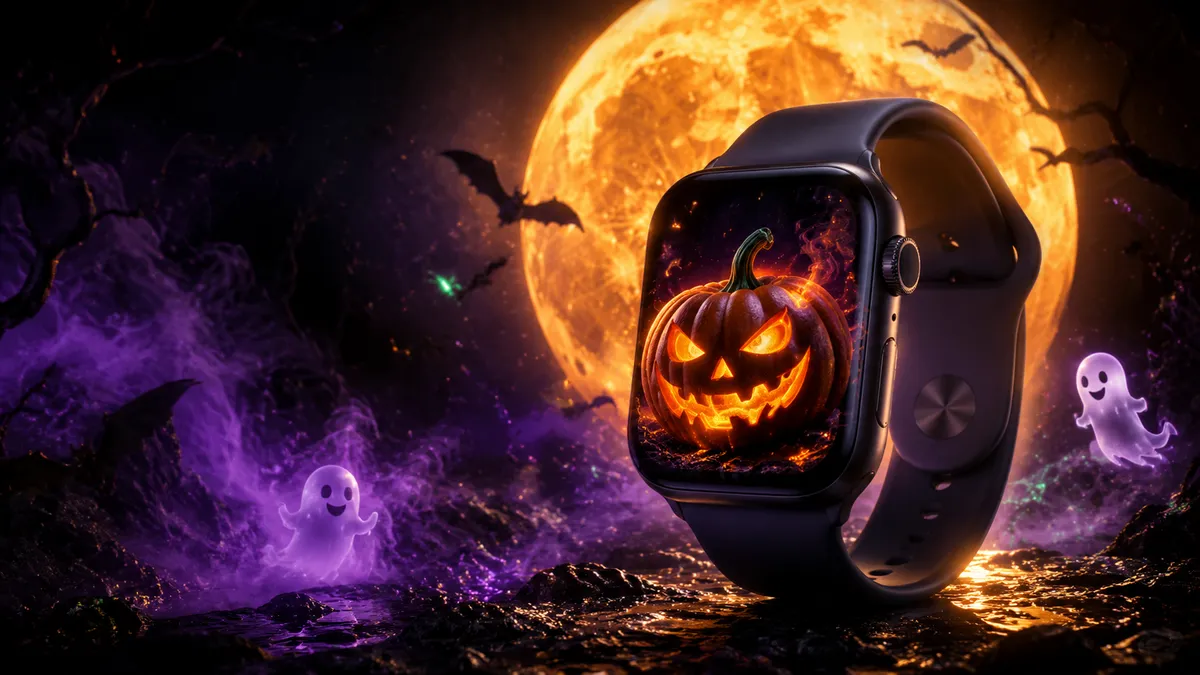
- Traditional Carved Pumpkin — A glowing jack-o’-lantern with the classic triangle eyes and jagged smile. The warm orange glow against a black background is the definitive pumpkin apple watch wallpaper, and it never gets old.
- Pumpkin Lineup — Three to five carved pumpkins sitting in a row, each with a different expression — happy, angry, surprised, silly. This gives your watch a storytelling element that makes people look twice.
- Realistic Pumpkin Close-Up — A high-res photo of an actual carved pumpkin glowing from within. The realistic texture and candlelight warmth look stunning on the Retina display of newer Apple Watch models.
Disney Halloween
- Mickey Ears Pumpkin — A carved pumpkin shaped like Mickey Mouse ears. Disney fans go wild for this crossover, and it’s one of the most shared halloween apple watch background images on Pinterest every year.
- Nightmare Before Christmas — Jack Skellington’s grinning face, the spiral hill, or Zero the ghost dog. Tim Burton’s art style translates perfectly to the small Apple Watch screen because of its bold lines and high contrast. These designs work as a spooky apple watch wallpaper recognizable from across the room.
Minimalist Halloween
- Single Icon on Dark Background — One small white ghost, spider, or bat centered on a pure black screen. That’s it. No clutter, no noise — just a clean nod to the season. This minimalist approach keeps your complications readable while still showing Halloween spirit. For more clean design ideas that work all year, see our apple watch wallpaper ideas collection.
Best Color Schemes for Halloween Watch Wallpapers
Color matters more than you’d think on a tiny watch screen. The right combination makes your apple watch halloween wallpaper readable and eye-catching. The wrong one turns it into a muddy blob on your wrist.
Orange + Black (The Classic)
You can’t go wrong here. Orange pops against OLED black, your complications stay readable, and everyone immediately gets the Halloween connection. This pairing works for every style — from carved pumpkins to geometric patterns. About 60% of halloween watch face downloads use this combo, and there’s a reason for that. It just works.
Purple + Green (The Witch)
Think bubbling cauldrons and poisonous potions. A deep purple background with acid-green accents gives your watch a witchy, supernatural feel. This color scheme stands out because fewer people use it, so your wrist looks unique at Halloween parties. Pair it with green-tinted complications for the full effect.
Blood Red + Black (The Horror)
For those who take their Halloween seriously, dark red against black creates an intense, moody atmosphere. Dripping blood effects, red-eyed creatures, or crimson moons all use this scheme. Fair warning: this palette can make time harder to read if the red is too dark, so look for designs where the red elements are bright enough to contrast with the black background.
White + Black (The Ghost)
Ghostly white elements on a black backdrop. This high-contrast pairing is the best choice for readability and gives your apple watch halloween wallpaper an elegant, almost vintage horror-poster look. Skeleton designs, ghost outlines, and spiderweb patterns all shine with this combination.
How to Set a Halloween Wallpaper on Apple Watch
Getting a halloween apple watch background onto your wrist takes about two minutes. Here’s the fastest method:
- Save your wallpaper image to your iPhone’s Photos app. Make sure it’s cropped to a square or portrait orientation.
- Open the Watch app on your iPhone.
- Tap “Face Gallery” at the bottom of the screen.
- Scroll to “Photos” and select either a single photo or an album.
- Choose your Halloween image from your camera roll.
- Customize complications — pick ones that won’t cover the main design elements.
- Tap “Add” and it appears on your watch within seconds.
Want a more detailed walkthrough with screenshots? Our full guide on how to change apple watch wallpaper covers every method including direct-on-watch setup.
Pro tip: Create a dedicated “Halloween” album in Photos with 5-10 wallpapers, then set your watch face to rotate through them. Every time you raise your wrist, you’ll see a different spooky design.
Resolution Guide by Apple Watch Model
Using the wrong resolution means your apple watch halloween wallpaper gets cropped awkwardly or looks blurry. Here are the exact screen sizes you need:
| Apple Watch Model | Case Size | Resolution (pixels) |
|---|---|---|
| Ultra 2 | 49mm | 502 × 410 |
| Series 10 | 46mm | 496 × 416 |
| Series 10 | 42mm | 416 × 374 |
| Series 9 | 45mm | 396 × 484 |
| Series 9 | 41mm | 352 × 430 |
| SE (2nd gen) | 44mm | 368 × 448 |
| SE (2nd gen) | 40mm | 324 × 394 |
Quick rule: If you can’t find the exact resolution, go larger. A 1000 × 1000 pixel image will always look sharp — your watch just crops and scales it down. Going smaller than your screen resolution, though, results in visible blur.
Where to Find Free Halloween Wallpapers
You don’t need to spend money to get a great halloween watch face design. Here are the best free sources:
Search “apple watch halloween wallpaper” on Pinterest and you’ll find thousands of ready-to-download designs. The platform’s visual search makes it easy to find variations of a style you like. Pin your favorites to a board for quick access. New designs flood the platform starting in September, so check back often.
Etsy Free Downloads
Many Etsy sellers offer free sample wallpapers as previews for their paid packs. Search for “apple watch halloween wallpaper free” and filter by price (free or under $1). You’ll find hand-illustrated designs, watercolor pumpkins, and professional-quality digital art that you won’t see anywhere else.
The r/AppleWatch and r/watchfaces subreddits become wallpaper goldmines every October. Community members share original designs, and you can request custom modifications. The upvote system means the best designs rise to the top naturally.
WatchWalls AI Generator
Our own AI wallpaper generator lets you create a custom apple watch halloween wallpaper in seconds. Type a description like “glowing jack-o’-lantern on a misty graveyard background” and get a unique design sized perfectly for your watch model. No two wallpapers are the same, so you’ll have something nobody else is wearing.
DIY: Creating Your Own Halloween Wallpaper
Making your own spooky apple watch wallpaper is easier than carving an actual pumpkin. Here are three methods that produce great results:
Method 1: Canva (Free)
Open Canva and create a custom canvas at 400 × 500 pixels. Search their element library for “halloween” — they have hundreds of free pumpkins, ghosts, bats, and spiderwebs. Drop a dark gradient background, add a few halloween elements, and export as PNG. The whole process takes about five minutes.
Method 2: Pumpkin Photo Crop
Carve a real pumpkin, light a candle inside, and photograph it in a dark room. The natural candlelight glow creates a warm, atmospheric image that no digital design can match. Crop the photo to a portrait orientation on your iPhone, and set it directly from the Photos watch face. Your friends will ask where you got it.
Method 3: Portrait Mode Decorations
Use your iPhone’s Portrait mode to photograph Halloween decorations — a skeleton on your porch, a spider in a web, candy in a bowl. Portrait mode blurs the background and keeps the subject sharp, which translates perfectly to the small watch screen. The depth effect makes these wallpapers look surprisingly professional.
Halloween Watch Band + Wallpaper Combos
A halloween apple watch background looks twice as good when your band matches. Here are winning combinations that pull your whole wrist look together:
Orange Band + Dark Wallpaper
An orange sport band or braided loop paired with a black-background wallpaper — say, a haunted house silhouette or white ghost. The orange band frames the dark screen beautifully, and the contrast catches the eye. This is the most popular combo on social media every October. If you’re already shopping for fall bands, our fall wallpaper guide has more seasonal pairing ideas.
Skeleton Band + Skull Wallpaper
Several third-party brands sell skeleton-patterned Apple Watch bands (check Amazon or Etsy). Pair one with a glowing skull wallpaper, and your entire wrist becomes a Halloween statement. It’s bold, it’s loud, and it’s exactly the kind of thing that wins the office costume contest.
Black Band + Neon Wallpaper
A plain black sport band with a neon-accented halloween wallpaper — think glowing green spiderweb or bright purple witch hat. The black band disappears, making the colorful watch face the star. This works well for people who want a Halloween nod without going full costume on their wrist.
Glow-in-the-Dark Band + Minimalist Wallpaper
Yes, glow-in-the-dark Apple Watch bands exist. Combine one with a minimalist single-icon wallpaper (a small white ghost, for example), and you’ve got a watch setup that looks normal in daylight but transforms at night. Perfect for trick-or-treating after dark.
When to Switch: Timing Your Seasonal Wallpaper
When’s the right time to slap a pumpkin apple watch wallpaper on your wrist? Here’s what most people do — and what the holiday calendar suggests:
Late September: The Early Birds
Once the first day of fall hits (September 22), it’s fair game. Pumpkin spice is in every coffee shop, stores are stocking candy, and your Apple Watch can join the party. Start with something subtle — a minimalist fall-to-halloween transitional wallpaper with warm oranges and deep browns.
October 1st: The Main Event
This is when most people make the switch. Full commitment. Skulls, ghosts, jack-o’-lanterns — go for it. You’ve got 31 days of October, and your apple watch halloween wallpaper should be front and center for all of them. Consider setting up a rotating album so you get a new design every day.
October 31st: Peak Halloween
The big day itself calls for your boldest wallpaper. If you’ve been wearing a subtle design all month, swap to something loud and festive for Halloween day. Match it to your costume if you’re dressing up.
November 1st: The Transition
Halloween’s over, but fall isn’t. Swap your spooky designs for autumn leaves, cozy sweaters, and Thanksgiving themes. Don’t be the person still wearing a skeleton wallpaper in mid-November — unless that’s your year-round aesthetic, in which case, respect.
Frequently Asked Questions
Yes, any image saved to your iPhone’s Photos app can be used as an apple watch halloween wallpaper. Just open the Watch app, go to Face Gallery, select Photos, and choose your image. For the best results, use a portrait-oriented image with a resolution of at least 400 × 500 pixels. Avoid images with important details at the very edges — the watch will crop them to fit the round corners.
Not in any meaningful way. The Photos watch face uses the same amount of battery regardless of what image you display. However, wallpapers with large bright areas (white, yellow, bright orange) do use slightly more power on OLED screens than mostly-black designs. A dark halloween watch face with a small glowing pumpkin will be marginally more battery-friendly than an all-orange background — but the difference is tiny, maybe 1-2% over a full day.
Create a dedicated album in your iPhone’s Photos app and add all your halloween wallpapers to it. Then in the Watch app, go to Face Gallery → Photos → choose “Album” instead of a single photo, and select your Halloween album. Your watch will display a different image each time you raise your wrist or tap the screen. You can add up to 24 photos to the rotation.
Apple does not offer a dedicated Halloween watch face as a built-in option. However, you can create your own halloween watch face using the Photos face, Kaleidoscope face (with an orange/black image), or the Portraits face with a Halloween-themed portrait photo. Some third-party apps like Facer and Clockology offer Halloween-specific watch face designs with animated elements, though these require their companion app to stay installed on your watch.
The Apple Watch Ultra’s larger 49mm screen and flat display edges give you more room for detailed designs. High-contrast spooky apple watch wallpaper images with fine details — intricate spiderwebs, detailed skull illustrations, or atmospheric haunted horizontals — look particularly impressive on the Ultra. The Wayfinder face also supports a red night-mode color that pairs well with horror-themed backgrounds. Use a resolution of at least 502 × 410 pixels for the sharpest result.
