 WatchWalls AI
Best Moon Wallpaper for Apple Watch: Phases, Crescent & Celestial Designs (2026)
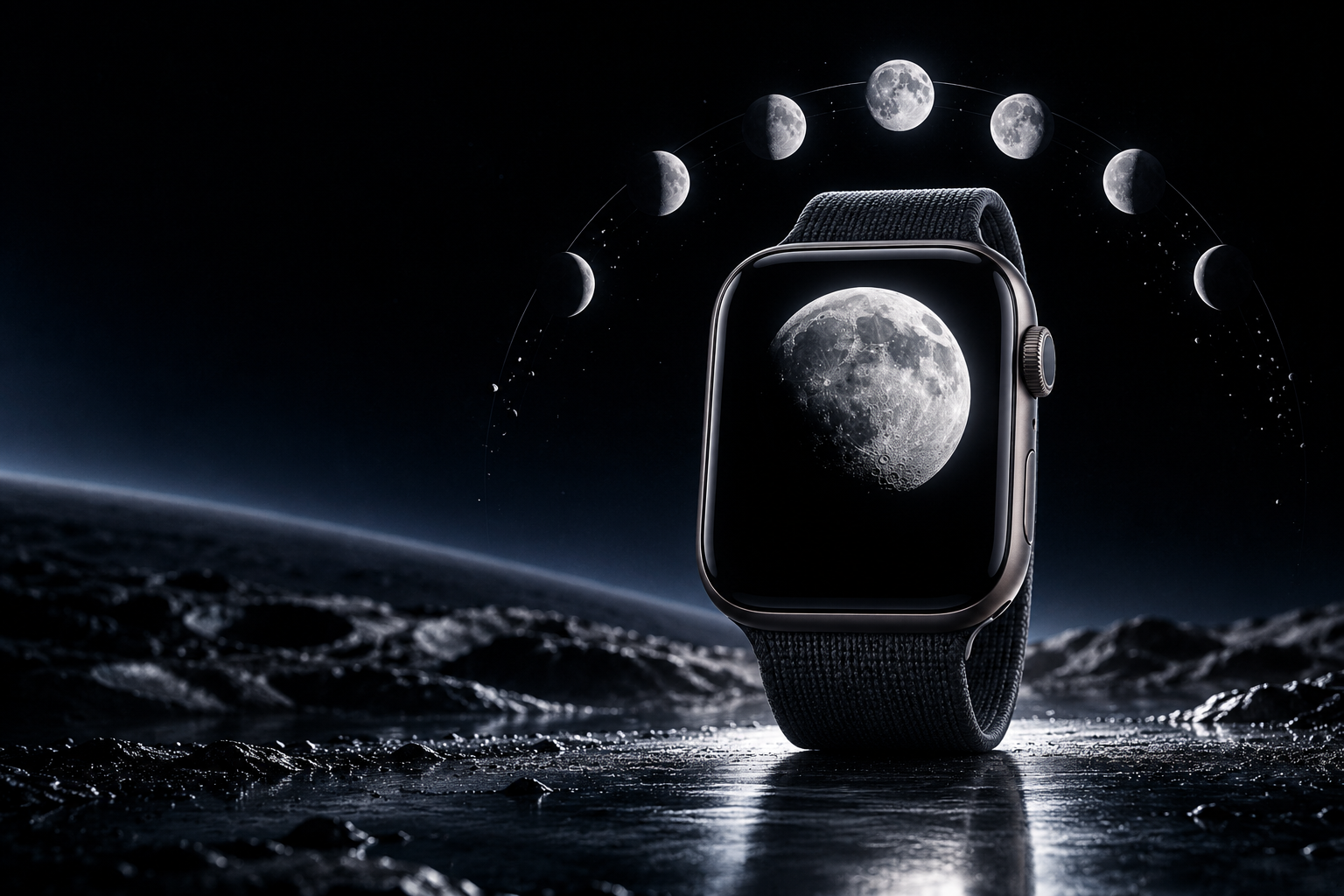
Why Moon Wallpapers Are Perfect for Apple Watch
Moon wallpaper for Apple Watch works better than almost any other natural subject — and the reason is physics. The moon is a bright, round object against a black void. That is exactly what an OLED screen renders best: bright pixels surrounded by true black pixels that are completely off. The result is a wallpaper that appears to glow from within, as if the moon is actually floating behind the glass of your watch.
No other celestial object produces this effect as cleanly. Stars are too small to register at watch scale. Planets need context to be recognizable. Galaxies become blurred smudges. But the moon — even at 41 mm — is unmistakable. Its craters, shadows, and phase shape are identifiable at a glance, which is exactly what a watch wallpaper needs to be.
There is also a practical benefit. Moon wallpapers are overwhelmingly dark, which means they save battery. On Apple Watch Series 5 and later with Always-On Display, a predominantly black wallpaper can extend battery life by 10-15% compared to a bright, colorful wallpaper. The moon gives you visual beauty and energy efficiency at the same time.
If you want to explore more space-themed options beyond the moon, see our guide to galaxy wallpapers for Apple Watch. For dark wallpapers in general, see black Apple Watch wallpapers.
12 Moon Wallpaper Styles for Apple Watch
These styles are ranked by how well they display on the small OLED screen, how much visual impact they create, and how versatile they are across different case and band combinations.
1. Full Moon on Pure Black
The gold standard of moon wallpapers. A high-resolution photograph of the full moon centered against a pure black sky. No clouds, no stars, no atmosphere glow — just the detailed lunar surface floating in darkness. At watch scale, the craters and maria (dark patches) are still visible, giving the wallpaper texture that plain circles cannot replicate. This style pairs with every case color and every band because the black background absorbs into any combination.
2. Crescent Moon Minimal
A thin crescent moon — waxing or waning — positioned in the upper third of the screen against pure black. The crescent shape is more elegant than the full circle and leaves more dark space for complications at the bottom. This is the most popular moon wallpaper style on Etsy and Pinterest because it balances beauty with functionality. The sliver of light draws the eye without competing with the time display.
3. Moon Phase Set (Rotating)
A set of 8 wallpapers — one for each major lunar phase — that you rotate manually or via a photo album face to match the current real-world moon phase. New moon (black), waxing crescent, first quarter, waxing gibbous, full moon, waning gibbous, last quarter, waning crescent. This transforms your Apple Watch into a lunar calendar that updates with the sky. Etsy sellers offer pre-made sets of 8 wallpapers already cropped to Apple Watch dimensions for $3-5.
4. Supermoon Close-Up
A telephoto photograph of the moon shot during a supermoon event — when the moon is at perigee and appears 14% larger and 30% brighter than average. Supermoon photos have extraordinary crater detail because of the increased brightness and apparent size. The texture is almost three-dimensional on the OLED display. Source these from NASA’s free image library or astrophotography communities on Flickr.
5. Moon Over Mountains
The moon rising over a mountain ridge silhouette — dark peaks at the bottom, moon and sky above. This composition naturally creates a dark zone for complications (the mountains) and a focal point above (the moon). The horizon line gives the wallpaper a sense of place that a standalone moon does not have. This style is especially popular with hikers and outdoor enthusiasts who pair it with Alpine Loop or Trail Loop bands.
6. Blood Moon (Lunar Eclipse)
A deep red-orange moon captured during a total lunar eclipse. The blood moon is one of the most dramatic natural phenomena, and on OLED the warm red against pure black creates a wallpaper that stops people in their tracks. The reddish tone is less common than standard silver-white moons, which makes it a conversation starter. If you missed the last eclipse, NASA’s photo archive has dozens of high-resolution options.
7. Moon and Clouds
The moon partially obscured by thin clouds, with moonlight creating a subtle glow around the cloud edges. This style adds atmosphere and mood that a clean moon-on-black cannot. The clouds introduce grey midtones that soften the contrast. This is the most romantic moon wallpaper style and pairs beautifully with cream, beige, or stone-colored bands.
8. Crescent Moon with Stars
A crescent moon accompanied by a scattering of visible stars. The stars need to be bright enough to register at watch scale — pinpoint stars disappear entirely on a 41 mm screen. Look for images where the stars are slightly enlarged or use a slightly wider aperture setting. This style creates a more complete night-sky feeling than the moon alone.
9. Moon Reflection on Water
The moon reflected in a still lake or ocean surface — the real moon above, its mirror image below, separated by a dark horizon line. This doubles the visual interest while keeping the overall palette dark. The reflection adds a sense of depth and calm. Position the horizon in the middle third and the reflected moon in the lower third so complications overlay the reflection rather than the real moon.
10. Illustrated Moon (Line Art)
A hand-drawn or digitally illustrated moon — clean lines, minimal detail, flat colors — in white or gold against dark navy or black. Illustrations hold up better than photographs at small scale because the lines are intentionally bold. This style appeals to people who want an artistic or whimsical feel rather than photographic realism. It pairs well with the cute wallpaper aesthetic.
11. Moon Phase Calendar Strip
A vertical strip showing all eight moon phases from top to bottom — tiny moons stacked in a column against a dark background. This is a data-visualization style wallpaper that turns the watch into a reference tool. The current phase is highlighted or centered. This style is niche but beloved by astronomy enthusiasts and people who track the lunar cycle for gardening, fishing, or spiritual practices.
12. Celestial Moon Map
A vintage astronomical chart or celestial map showing the moon among constellation lines, zodiac symbols, and orbital paths. Gold or white lines on dark navy or black create a sophisticated, antique aesthetic. This style connects to the zodiac wallpaper category and pairs with leather bands and gold case finishes for a classic observatory look.
How to Match Your Wallpaper to Tonight’s Moon Phase
The most engaging way to use a moon wallpaper is to sync it with the actual lunar cycle. Here is how to set this up:
Manual Method
Download a set of 8 moon phase wallpapers (one per phase). Check tonight’s moon phase using any weather app, Google search “moon phase today,” or the built-in Apple Watch Astronomy face. Switch your wallpaper to match the current phase every 3-4 days as the moon transitions. This takes 15 seconds per change.
Photo Album Method
Create a dedicated photo album on your iPhone called “Moon Phases” containing all 8 phase images. Set the Apple Watch Photos face to use this album. Each time you raise your wrist, the watch will cycle to a different phase photo. While it will not perfectly sync with the real moon, it creates visual variety that mimics the lunar cycle.
Complications Shortcut
Add the Moon Phase complication to any watch face alongside your moon wallpaper. The complication shows the real-time moon phase as a tiny icon. Combined with a matching wallpaper, this creates a fully lunar-themed watch face without needing to manually update anything.
Best Color Palettes for Moon Wallpapers
Moon wallpapers work within a narrow color range, but the subtle differences between palettes create very different moods:
- Silver moon on pure black: The classic. Maximum contrast, maximum battery savings, works with every band and case. This is the default if you are unsure which palette to choose.
- Golden moon on dark navy: Warmer and more romantic than silver-on-black. The navy background adds a hint of color without competing with the moon. Pairs well with gold and starlight cases.
- Red moon on black: Blood moon / lunar eclipse palette. Dramatic, unusual, and eye-catching. Best with Space Black or graphite cases and dark red or burgundy bands.
- White moon on dark teal: A modern, slightly unexpected combination. The teal background suggests ocean or night sky with aurora undertones. Works with green and teal Sport Bands.
- Illustrated gold moon on charcoal: The vintage celestial map palette. Gold line art on textured charcoal feels expensive and intentional. Best with brown leather bands and gold cases.
Cropping Moon Images for Apple Watch
Moon images require specific cropping considerations that other wallpaper types do not:
Position the moon in the upper third. The Apple Watch displays time and complications in the lower portion of the screen. If the moon sits dead center, the time overlay will split the moon in half. Push the moon upward so it occupies the top 40% of the frame, leaving dark sky below for readable complications.
Do not crop too tight. A moon that fills the entire frame loses the contrast with the surrounding black sky — and the black sky is what makes the moon look striking on OLED. Leave at least 20-30% of the frame as black space around the moon.
Keep the original aspect ratio of the moon. Stretching a moon into an oval by forcing a non-square crop looks immediately wrong. The moon is a circle (or a known crescent shape). Any distortion is instantly noticeable. Use the 4:5 crop ratio and reposition rather than stretch.
Target resolution: 396×484 px for 45 mm models, 352×430 px for 41 mm, 410×502 px for Ultra. Save as JPEG at 90% quality — PNG offers no visual benefit for moon photographs and creates larger files.
For the full wallpaper-setting process, see how to change Apple Watch wallpaper.
Resolution Reference Table
| Apple Watch Model | Screen Size | Recommended Resolution | Aspect Ratio |
|---|---|---|---|
| Ultra 2 / Ultra 3 | 49 mm | 410×502 px | ~4:5 |
| Series 7-10 (45 mm) | 45 mm | 396×484 px | ~4:5 |
| Series 7-10 (41 mm) | 41 mm | 352×430 px | ~4:5 |
| Series 4-6 (44 mm) | 44 mm | 368×448 px | ~4:5 |
| Series 4-6 (40 mm) | 40 mm | 324×394 px | ~4:5 |
| SE (2nd gen) | 40 mm / 44 mm | 324×394 / 368×448 px | ~4:5 |
Band Matching for Celestial Wallpapers
Moon wallpapers pair best with bands that echo the night-sky palette:
- Full moon on black + midnight Sport Band: The stealth look. Everything reads as one dark unit with a glowing moon focal point.
- Crescent moon + dark navy braided Solo Loop: Navy on navy with a silver accent. The braided texture adds tactile interest that complements the celestial theme.
- Blood moon + burgundy leather band: Warm red tones from screen to wrist. The leather adds formality that elevates the dramatic wallpaper.
- Illustrated moon + tan leather Classic Buckle: The vintage observatory look. Gold moon illustration on charcoal paired with aged leather feels like a 19th-century astronomer’s pocket watch.
- Moon over mountains + green Alpine Loop: Nature meets cosmos. The outdoor-themed band connects the mountain silhouette to the trail.
- Moon reflection + silver Milanese Loop: The reflective metal mesh mirrors the moon’s reflection on water. Silver on silver creates a monochrome lunar elegance.
For more band-face combinations, see our band and face matching guide.
Browse the full WatchWalls collection — hundreds of curated Apple Watch wallpapers including celestial, moon phase, and night-sky designs sized for every model.
Browse All Apple Watch Wallpapers →
Free Sources for Moon Wallpapers
High-quality moon images are easier to find for free than almost any other wallpaper subject:
- NASA Image Gallery: The single best source for moon photography. Every image is public domain — free for any use, no attribution required. Search for “moon,” “lunar surface,” or “supermoon” to find thousands of high-resolution options.
- Unsplash — Moon collection: Professional astrophotography under a free license. Strong in moody atmospheric shots — moon through clouds, moon over landscapes, moon reflections.
- Pexels — Moon: Similar to Unsplash with a different image set. Good for illustrated and minimalist moon styles.
- Pinterest — Moon Apple Watch Wallpaper: Community boards with pre-cropped watch wallpapers. Many are ready to download and use immediately.
- Your own iPhone camera: Modern iPhones (14 Pro and later) can capture surprisingly detailed moon photos using the telephoto lens at 5x zoom. Shoot on a clear night, brace against a wall, and crop the result to watch dimensions. Your own moon photo is more personal than any stock image.
FAQ
Does Apple Watch have a built-in moon phase face?
Yes. The Apple Watch Astronomy face shows the current moon phase as a realistic 3D rendering. You can also add a moon phase complication to most other watch faces. However, neither option lets you use a custom moon photograph as the background — for that, you need the Photos face with a moon wallpaper image.
What is the best moon wallpaper style for Apple Watch?
A crescent moon on pure black is the most popular style. The thin sliver of light creates an elegant focal point while leaving maximum dark space for readable complications. For photographic impact, a full moon close-up with visible craters is the most visually impressive option on the OLED display.
Where can I get free moon wallpapers for Apple Watch?
NASA’s Image Gallery offers thousands of public domain moon photographs free for any use. Unsplash and Pexels also have large free collections. Pinterest has community boards with moon wallpapers already sized for Apple Watch. You can also photograph the moon yourself with an iPhone 14 Pro or later using the 5x telephoto zoom.
What size should a moon wallpaper be for Apple Watch?
For the 45 mm Apple Watch (Series 7-10), use 396×484 pixels. For 41 mm, use 352×430 pixels. For Ultra models, use 410×502 pixels. All follow a roughly 4:5 aspect ratio. Position the moon in the upper third of the image so complications at the bottom remain readable.
Do dark moon wallpapers save battery on Apple Watch?
Yes. Apple Watch uses an OLED display where black pixels are completely off and consume zero power. Moon wallpapers with predominantly black backgrounds can extend battery life by 10-15% compared to bright, colorful wallpapers — especially on models with Always-On Display enabled.