 WatchWalls AI
Best Ocean Wallpapers for Apple Watch: Beach & Wave Designs
Why Ocean Wallpapers Work on Apple Watch
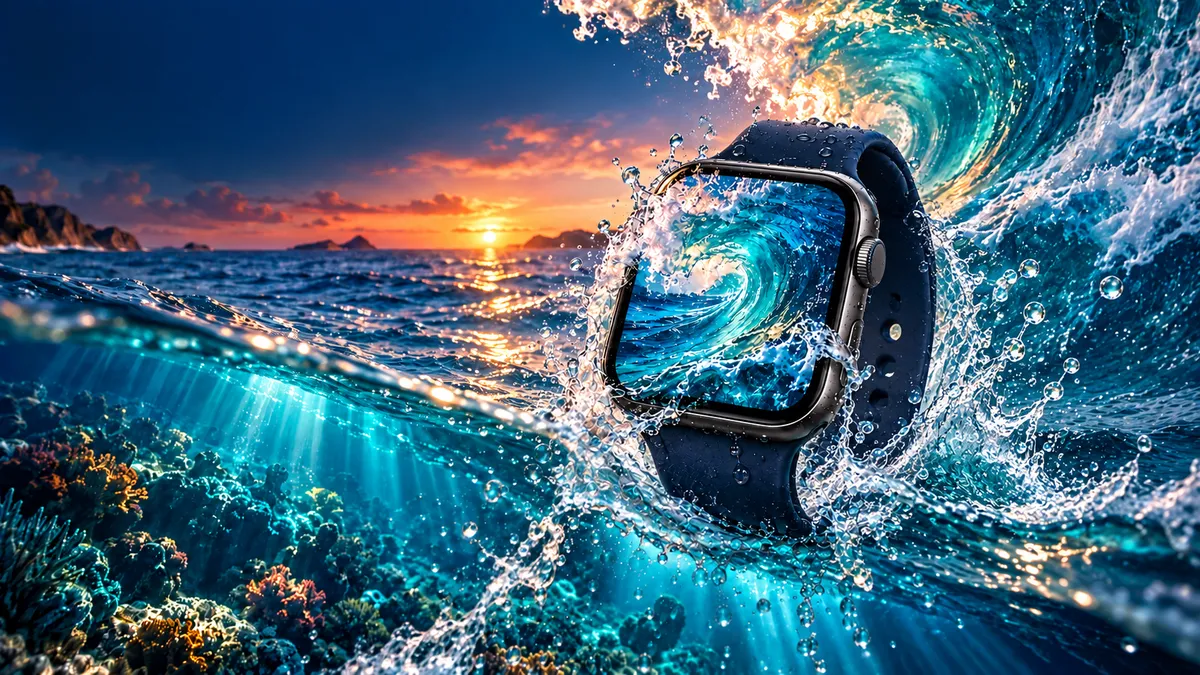
Ocean wallpaper has become one of the most popular categories for Apple Watch face customization — and for good reason. Water imagery carries a natural depth that translates well to small, high-density OLED screens. The contrast between light foam and dark blue water mimics the high-contrast ratios that OLED panels render best. Blues and teals also sit comfortably behind white and yellow watch complications without creating visual noise.
Beyond aesthetics, water images tend to be calm and uncluttered in their subject matter. A clean wave curl or an aerial coastline shot gives your watch a polished, editorial look without requiring graphic design skills. You pick the image, crop it correctly, and the screen does the rest.
For more starting points, see our Apple Watch wallpaper ideas roundup and the full guide to Apple Watch nature wallpapers.
12 Ocean & Beach Wallpaper Styles
Not every beach photo works equally well at watch scale. Below are twelve styles ranked by how well each holds up at 41–49mm display sizes.
1. Tropical Turquoise Water
Shallow Caribbean or Maldivian water photographed from above produces an almost graphic, flat-color look. The turquoise-to-white gradient over sand reads instantly at small sizes. Aerial shots with a clear horizon line work best — avoid images with too many boats or tourists, which turn into muddy clutter at 400px wide.
2. Wave Curl Close-Up
A barreling wave photographed from inside or beside the tube gives a dramatic, backlit look. The translucent green-blue of the wave face against white foam creates natural contrast. Crop so the curl fills at least 60% of the frame for maximum impact.
3. Underwater Coral Reef
Reef photography at shallow depth — 3 to 10 meters — captures vivid oranges, purples, and yellows against a blue water column. These images work especially well if you use a dark watch face theme, letting the reef colors act as the accent palette. Avoid very dark deep-water shots where detail disappears below 45mm.
4. Sunset Over Ocean
A classic for good reason: orange and pink tones against a darkening blue sky create a gradient that feels intentional on screen. The best sunset ocean wallpapers have a clean horizon with minimal foreground clutter. Silhouetted sailboats or piers add character without noise.
5. Deep Sea Dark Blue
Pure deep-water photography — dark navy fading to near-black — is ideal for Always On Display mode. The low luminance conserves battery and the minimal detail keeps the watch face readable. A single bioluminescent creature or beam of light gives the image a focal point.
6. Palm Tree Silhouette
A beach shot looking up at palm fronds against a bright sky, or a silhouette of palms against a sunset, translates perfectly to small screens because the hard edges of the silhouette read as shape rather than detail. This style pairs especially well with the Modular or California watch faces.
7. Beach Sand Texture
A macro or close-up of wet sand with ripple patterns or footprints creates a warm, neutral wallpaper that works across every season. The warm beige tones contrast softly with white and gold complications. Sand texture images also age well — they never look dated the way trend-specific designs do.
8. Surfing Wave
Action surf photography — a surfer dropping into a large swell — combines the drama of ocean power with human scale. The best frames catch the surfer at the top of a clean wave face with a blue sky above. Avoid wide-angle shots where the surfer becomes a tiny dot at watch resolution.
9. Lighthouse on Rocky Coast
A lighthouse against stormy or dramatic skies over rough water gives a nautical, timeless aesthetic. These images work in both light and dark themes. The strong vertical of the lighthouse tower acts as a natural anchor for the eye, which holds together well at small sizes.
10. Ocean Aerial Drone Shot
Drone photography directly above water — looking straight down — creates near-abstract patterns of color. Wave shadows on a sandy bottom, sandbars, and reef formations become graphic shapes. This style works best at high resolution; start with at least a 12MP source file before cropping to watch dimensions.
11. Jellyfish Glow
Bioluminescent or backlit jellyfish photography against dark water produces a dark-background, glowing-subject image that is almost purpose-built for OLED displays. The black regions cost zero power in Always On mode while the teal or pink glow of the jellyfish reads clearly as a wallpaper element. See our Always On Display wallpaper guide for more dark-background options.
12. Rocky Coastline
Rugged coastline imagery — basalt stacks, cliffs, or tidal pools — brings a colder, more dramatic ocean mood than tropical styles. These work well in autumn and winter when warm beach aesthetics feel out of place. High-contrast black-and-white versions of rocky coastlines are particularly striking as watch wallpapers.
Color Palettes That Pop on OLED
Choosing ocean wallpaper by color palette rather than by image type gives you more control over how the final watch face looks in use.
Turquoise + White
The signature palette of shallow tropical water. Works with white Sport Band, gold case, and white complications. Best for daytime, outdoor use where the bright screen is at full brightness. This is the most universally liked ocean palette — safe for any watch model.
Deep Navy + Black (OLED Optimized)
Deep ocean and night-sea images built around near-black and deep navy are the best-performing color combinations for OLED screens. True black pixels are simply off on OLED, which means the display uses less power and produces no light bleed around dark regions. Pair with silver or white complications and an Ocean Blue or Midnight band.
Sunset Orange + Blue
The complementary contrast of warm orange sunset tones against cooling blue water creates an energetic palette. This combination works well for people who find pure blue ocean wallpapers too cold or corporate-looking. Use sparingly with complications — yellow or white complication text reads best on this background.
Coral Reef Colors (Orange + Purple + Teal)
Reef images are chromatically complex. The trick is to crop to a section of the reef that has one dominant hue with accent colors rather than equal amounts of competing colors. A purple sea fan against a teal water column is more effective at watch scale than a full wide-angle reef shot with everything in frame.
Resolution & Crop Guide
Getting the resolution right is the single most important technical step. Here is the exact target for each current Apple Watch model.
| Model | Case Size | Screen Resolution | Recommended Crop |
|---|---|---|---|
| Apple Watch Series 10 | 42mm / 46mm | 396×484 / 416×496 px | 396×484 px minimum |
| Apple Watch Series 9 / 8 | 41mm / 45mm | 352×430 / 396×484 px | 396×484 px covers both |
| Apple Watch Ultra 2 | 49mm | 410×502 px | 410×502 px minimum |
| Apple Watch SE (2nd gen) | 40mm / 44mm | 324×394 / 368×448 px | 368×448 px covers both |
Always start from a source image larger than your target crop. A 4000×3000 px image from Unsplash gives you plenty of room to recompose the crop without losing quality. Upscaling a small image to watch resolution produces visible pixelation — avoid source files under 1000px on the short side.
For full setup instructions, see how to change your Apple Watch wallpaper.
How to Set Your Ocean Wallpaper
The process takes under two minutes once your image is cropped and saved to Photos.
- Save your cropped ocean wallpaper to the iPhone Photos app.
- Open the Watch app on your iPhone and tap Face Gallery.
- Select the Photos face type and tap Choose Photos.
- Select your ocean image. The Watch app previews the crop on a watch silhouette.
- Adjust the crop using pinch-to-zoom if needed, then tap Add.
- Sync happens automatically over Bluetooth — the new face appears on your watch within 30 seconds.
If you want to place complications over the image, switch from Photos face to Portraits face — it layers a slight vignette at the bottom that improves complication readability against busy ocean backgrounds.
Band Matching for a Beach Look
A well-chosen watch band turns an ocean wallpaper into a complete aesthetic system rather than just a screen image.
Ocean Blue Sport Band: Apple’s Ocean Blue Sport Band (released with Watch Series 7) is the most direct match for turquoise water wallpapers. The muted blue-green color picks up the mid-tones in Caribbean water photography without competing with bright image colors.
White Sport Band: A white Sport Band mimics the foam of breaking waves and pairs universally with any ocean-themed wallpaper. It reads clean against sand texture and turquoise water images equally well, and works across both silver and starlight cases.
Midnight Sport Loop: For deep sea or dark jellyfish wallpapers, a Midnight (near-black dark blue) Sport Loop completes the dark-palette look. The soft woven texture also reads more premium than silicone when paired with moody ocean imagery.
Sand / Starlight: For beach sand texture wallpapers, a Starlight or sand-toned band creates a warm, monochromatic look. This is particularly effective with the Infograph Modular face where large complications overlay the texture.
Free Sources for Ocean Images
You do not need to pay for stock photography to get high-quality ocean wallpaper. Three sources consistently produce the best results for Apple Watch use.
Unsplash Ocean Collection: Unsplash hosts thousands of professional-quality ocean and beach photos released under a free-to-use license. Search terms like “ocean aerial,” “wave close-up,” “coral reef shallow,” and “beach drone” return the highest-quality results for watch cropping. All downloads are minimum 3000px wide.
Pinterest Apple Watch Ocean Boards: Pinterest has a large community of watch face designers who share pre-cropped images sized for Apple Watch. Search “Apple Watch ocean wallpaper” and filter to portrait orientation. Many pins link back to original download sources with full resolution files.
Pexels Ocean Photos: Pexels is a strong alternative to Unsplash with a slightly different photographer community. The underwater and reef categories on Pexels tend to have more vivid, well-lit images than Unsplash for those specific styles.
For gradient-style ocean wallpapers that blend color rather than photography, see our Apple Watch gradient wallpaper guide.
DIY: Shoot Your Own Ocean Photo
A photo you took yourself is always the best wallpaper — personal, unique, and impossible to find on any other watch. Ocean and beach photography does not require specialized gear, but a few habits make a big difference at watch resolution.
Beach and Coastline Shots
Shoot in portrait orientation if you plan to use the image as a wallpaper without rotation. The golden hour — 30 minutes after sunrise or before sunset — produces the warm, directional light that makes water surfaces glow. Position yourself low to the water line to exaggerate wave height and get spray detail in the foreground. Modern iPhones (iPhone 14 and later) shoot beach scenes well in standard Photo mode; use ProRAW only if you plan to edit exposure and color afterward.
Underwater Camera Tips
If you snorkel or dive, a waterproof camera like the GoPro Hero 13 or Olympus Tough TG-7 shoots in a wide-angle format that compresses nicely to watch dimensions. Shoot at shallowest depth possible — 1 to 5 meters — where sunlight still penetrates and colors remain saturated. Deeper than 10 meters, red and orange frequencies are absorbed by water, leaving everything looking blue-green even before editing. Use the camera’s underwater white balance preset to recover warm tones.
After shooting, crop your favorite frame to the appropriate watch resolution in Apple Photos using the custom crop tool, or use free tools like Squoosh for precise pixel-level resizing without quality loss.
Browse hundreds of free Apple Watch wallpapers organized by category — nature, minimal, gradient, always-on, and more. Every image is pre-cropped to watch resolution and free to download.
Explore All WallpapersFrequently Asked Questions
What resolution should an ocean wallpaper be for Apple Watch Series 9?
For Apple Watch Series 9, target 396×484 px for the 45mm case and 352×430 px for the 41mm case. If you only want to make one version, 396×484 px works on both sizes — the smaller display scales it down cleanly. Always start from a source image larger than 2000px to avoid visible pixelation after cropping.
Can I use ocean wallpaper with Always On Display without draining the battery?
Yes — choose a dark ocean wallpaper with large black or deep navy regions. On OLED screens (Series 4 and later), black pixels are fully off, consuming no power. Deep sea images, night ocean shots, and dark jellyfish photographs are ideal for Always On Display. Avoid bright turquoise or white-foam-heavy images in AOD mode as those bright pixels increase battery draw noticeably over a full day.
Where can I find free pre-cropped ocean wallpapers for Apple Watch?
WatchWalls (this site) offers pre-cropped Apple Watch wallpapers in multiple ocean and beach categories. For raw source images you can crop yourself, Unsplash and Pexels both offer free high-resolution ocean photography under permissive licenses. Pinterest boards especially tagged “Apple Watch ocean wallpaper” also aggregate pre-sized images from various designers.
Will a busy ocean photo look good on a small Apple Watch screen?
Not always. Images with many competing elements — a reef shot with dozens of fish, coral, and diver all in frame — tend to become muddy at 400px wide. The best approach is to crop to the most graphically strong part of the image: a single coral formation, the curl of one wave, or a clean color gradient in the water. Less detail in the crop almost always produces a better watch wallpaper than the full wide-angle image.
Which Apple Watch band color matches ocean wallpapers best?
The most versatile choice is a white Sport Band — it pairs with every ocean and beach style from tropical turquoise to rocky coastline. For tropical or Caribbean water images, Apple’s Ocean Blue Sport Band is a direct color match. For dark, deep-sea wallpapers, a Midnight Sport Loop completes the low-key palette. Avoid bold red or green bands with ocean wallpapers unless the image itself contains those accent colors.
