 WatchWalls AI
Best Aurora Wallpaper for Apple Watch: Northern Lights & Polar Sky Designs (2026)
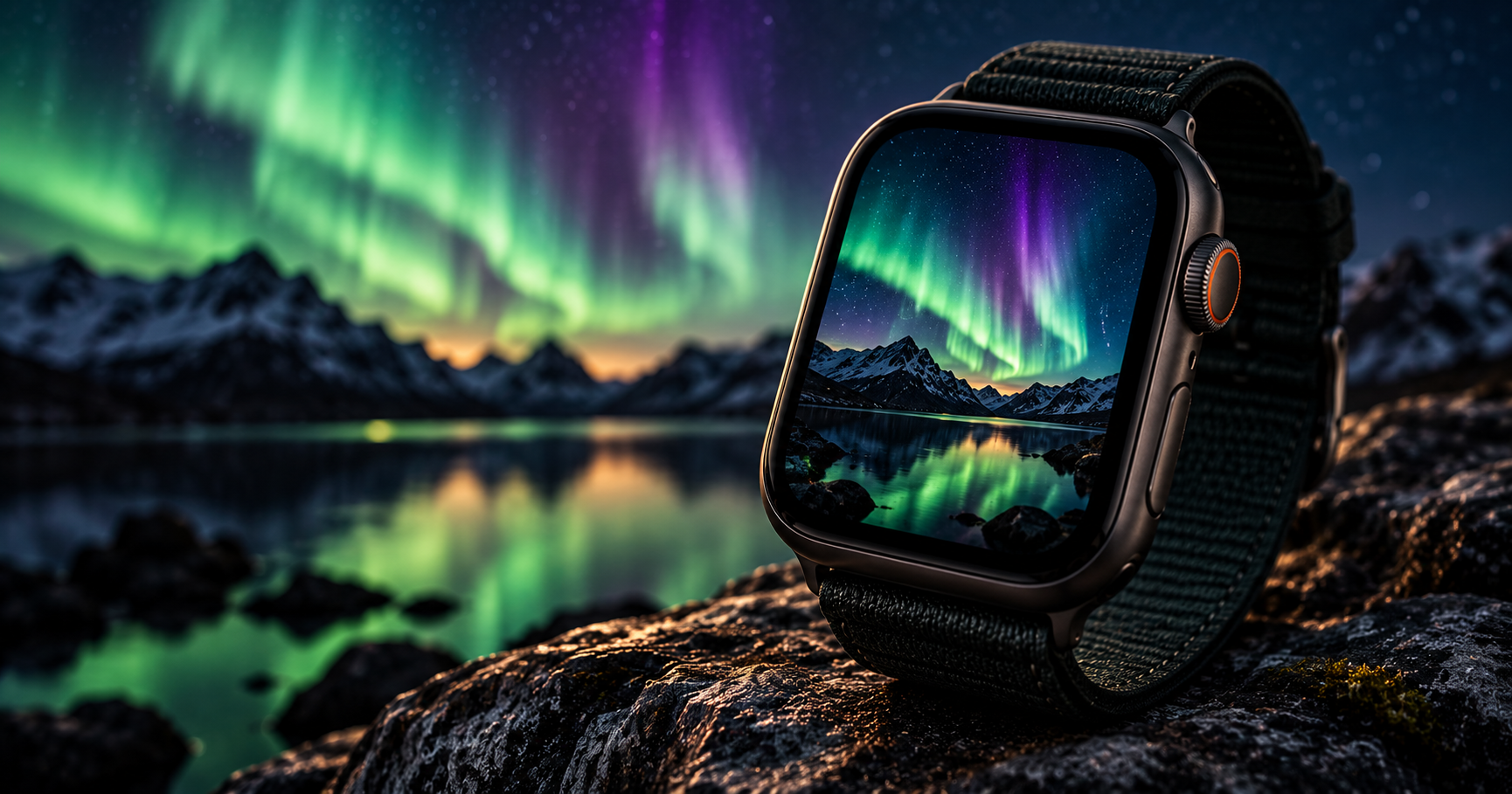
Why Aurora Wallpapers Look Incredible on Apple Watch
Aurora wallpaper for Apple Watch produces one of the most visually stunning results of any wallpaper category — and the reason is a perfect collision of physics and display technology. The aurora borealis is bright, saturated color against near-total darkness. Apple Watch uses an OLED display where black pixels are completely off and bright pixels produce their own light. The result: aurora bands appear to genuinely glow from within the watch screen, floating in true black space with no backlight bleed or grey wash.
The color range matters too. Apple Watch uses a P3 wide-color gamut that is 25% wider than standard sRGB, and the extra range falls heavily in the green spectrum — exactly where the most common aurora color sits. A green aurora on Apple Watch looks more vivid than the same image on most laptop screens because the display can physically reproduce greens that sRGB panels cannot.
There is also a practical advantage. Aurora photographs are 70-90% black sky, which means minimal OLED power consumption. An aurora wallpaper can extend your Apple Watch battery life compared to bright wallpapers while looking dramatically more impressive. It is one of the rare cases where the most beautiful option is also the most efficient one.
For more night-sky options, see our moon wallpaper guide. For space themes beyond Earth’s atmosphere, see galaxy wallpapers for Apple Watch.
12 Aurora Wallpaper Styles for Apple Watch
Ranked by OLED display impact, color accuracy, and versatility across case and band combinations.
1. Green Aurora Over Mountain Silhouette
The classic northern lights composition: vivid green curtains of light sweeping across a dark sky above a mountain ridge in silhouette. This is the most photographed aurora scene and the most popular Apple Watch aurora wallpaper. The mountain foreground provides a dark anchor for complications while the green bands create the visual drama above. The composition mirrors the natural viewing experience — looking up at the sky from a dark landscape.
2. Purple and Green Aurora Blend
When solar activity is intense, the aurora produces both green (lower altitude oxygen) and purple-pink (higher altitude nitrogen) simultaneously. Photographs capturing this dual-color display create wallpapers with exceptional depth — green near the horizon fading to purple overhead. The color transition adds visual complexity that single-color auroras lack. This style is rarer in nature, which makes it a more distinctive wallpaper choice.
3. Aurora Reflected in Still Water
The aurora mirrored in a perfectly still lake or fjord — real lights above, reflection below, separated by a dark shoreline. This doubles the color impact and creates a symmetrical composition that fills the entire watch screen with aurora light. Position the shoreline at center so the reflection fills the bottom half. The reflection provides a warmer, slightly diffused version of the aurora that works as a colorful background for complications.
4. Aurora Over Snow Landscape
Green or purple aurora above a snow-covered landscape — white snow below, colored sky above. The snow reflects a subtle hint of aurora color, creating a cohesive green or purple tint across the entire scene. This winter-specific style has strong seasonal appeal from October through March and pairs naturally with white, silver, and light-blue watch bands.
5. Minimal Aurora Arc
A single clean arc of aurora light against a pure black sky — no foreground, no stars, just one luminous curve of green or teal. This is the most minimal aurora style and the most OLED-efficient, with 90% of pixels fully black. The single arc creates an elegant focal point without visual complexity. This style works best for people who want the aurora aesthetic without the full landscape drama.
6. Aurora with Star Trails
A long-exposure photograph combining aurora bands with circular star trails. The star trails add a time-lapse dimension — the aurora moves and shifts while the stars trace arcs across the sky. The circular star patterns create a hypnotic background that adds depth to the aurora foreground. This style requires professional astrophotography and is less common on free wallpaper sites, making it a more unique choice.
7. Aurora Borealis Close-Up (Curtain Detail)
A tight crop on the aurora curtain itself — the folded, flowing shapes of light at high magnification, filling the entire frame with color and texture. This removes all context (no landscape, no horizon) and turns the aurora into an abstract pattern. The flowing shapes look like silk or liquid light. This abstract approach works well for people who want color and movement without a recognizable scene.
8. Aurora Over Forest Treeline
Dark pine or spruce trees forming a jagged treeline silhouette with aurora bands above. The forest silhouette is more organic and varied than a mountain ridge, creating an irregular border between the dark foreground and the colored sky. This is the quintessential Scandinavian or Canadian aurora scene and carries a wilderness atmosphere. Pairs well with green Alpine Loop or olive Sport Band.
9. Aurora Australis (Southern Lights)
The southern hemisphere aurora over distinctive southern landscapes — New Zealand mountains, Tasmanian coastline, or Antarctic ice. Aurora australis tends to produce more red and purple tones than the northern equivalent, creating wallpapers with a warmer, more unusual color palette. This is a conversation starter — most people do not know the southern lights exist, and the color difference is immediately noticeable.
10. Illustrated Aurora (Digital Art)
A digitally illustrated aurora in stylized colors — flat gradients, clean curves, or vector-style northern lights against a dark background. Illustrations hold up better than photographs at small scale because the colors are intentionally bold and the shapes are simplified. An illustrated aurora in teal and purple with a clean silhouette foreground looks crisp even at 41 mm. This style bridges the gap between photographic realism and graphic design aesthetic.
11. Aurora Time-Lapse Composite
A composite image stacking multiple aurora exposures from the same night, creating a sky filled with overlapping aurora bands in multiple positions and colors. The result is a sky more dramatic than any single moment — an entire night of aurora compressed into one image. These composites produce wallpapers with maximum color density and are widely available on astrophotography sites and Flickr.
12. Aurora with Northern Cabin
A warm-lit cabin or tent glowing orange-yellow in the foreground with aurora green sky above. The warm cabin light contrasts with the cool aurora, creating a cozy-meets-cosmic mood. The orange light from the cabin provides a warm accent against the cool green sky. This is the most emotionally engaging aurora style — it suggests adventure, warmth, and the experience of being under the lights.
Aurora Color Guide — What Each Color Means
The aurora produces different colors based on altitude and atmospheric gas. Knowing what creates each color helps you choose wallpapers with accurate, natural-looking tones.
| Aurora Color | Cause | Altitude | OLED Appearance |
|---|---|---|---|
| Green | Oxygen at lower altitude | 100-300 km | Vivid, bright — best P3 gamut performance |
| Purple / Violet | Nitrogen molecules | Above 300 km | Rich and deep — excellent OLED contrast |
| Red | Oxygen at high altitude | Above 300 km | Warm, dramatic — rare in photos |
| Blue | Nitrogen ions | Below 100 km | Subtle, often lost at watch scale |
| Pink | Nitrogen at edges | 100 km | Soft accent — beautiful with purple |
Green auroras produce the best Apple Watch wallpapers because the P3 display renders green with exceptional accuracy. Purple is the second-best choice for OLED because the contrast against black is naturally dramatic. Red auroras look impressive but are photographically rare — most “red aurora” wallpapers are digitally enhanced.
Cropping Aurora Photos for Apple Watch
Aurora photographs require careful cropping because the light occupies a specific zone in the sky:
Position the brightest aurora band in the upper 40%. Aurora light typically starts above the horizon and extends upward. In your crop, the most vivid colors should be in the upper portion so complications in the lower third sit against dark sky or dark foreground — not over the brightest part of the aurora.
Include foreground for context. An aurora without foreground looks like an abstract gradient. Even a thin sliver of mountain, treeline, or water at the bottom (10-15% of the frame) anchors the scene and tells the viewer this is a real aurora, not a digital gradient.
Do not over-saturate. Many aurora photographs online are heavily edited with pushed saturation. On OLED, over-saturated greens and purples look neon and unnatural. If the green looks radioactive or the purple looks fluorescent, dial down saturation 10-15% before setting as wallpaper.
Target resolution: 396×484 px for 45 mm, 352×430 px for 41 mm, 410×502 px for Ultra.
For the full wallpaper-setting process, see how to change Apple Watch wallpaper.
Resolution Reference Table
| Apple Watch Model | Screen Size | Recommended Resolution | Aspect Ratio |
|---|---|---|---|
| Ultra 2 / Ultra 3 | 49 mm | 410×502 px | ~4:5 |
| Series 7-10 (45 mm) | 45 mm | 396×484 px | ~4:5 |
| Series 7-10 (41 mm) | 41 mm | 352×430 px | ~4:5 |
| Series 4-6 (44 mm) | 44 mm | 368×448 px | ~4:5 |
| Series 4-6 (40 mm) | 40 mm | 324×394 px | ~4:5 |
| SE (2nd gen) | 40 mm / 44 mm | 324×394 / 368×448 px | ~4:5 |
Band Matching for Aurora Wallpapers
- Green aurora + dark green Alpine Loop: Aurora green echoed in the band. The outdoor-rated band matches the wilderness setting of most aurora photos.
- Purple aurora + midnight braided Solo Loop: Cool purple on screen, dark blue-black on wrist. The midnight shade picks up the aurora’s undertone.
- Aurora reflection + silver Milanese Loop: The reflective metal mesh mirrors the water reflection in the wallpaper. Silver on silver-green creates a luminous, elegant look.
- Aurora over snow + white Sport Band: The snow foreground extends to the band. Clean, bright, and winter-ready.
- Northern cabin aurora + tan leather band: The warm cabin light in the wallpaper echoes the warm leather on the wrist. Cozy contrast with the cool aurora sky.
- Minimal aurora arc + black Sport Band: Maximum contrast. The single green arc floating on a black watch with a black band creates a focused, dramatic statement.
For the complete band-matching methodology, see our band and face matching guide.
Browse the full WatchWalls collection — hundreds of curated Apple Watch wallpapers including aurora, night sky, and celestial designs for every model.
Browse All Apple Watch Wallpapers →
How to Photograph the Aurora for Your Watch
If you are lucky enough to see the aurora in person, capturing it for your Apple Watch is straightforward with a modern iPhone:
- Use Night Mode. iPhone 12 and later automatically activate Night Mode in low light. Hold still for the 3-10 second exposure and the camera will capture aurora color that your eyes may struggle to see in real time.
- Brace your phone against something solid. A tree, a rock, a car roof — any stable surface reduces motion blur during the long exposure. A mini tripod is ideal but not required.
- Point above the horizon, not at it. The most vivid aurora colors are typically 20-40 degrees above the horizon. Pointing straight up often catches only faint, diffuse light.
- Shoot in Portrait orientation. Your Apple Watch is portrait-shaped. Shooting vertically captures more sky and reduces cropping waste.
- Take many photos over 30+ minutes. Aurora intensity changes minute by minute. The best display might last only 2-3 minutes. Keep shooting and select the best frame later.
- Check aurora forecast apps. Apps like My Aurora Forecast and SpaceWeatherLive predict aurora visibility by location. The KP index needs to be 5+ for most mid-latitude locations.
Free Sources for Aurora Wallpapers
- NASA Image Gallery: Aurora photographs from space (ISS) and ground-based observatories. All public domain — free for any use.
- Unsplash — Aurora Borealis: Professional astrophotography. Strong in Scandinavian and Canadian aurora scenes. Free high-resolution downloads.
- Pexels — Northern Lights: Free aurora photographs with a different library than Unsplash. Good variety of compositions.
- Pinterest — Aurora Apple Watch Wallpaper: Community boards with pre-sized watch wallpapers. Many ready to download.
- Flickr Creative Commons: Search “aurora borealis” with the Creative Commons license filter. Astrophotographers on Flickr upload some of the highest-resolution aurora images available anywhere.
FAQ
What is the best aurora wallpaper for Apple Watch?
A green aurora borealis over a mountain or forest silhouette is the best overall choice. The green color renders exceptionally well on Apple Watch’s P3 OLED display, the dark sky and foreground save battery, and the silhouette foreground keeps complications readable. Look for photos with vivid but not over-saturated greens against a pure black sky.
Do aurora wallpapers save battery on Apple Watch?
Yes. Aurora photographs are typically 70-90% dark sky, which means most pixels are fully off on the OLED display. Only the aurora bands themselves consume power. An aurora wallpaper uses significantly less battery than bright wallpapers while looking dramatically more vivid — the combination of dark background and bright focal color is ideal for OLED efficiency.
Where can I find free northern lights wallpapers for Apple Watch?
NASA’s Image Gallery offers public domain aurora photos from space and ground observatories. Unsplash and Pexels have large free collections of professional aurora borealis photography. Pinterest has pre-sized Apple Watch aurora wallpapers ready to download. Flickr’s Creative Commons search is another excellent source for high-resolution astrophotography.
What size should an aurora Apple Watch wallpaper be?
For the 45 mm Apple Watch (Series 7-10), use 396×484 pixels. For 41 mm, use 352×430 pixels. For Ultra models, use 410×502 pixels. Position the brightest aurora band in the upper 40% of the frame so complications at the bottom remain readable against dark sky.
Can I photograph the aurora with my iPhone for an Apple Watch wallpaper?
Yes. iPhone 12 and later can capture aurora using Night Mode with a 3-10 second exposure. Brace your phone against a stable surface, point 20-40 degrees above the horizon, and shoot in portrait orientation. The iPhone often captures aurora color that is invisible or faint to the naked eye, producing excellent wallpaper-quality images.