 WatchWalls AI
Best Cat Wallpaper for Apple Watch: Portraits, Kittens & Neon Designs (2026)
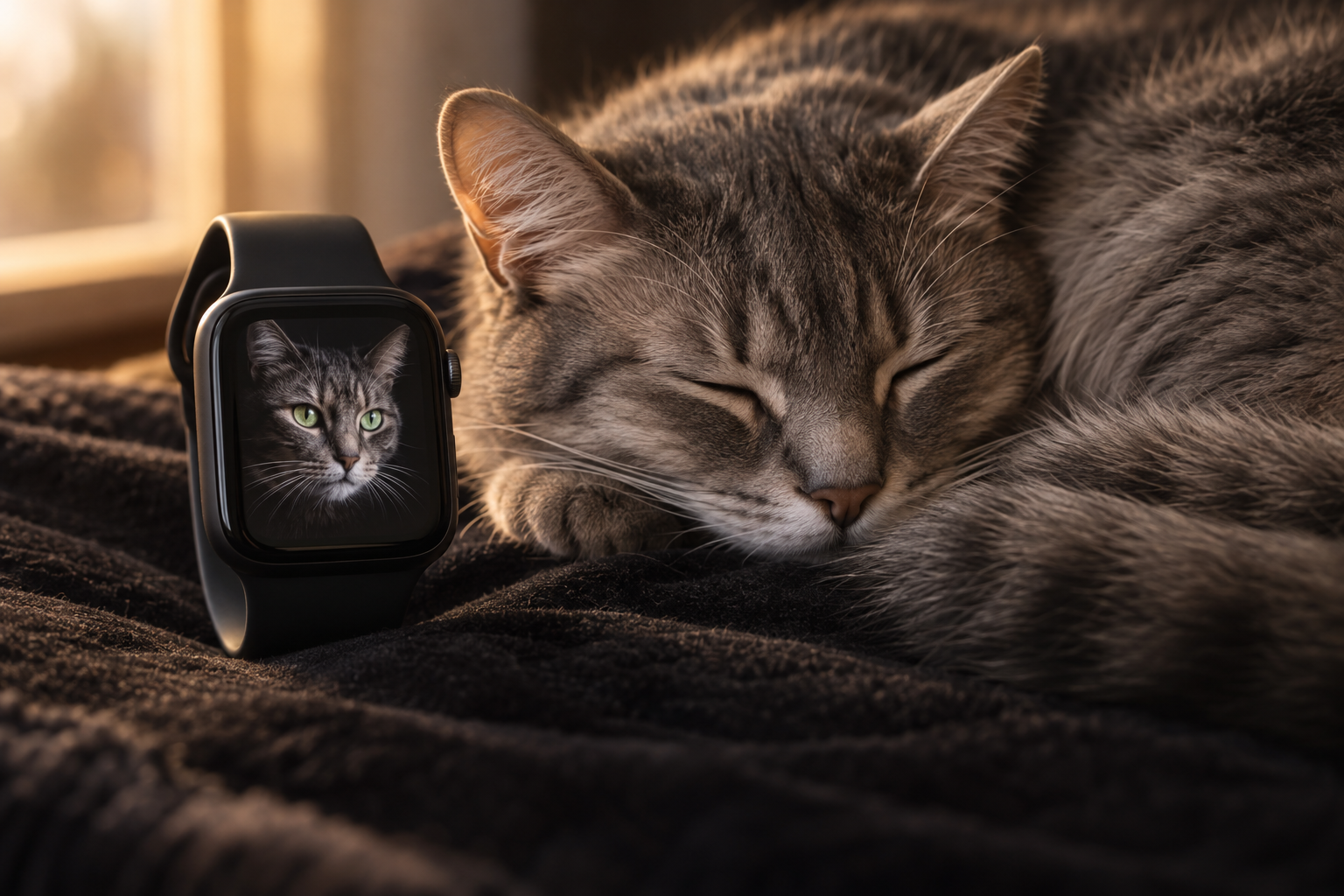
Why Cat Wallpapers Dominate Apple Watch Customisation
Cat wallpaper for Apple Watch is the single most popular pet wallpaper category — outselling dogs, birds, and all other animals combined on Etsy and Pinterest. The reason is partly emotional (cat owners are famously devoted) and partly visual: cats have large, reflective eyes that produce a natural OLED glow effect no other pet can match.
On the P3 wide-color OLED display, a cat’s eyes become the focal point of the entire wallpaper. Whether amber, green, or blue, cat eyes catch and reflect light in ways that make them appear luminous against dark fur. “The Photos face is underrated. A good crop of your own photo beats any stock wallpaper,” as one Reddit user noted. Cat portraits are the most common personal photo wallpapers on Apple Watch — because your cat is family, and seeing that face dozens of times a day adds warmth to every time check.
Cat anatomy also suits the watch screen. A cat’s face is compact and symmetrical — ears at the top, wide eyes in the middle, small nose and mouth below. This compact face shape fills the portrait 4:5 frame naturally without awkward cropping. Unlike dogs (whose muzzle length varies dramatically by breed), all cats have similar face proportions that map consistently to the watch screen.
For a broader guide covering all pets including dogs, see our pet wallpaper guide. For cute aesthetic options, see cute Apple Watch wallpapers.
12 Cat Wallpaper Styles for Apple Watch
Ranked by OLED display impact, emotional connection, and watch-scale readability.
1. Cat Portrait — Direct Eye Contact
A close-up of your cat (or any cat) staring directly at the camera — bright eyes, whiskers, nose filling the frame against a dark background. Direct eye contact creates an emotional hook every time you raise your wrist. The bright eyes glow against the dark background on OLED. This is the #1 cat wallpaper because it combines the strongest visual element (eyes) with the strongest emotional element (your cat’s gaze). Fill at least 70% of the frame with the cat’s face.
2. Sleeping Cat / Kitten
A cat curled up asleep — eyes closed, peaceful expression, soft fur visible. Sleeping cat wallpapers have a calming quality that alert portraits lack: they lower the visual intensity and create a gentle, restful mood on the wrist. The soft curves of a curled sleeping cat fill the portrait frame naturally. Dark blanket or cushion backgrounds provide OLED efficiency. This is the most universally charming cat wallpaper — even non-cat-people find sleeping kittens irresistible.
3. Black Cat on Black
A black cat against a dark background — only the bright eyes and subtle fur highlights visible. This is the most dramatic and most OLED-efficient cat wallpaper: 90% of the pixels are off, and the glowing eyes appear to float in darkness. Black cats are notoriously hard to photograph, but when done well, the result is stunning on OLED. The eyes become the ONLY visible element, creating a mysterious, almost supernatural wallpaper. Green or amber eyes against pure black produce the most intense glow.
4. Illustrated Cat (Cartoon / Kawaii)
A digitally illustrated or cartoon-style cat — simplified features, bold lines, flat colours. Illustrated cats hold up better than photographs at 41 mm because the lines are intentionally bold and the shapes are simplified. Kawaii-style cats with oversized eyes and minimal detail are especially popular. This style appeals to people who want cat personality without photographic realism. Connects to our cute wallpaper collection.
5. Cat Silhouette on Gradient
A sitting or walking cat in solid black silhouette against a coloured gradient — sunset orange, moonlit blue, or dawn pink. Cat silhouettes are instantly recognisable because the shape — pointed ears, arched back, long tail — is unique to cats. The silhouette reads perfectly at any watch size because there is no fine detail to lose. The gradient background provides colour mood while the silhouette provides the subject. This is the most versatile cat wallpaper for professional settings.
6. Neon Cat on Black
A cat face rendered in glowing neon outlines — electric blue, pink, or green lines tracing the ears, eyes, and whiskers against pure black. The neon glow transforms the familiar pet into a modern art piece. On OLED, the neon lines appear to genuinely emit light. This bridges pet love and digital aesthetics. Connects to our neon wallpaper collection. Popular with younger Apple Watch users who want their cat on the wrist without it looking like a grandparent’s photo frame.
7. Cat Eyes Macro
An extreme close-up of a single cat eye — the slit pupil, iris detail, and reflective tapetum lucidum visible in microscopic detail. Cat eyes are the most visually complex animal eyes: the vertical slit pupil, the textured iris, and the reflective layer that makes them glow in low light. A macro of a green or amber cat eye against dark fur creates a jewel-like wallpaper. At arm’s length it reads as a beautiful abstract circle; up close, the cat identity emerges.
8. Cat with Flowers
A cat surrounded by or peeking through flowers — roses, daisies, or wildflowers framing the cat’s face. This combines two of the most popular wallpaper subjects (cats and florals) into one warm, colourful wallpaper. The flowers add colour and context that a plain portrait lacks. Keep the cat’s face sharp and the flowers slightly blurred for depth. Connects to our floral wallpaper collection. This is the most gift-worthy cat wallpaper — perfect for cat-loving partners.
9. Watercolour Cat
A cat painted in flowing watercolour — soft colours bleeding and blending, with paint texture visible. Watercolour cats are artistic and gentle, turning a pet portrait into a gallery-worthy painting. The soft edges work well at small watch scale because they prevent the tiny details from looking cluttered. Blue, grey, and warm orange watercolour cats are the most popular. See our watercolour wallpaper guide for more painted styles.
10. Cat and Moon
A cat silhouette sitting on a rooftop or windowsill against a full moon — the classic moonlit cat scene. This combines the cat motif with celestial imagery: the dark cat against the bright moon creates maximum contrast on OLED. The composition tells a story — a cat watching the night from a high perch — that adds narrative depth to a simple wallpaper. Connects to our moon wallpaper collection.
11. Geometric Cat (Low-Poly)
A cat face constructed from geometric triangles and polygons — the low-poly art style applied to feline anatomy. Each facet is a flat-shaded triangle in varying shades. Geometric cats read cleanly at any screen size because the flat surfaces have sharp edges. This modern art style makes cat imagery appropriate for all settings — it reads as design rather than pet photo. Teal, purple, and gold are popular colour choices.
12. Multiple Cats / Cat Pattern
A repeating pattern of small cat faces, paw prints, or cat silhouettes — a textile-style design rather than a single portrait. Patterns read cleanly at watch scale because there is no focal point that could be lost — the repetition IS the subject. This style appeals to people who identify broadly as cat lovers rather than wanting a specific cat on the wrist. Small cat silhouettes in white on black are the most OLED-efficient pattern version.
Photographing Your Cat for Apple Watch
Your own cat makes the best wallpaper — but cats are notoriously difficult subjects. These tips dramatically improve results:
- Catch them sleepy. The best time to photograph a cat is when they are drowsy — after a meal, during a sunbeam nap, or just before sleep. A sleepy cat holds still and has soft, relaxed expressions.
- Use Portrait mode. iPhone Portrait mode blurs the background automatically, isolating the cat from cluttered surroundings. This gives you the dark-background effect that works best on OLED.
- Get at eye level. Do not shoot down at the cat from standing height — get on the floor. Eye-level portraits create the direct-gaze connection that makes the wallpaper emotionally powerful.
- Use a dark background. Place the cat on a dark blanket, against a dark wall, or photograph at dusk. The dark background is what makes cat eyes glow on OLED — bright backgrounds wash out the effect.
- Fill the frame with the face. At watch scale, a full-body cat shot becomes a tiny fur blob. Zoom in until the face fills at least 60% of the phone screen, then crop to 396×484 px.
- Take 50 photos, keep 1. Cats move, blink, and look away unpredictably. Burst mode captures the one perfect moment among dozens of blurry outtakes.
Cropping Cat Images for Apple Watch
Centre the eyes at 35-40% from top. Cat eyes are the wallpaper’s focal point. Position them in the upper third so they are visible above any complications at the bottom.
Include both ears. Cats’ pointed ears are a defining shape feature. Cropping one ear off makes the portrait look accidental rather than intentional. Leave 5-10% margin above the ear tips.
Dark backgrounds are essential. A cat on a bright window ledge or white sofa loses all OLED advantage. If your photo has a bright background, use Portrait mode (which darkens the background) or darken it in a photo editor before cropping.
Target resolution: 396×484 px for 45 mm (Series 7-10), 352×430 px for 41 mm, 410×502 px for Ultra. JPEG at 90% quality preserves fur detail without excessive file size.
For the full wallpaper-setting process, see how to change Apple Watch wallpaper.
Resolution Reference Table
| Apple Watch Model | Screen Size | Recommended Resolution | Aspect Ratio |
|---|---|---|---|
| Ultra 2 / Ultra 3 | 49 mm | 410×502 px | ~4:5 |
| Series 7-10 (45 mm) | 45 mm | 396×484 px | ~4:5 |
| Series 7-10 (41 mm) | 41 mm | 352×430 px | ~4:5 |
| Series 4-6 (44 mm) | 44 mm | 368×448 px | ~4:5 |
| Series 4-6 (40 mm) | 40 mm | 324×394 px | ~4:5 |
| SE (2nd gen) | 40/44 mm | 324×394 / 368×448 px | ~4:5 |
Band Matching for Cat Wallpapers
- Cat portrait + black Sport Band: Dark band disappears, cat’s eyes glow from the screen. Classic and clean.
- Sleeping kitten + cream braided Solo Loop: Soft, warm, cozy. The braided texture mirrors the softness of fur.
- Black cat + midnight braided Solo Loop: All-dark from screen to wrist. Only the green eyes glow. Maximum mystery.
- Neon cat + black Sport Band: Neon glow against total darkness. Modern cat love.
- Cat with flowers + pink Sport Band: Floral cat extended to pink wrist. Feminine and cheerful.
- Cat and moon + midnight braided Solo Loop: Moonlit cat on dark band. Atmospheric and poetic.
- Geometric cat + graphite Milanese Loop: Modern art cat meets modern metal. Professional cat lover pairing.
For more combinations, see our band and face matching guide.
Browse the full WatchWalls collection — hundreds of curated Apple Watch wallpapers including cat, pet, and animal designs for every model.
Browse All Apple Watch Wallpapers →
Free Sources for Cat Wallpapers
- Unsplash — Cat Dark Background: Professional cat photography against dark backgrounds. Search “cat portrait dark” or “cat eyes macro” for OLED-ready results.
- Pexels — Cat Portrait: Free cat images with variety from kittens to adult cats in portrait orientation.
- Pinterest — Cat Apple Watch: Community boards with pre-sized cat wallpapers including illustrated and silhouette styles.
- Your own iPhone camera: Your own cat’s face is the most meaningful wallpaper. Use Portrait mode, get at eye level, catch them sleepy — the result beats any stock photo.
- Etsy ($2-5): Professional cat Apple Watch wallpaper packs with breed-specific, illustrated, and artistic variations sized for every model.
FAQ
What is the best cat wallpaper for Apple Watch?
A close-up portrait of your own cat with bright eyes against a dark background is the best choice. The eyes glow on OLED while the dark fur and background save battery. If you do not have a cat, a black cat with green eyes on black produces the most dramatic OLED effect — the floating eyes are mesmerising.
How do I photograph my cat for Apple Watch wallpaper?
Photograph your cat when sleepy (after meals, during naps). Use iPhone Portrait mode to blur the background dark. Get at eye level on the floor. Fill the frame with the face — at least 60% of the phone screen. Take 50+ photos in burst mode and pick the one with the best eye contact.
What is the difference between cat wallpaper and pet wallpaper?
Our pet wallpaper guide covers all animals — dogs, cats, birds, and exotic pets — with general photography and cropping advice. This cat wallpaper guide focuses specifically on cats with breed-specific tips, cat eye photography techniques, and styles unique to feline features like pointed ears and slit pupils.
What size should a cat Apple Watch wallpaper be?
For the 45 mm Apple Watch (Series 7-10), use 396×484 pixels. For 41 mm, use 352×430 pixels. For Ultra models, use 410×502 pixels. Centre the cat’s eyes at about 35-40% from the top and include both ears in the frame.
Where can I find free cat wallpapers for Apple Watch?
Unsplash and Pexels have thousands of free cat photographs. Search “cat portrait dark background” for OLED-ready results. Pinterest has pre-sized Apple Watch cat wallpapers. Your own iPhone camera produces the most personal result — use Portrait mode for the best background blur.
