 WatchWalls AI
Best Apple Watch Wallpaper for Men: Dark, Bold & Sporty Styles (2026)
Why Men’s Apple Watch Wallpapers Are a Different Category
Apple Watch wallpaper for men follows different visual rules than general wallpapers. The reason is straightforward: men’s watch bands, case finishes, and outfit palettes skew toward darker, more neutral tones. A wallpaper that looks striking on a gold case with a pink Sport Band can look completely wrong on a Space Black titanium case with a dark leather strap.
The men’s wallpaper category is defined by three things: contrast over color, texture over pattern, and subject matter that leans toward mechanical, architectural, and natural imagery rather than floral or whimsical themes. That does not mean every men’s wallpaper has to be black and grey — it means the visual weight needs to match the hardware sitting around the screen.
If you are looking for full face setups including complications and layout recommendations, see our guide to Apple Watch face for men. This article focuses specifically on the wallpaper image behind the face — the background that sets the visual tone every time you glance at your wrist.
15 Wallpaper Styles That Work for Men
These styles are ranked by how cleanly they read on the small OLED screen and how well they pair with men’s watch bands and case finishes.
1. Carbon Fiber Texture
The woven pattern of carbon fiber reads well at any scale — including 41 mm. It is dark enough that white or light time digits float effortlessly on top. Carbon fiber wallpapers pair naturally with Sport Bands in black, midnight, or dark green, and they match the “performance gear” aesthetic that many men want from their watch. You can find high-resolution carbon fiber textures on Unsplash or create one in seconds using any pattern generator.
2. Mechanical Watch Movement
A macro photograph of a mechanical watch movement — gears, springs, jewel bearings — turns the Apple Watch into something that nods to traditional horology. The intricate metallic detail pops on OLED. This style works especially well on Ultra models with the titanium case because the on-screen metal echoes the physical metal around it. Search for “watch movement macro” on stock photo sites for free options.
3. Mountain Silhouette at Dusk
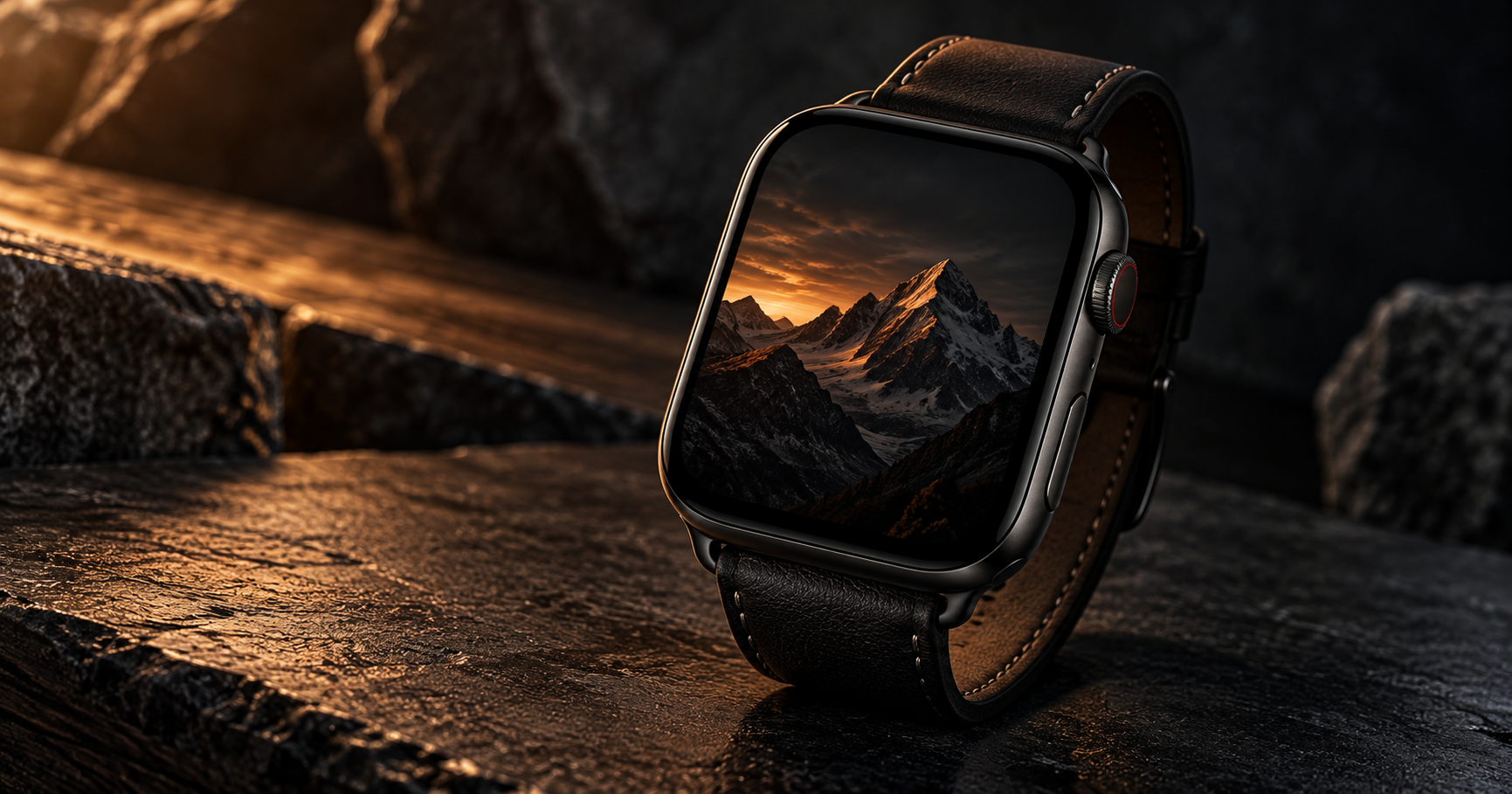
A mountain ridgeline against a deep blue or orange sky gives the wallpaper a sense of depth without clutter. The dark foreground handles complication overlays perfectly, while the sky gradient adds color without competing with the time. This is one of the most universally flattering styles — it works on every case color and band combination.
4. Matte Black Surface
A solid matte black wallpaper with subtle texture — brushed metal, leather grain, or concrete — is the most minimal option. It makes the Apple Watch look like a traditional analog watch where the face is all about the numbers. The time, date, and complications become the only visual elements, which is exactly what many men prefer. For our guide on black Apple Watch wallpapers, see the dedicated article.
5. City Skyline at Night
Urban skylines shot at night give you a dark lower half (buildings in shadow) and a moody sky with light dots (windows, stars). The composition naturally creates a zone for the time at the top and complications at the bottom. New York, Tokyo, Dubai, and Hong Kong are the most photographed options and they all produce wallpapers that feel sophisticated without being flashy.
6. Sports Car Detail
A close-up of a car grille, wheel spoke, or dashboard gauge — not the whole car. At watch scale, a full car looks like a blob. But a macro of a Porsche gauge cluster, a Ferrari horse badge, or a brushed aluminum air vent fills the screen with recognizable detail. If you are interested in more car wallpapers for Apple Watch, we have a full guide covering brands and shooting angles.
7. Topographic Map
Topographic contour lines in a dark color scheme — grey lines on black, or amber lines on dark navy — create a wallpaper that looks technical and intentional. It is abstract enough to not distract, but detailed enough to be interesting up close. This style pairs well with trail-running and hiking bands, especially on the Ultra.
8. Wolf or Eagle Portrait
Animal imagery for men tends to lean toward predators and raptors rather than domestic pets. A wolf mid-howl against a dark background, or an eagle with wings folded in portrait orientation, carries a visual weight that matches rugged bands and dark cases. Shoot or source the image against a black background to get the best OLED rendering. More options in our pet wallpaper guide which includes wild animal styles.
9. Whiskey Glass Macro
A close-up of amber whiskey in a crystal glass — the light refracting through the liquid, ice catching highlights — is a wallpaper with a very specific personality. It reads as sophisticated, adult, and relaxed. The warm amber tones contrast well with Space Black and graphite cases. It is a conversation starter without being loud.
10. Dark Wood Grain
Walnut, ebony, or charred oak textures are warm but dark. They add organic character without bright color. Dark wood grain wallpapers pair exceptionally well with brown leather bands — the material echo creates a cohesive look. This style is particularly good on the 41 mm case where simpler textures read better than complex images.
11. Tactical or Military Pattern
Dark camouflage, military stencil typography, or radar-screen graphics create a tactical aesthetic. This style is popular with Ultra users and anyone who wears their Apple Watch for outdoor activities. Keep the pattern dark overall so the time remains legible. Olive drab, navy, and charcoal are the best base colors for this category.
12. Blueprint or Schematic
White-on-dark-blue blueprint drawings — an engine cross-section, an architectural floor plan, a circuit board layout — combine technical detail with a classic visual style. The blue-and-white palette is readable at watch scale and pairs well with blue Sport Bands and ocean-colored straps. Engineers and architects particularly like this style because it represents their work.
13. Lightning Storm
A single lightning bolt against a dark sky is one of the most dramatic wallpaper options. The bright crack of light naturally draws the eye, and the surrounding darkness provides a clean surface for the time display. Long-exposure lightning photos work best because the bolt has enough width to be visible at watch scale.
14. Leather Texture Close-Up
A macro shot of high-quality leather — the pores, grain, and patina — creates a wallpaper that looks like the watch face itself is made of leather. This works best when paired with an actual leather band in a matching or contrasting shade. It is subtle, refined, and unmistakably masculine.
15. Abstract Dark Gradient
A smooth gradient from charcoal to deep blue, or from black to dark crimson, provides color without imagery. It is the safest choice for men who want something more interesting than pure black but less committal than a photograph. Gradients never look dated, they match everything, and they keep the focus entirely on the complications and time display. For more options see our gradient wallpaper collection.
Color Rules for Masculine Apple Watch Wallpapers
The color palette you choose determines whether the wallpaper feels intentional or accidental. These rules apply specifically to men’s styles.
Dark Backgrounds Are Non-Negotiable
At least 60% of the wallpaper surface should be dark. Apple Watch uses OLED, which means true black pixels are completely off — they consume zero power and create infinite contrast. Dark wallpapers make the time crisp, the screen look larger, and the overall watch look more expensive.
Limit Accent Colors to One
A single accent color — amber, deep blue, crimson, forest green — anchored in a dark field looks deliberate. Two accent colors start to feel busy at watch scale. Three colors look chaotic. Pick one accent that complements your most-worn band.
Avoid Pure White Areas
Large white sections bloom on OLED and make the watch look like a tiny phone notification. White text or thin white lines are fine, but avoid wallpapers where more than 15% of the surface is bright white.
Match Metal Tones
If your Apple Watch has a silver or starlight case, wallpapers with cool tones (blue, grey, silver) feel cohesive. If your case is Space Black, graphite, or gold, warm accents (amber, copper, dark red) create a better match. This is not a hard rule, but it is the difference between a wallpaper that looks selected and one that looks random.
Band Pairing Guide for Men’s Wallpapers
The wallpaper and band create a combined visual impression. These pairings work consistently:
- Carbon fiber wallpaper + black Sport Band — the performance look. Everything reads as one dark, technical unit.
- Mountain silhouette + green Alpine Loop — the outdoor look. The nature imagery on screen matches the rugged band material.
- Mechanical movement + brown leather band — the classic watch look. Metal on screen, leather on wrist, traditional horology energy.
- City skyline + Milanese Loop (silver or graphite) — the professional look. Urban imagery paired with metal mesh reads as business-appropriate.
- Tactical pattern + olive Trail Loop — the adventure look. Military wallpaper with a durable band built for the outdoors.
- Dark gradient + black Link Bracelet — the luxury look. Minimal wallpaper with the most premium band makes the watch disappear into a single refined object.
For a deeper dive into band-face combinations across all styles, see our band and face matching guide.
Cropping and Sizing for Men’s Wallpapers
The cropping process is the same regardless of wallpaper style, but men’s wallpapers have one extra consideration: weight distribution.
Keep visual weight in the upper two-thirds. Most men’s watch face configurations put complications at the bottom — date, activity rings, weather. If your wallpaper has a bright or detailed focal point, position it in the upper half during cropping. The bottom third should be dark enough to support white or colored complication text.
Target resolution: 396×484 px for 45 mm models (Series 7-10). For 41 mm, use 352×430 px. The aspect ratio is approximately 4:5.
Export format: JPEG at 90% quality for photographs, PNG for textures and graphics with sharp edges. HEIC from your iPhone camera roll works directly in the Watch app.
For the full step-by-step wallpaper setting process, see how to change Apple Watch wallpaper.
Resolution Reference Table
| Apple Watch Model | Screen Size | Recommended Resolution | Aspect Ratio |
|---|---|---|---|
| Ultra 2 / Ultra 3 | 49 mm | 410×502 px | ~4:5 |
| Series 7-10 (45 mm) | 45 mm | 396×484 px | ~4:5 |
| Series 7-10 (41 mm) | 41 mm | 352×430 px | ~4:5 |
| Series 4-6 (44 mm) | 44 mm | 368×448 px | ~4:5 |
| Series 4-6 (40 mm) | 40 mm | 324×394 px | ~4:5 |
| SE (2nd gen) | 40 mm / 44 mm | 324×394 / 368×448 px | ~4:5 |
Free Sources for Men’s Apple Watch Wallpapers
These sources have strong collections in the dark, masculine, and texture categories:
- Unsplash — Dark Textures: thousands of free high-resolution images. Search for “carbon fiber”, “dark concrete”, “leather texture”, or “mechanical watch” for results that crop well to Apple Watch proportions.
- Pexels — Dark Backgrounds: similar to Unsplash with a different image library. Strong in city skyline and nature silhouette categories.
- Your own iPhone camera: take a close-up of your car’s interior detail, a textured wall, or your leather wallet. Personal photos have an authenticity that no stock image matches, and you control the exact crop from the start.
- Pinterest — Apple Watch Wallpaper Men: community boards with curated collections already sized for watches. Many are ready to download and use without any cropping.
The WatchWalls collection includes hundreds of dark, bold, and textured wallpapers — all sized for every Apple Watch model. Find the right one in seconds.
Browse All Apple Watch Wallpapers →
What to Avoid in Men’s Wallpapers
These common mistakes make wallpapers look unintentional:
- Full-body photos of anything. A full car, a full person, a full building — they all shrink to unrecognizable blobs at watch scale. Always use close-ups and details.
- Bright busy patterns. Plaid, loud geometrics, or multi-color abstracts fight with the time display and complications. On a 1.9-inch screen, simplicity wins.
- Low-resolution images. A blurry wallpaper is worse than no wallpaper. If the source image is under 400 px wide, do not use it. The OLED panel will expose every compression artifact.
- Text overlays. Motivational quotes, brand names, or initials look cluttered when combined with the time, date, and complications already on screen. Let the wallpaper be purely visual.
- Bright wallpapers on Space Black cases. A neon or white wallpaper on a dark case creates a visual clash — the screen pops out instead of sitting flush. Match the wallpaper darkness to your case darkness.
FAQ
What is the best Apple Watch wallpaper for men?
The best Apple Watch wallpaper for men is a high-contrast dark image that matches your case finish and band color. Carbon fiber textures, mountain silhouettes at dusk, mechanical watch movements, and dark gradients are the most popular choices. Keep at least 60% of the wallpaper dark so the time digits remain crisp and readable.
Should men use dark or light wallpapers on Apple Watch?
Dark wallpapers work better for men in almost every situation. They match the most common men’s case finishes (Space Black, graphite, midnight), they look clean with dark bands, and they save battery on the OLED display. Light wallpapers can work with silver or starlight cases, but they require careful placement of complications to remain readable.
What size should a men’s Apple Watch wallpaper be?
For the most common 45 mm Apple Watch (Series 7-10), use 396×484 pixels. For the 41 mm model, use 352×430 pixels. For Ultra models, use 410×502 pixels. All follow a roughly 4:5 aspect ratio. Save as JPEG at 90% quality for photographs or PNG for graphic textures.
Where can I find free Apple Watch wallpapers for men?
Unsplash and Pexels offer thousands of free dark textures, city skylines, and nature silhouettes that crop well to Apple Watch dimensions. Pinterest has community-curated boards specifically for men’s Apple Watch wallpapers. You can also photograph textures and details from your own environment — leather, metal, wood grain — for a unique personal wallpaper.
Can I use a Rolex face as my Apple Watch wallpaper?
You can use an image of a Rolex dial as your Apple Watch wallpaper background, but Apple does not offer official Rolex watch faces. Third-party apps like Clockology let you create watch face designs inspired by luxury brands. For the wallpaper-only approach, photograph a Rolex dial straight on, crop it to 396×484 px, and set it as your Photos face background.