 WatchWalls AI
Best Waterfall Wallpaper for Apple Watch: Cascade, Mist & Tropical Falls (2026)
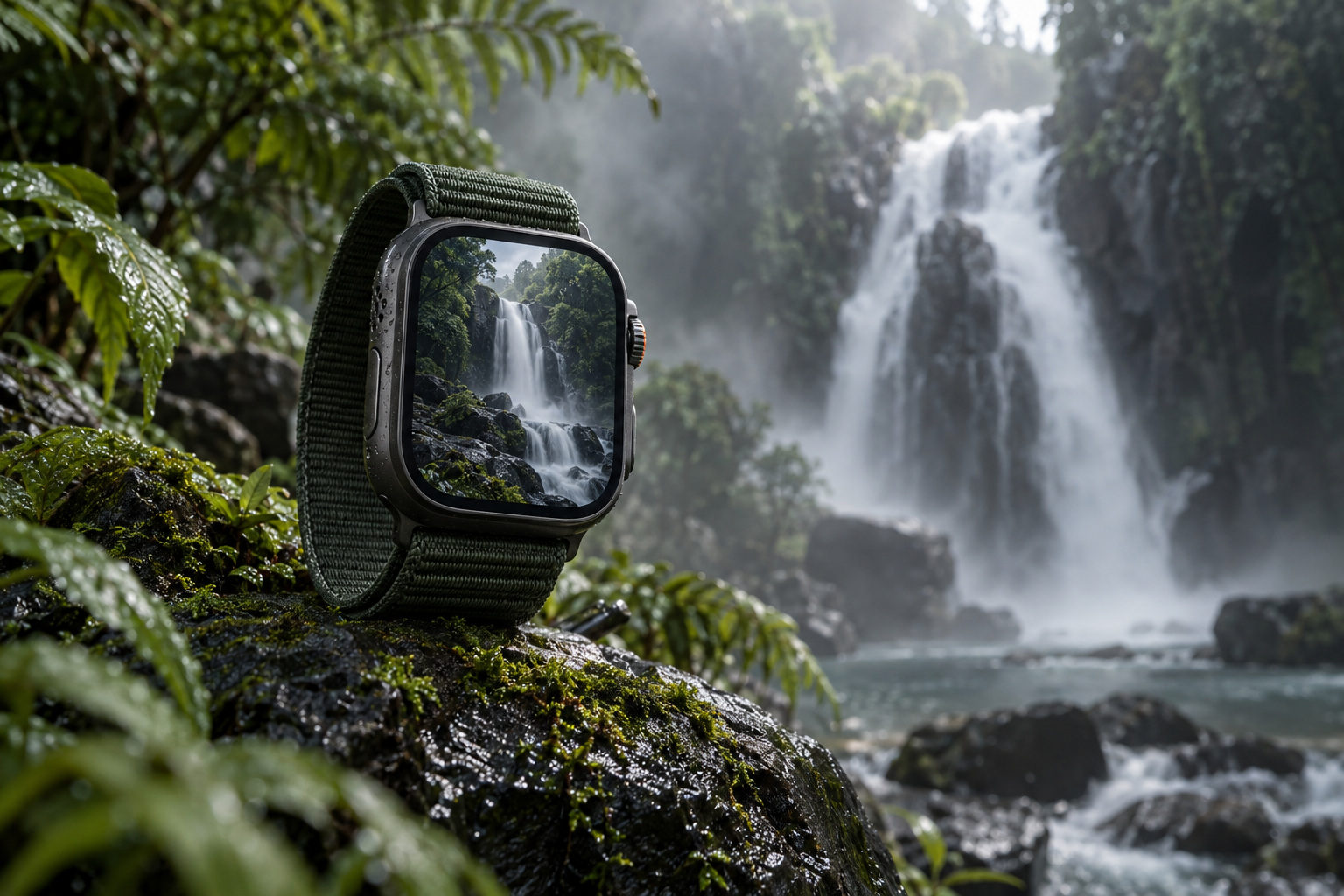
Why Waterfalls Are a Natural Fit for Apple Watch
Waterfall wallpaper for Apple Watch works because of a simple geometric truth: water falls vertically, and the Apple Watch screen is vertical. A waterfall is one of the few natural subjects whose primary motion direction matches the portrait orientation of the watch perfectly. The water flows from top to bottom, filling the 4:5 frame with natural downward energy that no landscape-oriented subject can match.
On the OLED display, waterfalls have a specific visual advantage. Long-exposure waterfall photographs turn moving water into smooth, luminous white streaks against dark rock and shadow. That bright-on-dark contrast is exactly what OLED renders best — the white water glows with per-pixel illumination while the dark rock and forest consume zero battery. “The Photos face is underrated. A good crop of your own photo beats any stock wallpaper,” one Reddit user observed — and waterfalls are among the most rewarding subjects to photograph and crop for personal use.
There is also a calming quality unique to waterfall imagery. Studies consistently show that images of flowing water reduce perceived stress. A waterfall on your wrist creates a micro-moment of calm every time you check the time — a two-second mental reset that accumulates across dozens of daily glances. This is not mysticism; it is the same reason nature sounds apps feature waterfall recordings more than any other natural sound.
For more water-themed options, see our ocean wallpaper guide and underwater wallpapers. For broader nature themes, see nature wallpapers for Apple Watch.
12 Waterfall Wallpaper Styles for Apple Watch
Ranked by OLED display impact, watch-scale clarity, and visual serenity.
1. Long-Exposure Silk Cascade
A waterfall captured with a slow shutter speed — the water rendered as smooth, silky white ribbons flowing over dark rock. Long-exposure waterfalls are the most popular style because the smooth water texture looks intentional and artistic rather than frozen in time. The silky effect simplifies the visual complexity of splashing water, making it readable at 41 mm. Dark mossy rock on either side provides natural OLED-efficient framing. This is the safest waterfall wallpaper choice.
2. Tropical Cascade with Green
A waterfall surrounded by lush tropical vegetation — bright green ferns, moss-covered rocks, and humid mist. The green-and-white palette is one of nature’s most harmonious combinations, and the P3 display renders the tropical greens with 25% more saturation than standard screens. The abundance of dark-green foliage keeps battery usage moderate despite the brightness of the water. This is the most colourful waterfall style and evokes holiday and adventure.
3. Tall Narrow Falls (Single Stream)
A single thin stream of water falling a great height — like a thread of silver against a dark cliff face. Tall, narrow waterfalls are geometrically ideal for the portrait watch screen because the vertical stream runs straight down the centre of the frame. The surrounding cliff provides massive dark areas for OLED efficiency. Angel Falls, Yosemite Falls, or any single-drop cascade produces this effect. This is the most dramatic waterfall composition.
4. Misty Waterfall
A waterfall partially obscured by its own mist — the water visible at the top, dissolving into white spray and fog below. Mist adds mystery and atmosphere that a clear waterfall cannot match. The fog creates a natural gradient from defined water above to soft white below, providing a unique background texture. Position the visible falls at the top with mist filling the bottom half — complications sit against the soft fog, which is more readable than hard rock edges.
5. Frozen Waterfall (Ice)
A waterfall frozen mid-flow — blue-white ice columns, icicle formations, and frozen spray creating a sculptural winter scene. Frozen waterfalls combine the drama of falling water with the stillness of ice, creating an unusually powerful visual tension. The blue-white ice against dark rock produces strong OLED contrast. This is a winter-specific style that pairs well with our snowflake wallpaper collection for a coordinated cold-season look.
6. Waterfall at Night
A waterfall illuminated by moonlight or artificial light against a dark night sky. Night waterfall photography produces the most OLED-efficient results because the background is near-black while the illuminated water glows. The contrast between bright water and true darkness is more dramatic than any daytime shot. Long exposure at night turns the water into luminous ghost-trails against the void. This is the moodiest waterfall style.
7. Multi-Tier Cascade
A waterfall flowing over multiple rock steps — water falling, pooling, then falling again in stages. Multi-tier cascades fill the portrait screen with repeated horizontal lines of white water separated by dark rock bands. The layered structure creates visual rhythm that a single-drop fall cannot. Each tier is individually visible at watch scale, giving the wallpaper depth and complexity. Plitvice Lakes, Dunn’s River, and Iguazú produce the most photogenic multi-tier shots.
8. Waterfall Close-Up (Detail)
A tight crop on the point where water hits rock — the splash, the spray, the white chaos of impact. This abstract approach removes the panoramic context and focuses on the raw energy of moving water. At watch scale, the close-up produces a texture-like wallpaper with more visual density than a distant landscape. The bright white splash against dark wet rock creates maximum OLED contrast in the smallest area.
9. Waterfall with Rainbow
A waterfall with a rainbow arcing through the spray — the refracted sunlight adding a colour spectrum to the white water. Waterfall rainbows are nature’s holographic effect: the water droplets act as prisms, splitting sunlight into its component colours. The rainbow adds warm colour (red, orange, yellow) to the otherwise cool blue-white waterfall palette. Position the rainbow in the upper half where it catches the eye before complications at the bottom.
10. Minimalist Water Stream
A thin trickle of water running down a dark stone surface — not a dramatic cascade, but a quiet, intimate flow. This is the most zen waterfall style: minimal water, maximum stone, total stillness except for the single moving element. The dark stone dominates the frame (90% dark = excellent battery life) while the thin water line provides the only bright accent. This pairs with the minimalist wallpaper aesthetic.
11. Waterfall Behind the Curtain (Cave View)
Looking outward through a waterfall from behind — the interior of a cave framed by falling water, with bright landscape visible through the curtain. This unique perspective puts the viewer inside the scene, creating a depth-of-field effect: dark cave walls close, water curtain in the middle, bright landscape far. The dark cave interior at the edges provides natural OLED framing while the water curtain provides the visual drama.
12. Illustrated Waterfall (Digital Art)
A waterfall rendered in digital illustration — flat colours, clean lines, and stylised water shapes against a simplified landscape. Illustrated waterfalls hold up better than photographs at small scale because the shapes are intentionally bold and the colours are controlled. A teal-and-white illustrated cascade on a dark green forest background is the most popular digital waterfall style. This connects to minimalist and graphic design aesthetics rather than nature photography.
Photographing Waterfalls for Your Watch
Your own waterfall photo makes the most personal wallpaper. Here is how to get the best results:
- Shoot in Portrait orientation. Your watch is portrait-shaped. Vertical shots capture more of the waterfall’s height and reduce cropping waste.
- Use slow shutter for silk effect. iPhone’s Live Photo feature captures a 3-second exposure. Take the photo as a Live Photo, then swipe up in the Photos app and select “Long Exposure” — this converts the moving water to smooth silk automatically. No tripod needed.
- Overcast days are best. Direct sunlight creates harsh bright-and-shadow contrast that looks messy at watch scale. Overcast light provides even illumination that makes the water glow without blown highlights.
- Get close. A distant waterfall in a wide landscape shrinks to an unrecognisable white line at 41 mm. Get close enough that the water fills at least 40% of the vertical frame.
- Include dark surroundings. Dark wet rock and forest shadow provide the OLED-friendly contrast that makes the bright water pop. Avoid compositions where bright sky occupies more than 20% of the frame.
Cropping Waterfall Images for Apple Watch
Centre the main water flow. The waterfall should run down the vertical centre of the frame, with rock and vegetation on either side. Off-centre waterfalls create visual imbalance at watch scale.
Position the top of the falls at 20-30% from top. This captures enough water flow to show the full cascade while leaving the very top of the frame dark (no bright sky). The water should flow through 50-60% of the frame height.
Crop out bright sky. A strip of bright white or blue sky at the top of a waterfall photo becomes a distracting bright bar at watch scale. Crop below the sky line or darken it in a photo editor.
Target resolution: 396×484 px for 45 mm (Series 7-10), 352×430 px for 41 mm, 410×502 px for Ultra. JPEG at 90% for photographs; PNG for illustrations.
For the full wallpaper-setting process, see how to change Apple Watch wallpaper.
Resolution Reference Table
| Apple Watch Model | Screen Size | Recommended Resolution | Aspect Ratio |
|---|---|---|---|
| Ultra 2 / Ultra 3 | 49 mm | 410×502 px | ~4:5 |
| Series 7-10 (45 mm) | 45 mm | 396×484 px | ~4:5 |
| Series 7-10 (41 mm) | 41 mm | 352×430 px | ~4:5 |
| Series 4-6 (44 mm) | 44 mm | 368×448 px | ~4:5 |
| Series 4-6 (40 mm) | 40 mm | 324×394 px | ~4:5 |
| SE (2nd gen) | 40/44 mm | 324×394 / 368×448 px | ~4:5 |
Band Matching for Waterfall Wallpapers
- Tropical cascade + green Alpine Loop: Jungle green from screen to wrist. The outdoor-rated band matches the wilderness setting.
- Silk cascade + white Sport Band: White water extended to white band. Clean, fresh, and natural.
- Frozen waterfall + silver Milanese Loop: Ice on screen, silver metal on wrist. Premium winter elegance.
- Night waterfall + midnight braided Solo Loop: Dark on dark with luminous water glowing from the screen. Moody and atmospheric.
- Waterfall with rainbow + multicolour braided Solo Loop: Rainbow from spray echoed in the braided band colours.
- Minimalist stream + black Sport Band: Zen simplicity. Dark stone, thin water, invisible band.
- Multi-tier cascade + teal Sport Band: Cool blue-green water tones extended to the wrist.
For more combinations, see our band and face matching guide.
Browse the full WatchWalls collection — hundreds of curated Apple Watch wallpapers including waterfall, nature, and water designs for every model.
Browse All Apple Watch Wallpapers →
Free Sources for Waterfall Wallpapers
- Unsplash — Waterfall Dark: Professional waterfall photography. Search “waterfall long exposure” or “cascade portrait” for watch-ready results.
- Pexels — Waterfall: Free waterfall images with variety from tropical to frozen. Filter by portrait orientation.
- Pinterest — Waterfall Apple Watch: Community boards with pre-sized waterfall wallpapers.
- Your own iPhone: Use Live Photo + “Long Exposure” effect for instant silk-water wallpapers from any waterfall you visit. No tripod required.
- Canva free tier: Search “waterfall” in Photos for cropping-ready images at 396×484 px.
FAQ
What is the best waterfall wallpaper for Apple Watch?
A long-exposure silk cascade against dark rock is the best overall choice. The smooth white water glows on OLED while the dark rock background saves battery. For a more colourful option, a tropical cascade with lush green vegetation adds warmth and P3 colour saturation.
How do I photograph a waterfall for my Apple Watch?
Shoot in portrait orientation with iPhone’s Live Photo enabled. After taking the photo, swipe up in the Photos app and select “Long Exposure” — this automatically creates the silky smooth water effect without a tripod. Get close to the waterfall, shoot on an overcast day, and include dark rock in the frame for OLED contrast.
Do waterfall wallpapers save battery on Apple Watch?
It depends on the composition. A waterfall with mostly dark rock and forest (60%+ dark area) saves battery because dark OLED pixels are off. A waterfall with bright sky or wide white water uses more battery. Night waterfall photos are the most battery-efficient because the background is near-black.
What size should a waterfall Apple Watch wallpaper be?
For the 45 mm Apple Watch (Series 7-10), use 396×484 pixels. For 41 mm, use 352×430 pixels. For Ultra models, use 410×502 pixels. Shoot or crop in portrait orientation to match the vertical flow of water.
Where can I find free waterfall wallpapers for Apple Watch?
Unsplash and Pexels have thousands of free waterfall photographs. Search “waterfall long exposure” for the smoothest water effect. Pinterest has pre-sized Apple Watch waterfall wallpapers. You can also create your own using iPhone’s Live Photo Long Exposure feature at any waterfall you visit.
