 WatchWalls AI
Best AI Wallpaper for Apple Watch: Generate Custom Designs
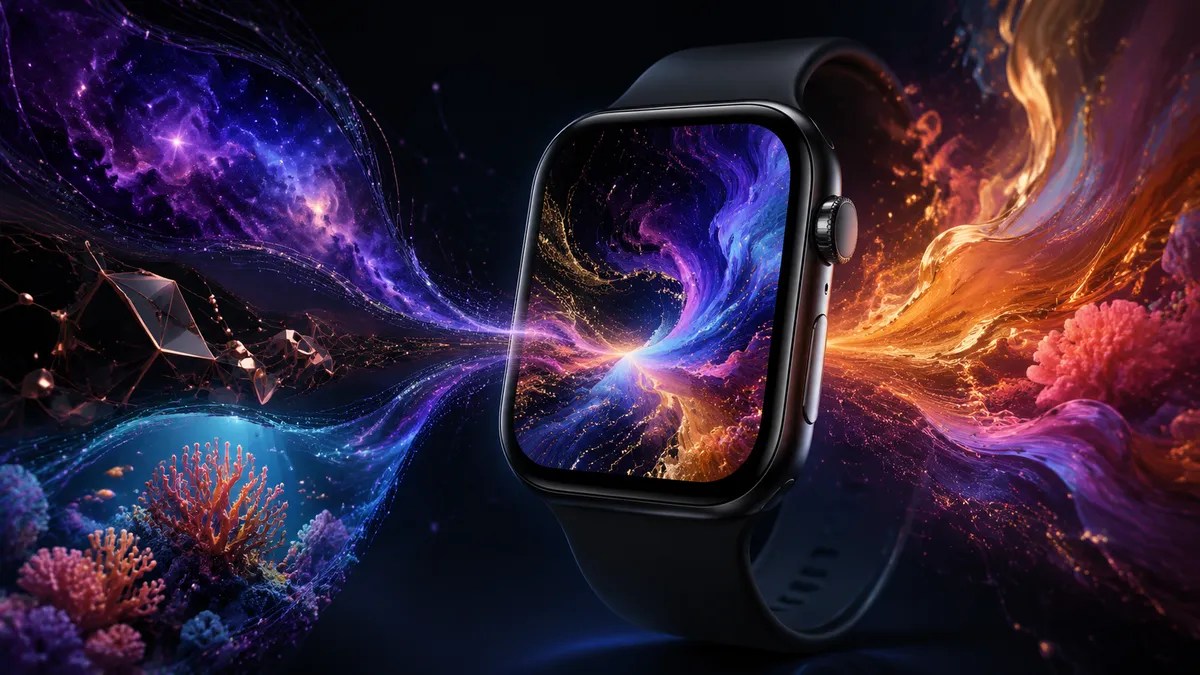
AI wallpaper tools let you generate one-of-a-kind Apple Watch faces in seconds. Type a short description — “dark nebula with purple swirls” or “minimal gold lines on black” — and the AI produces an image that nobody else has. The fastest route is WatchWalls AI, which outputs at the exact Apple Watch resolution so you skip all cropping. Apple’s own Image Playground (iOS 27), ChatGPT with DALL-E, Midjourney, and Canva AI also work — each with trade-offs in quality, price, and convenience.
What Is an AI Wallpaper?
An AI wallpaper is an image created by a machine-learning model instead of a human designer or a camera. You feed the model a text prompt — a few words describing what you want — and it returns a brand-new picture that has never existed before. Every generation is unique: run the same prompt twice and you get two different results.
The technology behind it (diffusion models, GANs, transformer-based generators) has matured fast. In 2024 most outputs looked “almost right.” By mid-2026 the best generators produce photorealistic textures, clean vector art, and abstract compositions that rival hand-made design work — all in under ten seconds.
For Apple Watch owners the appeal is obvious. The watch face is tiny (less than two square inches), so even a simple AI-generated pattern — a gradient, a texture, a single object — looks sharp and intentional. You are not limited to the 50 wallpapers Apple ships or the thousands of stock images online. You can describe exactly the mood, palette, and style you want, and get it on your wrist in minutes.
5 Best Ways to Generate AI Wallpapers for Apple Watch
Below are five tools ranked by how well they serve the specific use case of creating watch-sized art. Each one can produce a usable Apple Watch wallpaper; they differ in resolution control, ease of use, and cost.
1. WatchWalls AI
WatchWalls AI is purpose-built for Apple Watch. When you generate an image here, the output is already sized to the correct pixel dimensions for every watch model — no cropping, no resizing, no guesswork. Open the generator, type a description like “mountain lake at sunset, soft colors,” pick your watch model, and download the result.
Because the tool knows it is producing a watch face, it automatically favors compositions that work on a small, round-cornered rectangle: centered subjects, bold colors, minimal clutter. The result is a wallpaper that actually looks good at 40 mm, not a desktop image squeezed into a tiny frame.
Cost: Free tier available. Premium unlocks higher resolution and unlimited generations.
Best for: Anyone who wants the fastest path from idea to wrist.
2. iOS 27 Image Playground
Apple added Image Playground in iOS 18 and expanded it significantly in iOS 27 (summer 2026). The tool runs on-device using Apple Intelligence, so your prompts stay private. Open Image Playground from the Photos app or the home screen, describe what you want, and the model generates a set of options.
The output quality is good — Apple’s model handles illustration and animation styles particularly well. The downside: Image Playground does not export at watch-specific resolutions. You will need to crop the result (see the sizing section below) before setting it as a watch face. Still, the privacy angle and the zero-cost access make it a strong second choice.
Cost: Free (requires iPhone 15 Pro or later with iOS 27).
Best for: Users who want everything on-device with no third-party apps.
Learn more on Apple’s official Apple Intelligence page.
3. ChatGPT + DALL-E
ChatGPT with DALL-E integration lets you generate images inside a conversation. Type something like “Create a dark abstract wallpaper with blue and teal smoke wisps, vertical orientation, 396 × 484 pixels” and DALL-E will produce it. You can iterate: “Make the background pure black” or “Add a subtle grid pattern.”
The conversational workflow is a major advantage. You refine the image step by step instead of rewriting the entire prompt. The main limitation is that DALL-E’s minimum output size is 1024 × 1024 pixels, so you will still need to crop or resize for the watch. ChatGPT Plus ($20/month) includes DALL-E image generation.
Cost: Free tier (limited generations) or ChatGPT Plus $20/month.
Best for: Iterative design — when you know what you want but need to fine-tune it.
4. Midjourney
Midjourney produces some of the highest-quality AI art available. Its photorealistic and painterly outputs are exceptional. You interact through the Midjourney web app (or Discord), type a prompt with optional parameters like --ar 9:11 (close to Apple Watch proportions), and receive four variations to choose from.
The quality ceiling is high, but the workflow is slower than a dedicated watch-wallpaper tool. You need to upscale your chosen variant, download it, crop it to watch dimensions, and transfer it to your phone. Worth the effort if image quality is your top priority.
Cost: Plans from $10/month.
Best for: Users who want gallery-quality art on their wrist and don’t mind extra steps.
5. Canva AI (Magic Media)
Canva’s Magic Media generator lives inside the Canva editor. Create a custom-sized canvas (for example, 396 × 484 px), open Magic Media, type your prompt, and the generated image drops right onto the canvas at the correct size. No external resizing needed.
Canva is the most beginner-friendly option on this list. The AI output quality sits a step below Midjourney, but the integrated editor lets you add text overlays, adjust colors, and apply filters without leaving the app. Good for anyone who already uses Canva for other design work.
Cost: Free tier (limited) or Canva Pro $13/month.
Best for: Beginners and users who want to tweak the result with built-in editing tools.
How to Size AI Images for Apple Watch
If your AI tool does not output at watch resolution (most don’t), you need to crop or resize the image. Here are the pixel dimensions for every current Apple Watch display:
| Watch Model | Case Size | Resolution (px) |
|---|---|---|
| Apple Watch Ultra 2 | 49 mm | 502 × 410 |
| Apple Watch Series 10 | 46 mm | 416 × 496 |
| Apple Watch Series 10 | 42 mm | 374 × 446 |
| Apple Watch SE (2nd gen) | 44 mm | 368 × 448 |
| Apple Watch SE (2nd gen) | 40 mm | 324 × 394 |
Cropping tips:
- Always crop to portrait orientation (taller than wide) unless you have an Ultra.
- Keep the subject centered — the watch’s rounded corners will clip about 8–10 pixels on each edge.
- If the AI generated a 1024 × 1024 square, crop a vertical strip from the center rather than squeezing the whole image.
- Use the Photos app’s crop tool on iPhone: it accepts custom aspect ratios, so you can type in the exact pixel ratio for your model.
For a full walkthrough on transferring and setting the image, read our Apple Watch wallpaper guide.
Best AI Prompts for Apple Watch Wallpapers
The prompt you write determines 90% of the result. Watch faces work best with bold, simple compositions that read well at small sizes. Here are ten prompts tested across multiple generators that consistently produce strong results:
- “Dark nebula with purple and blue gas clouds, black background, vertical” — produces a space scene with OLED-friendly deep blacks.
- “Minimal geometric pattern, gold lines on pure black, Art Deco style” — clean and elegant, great for formal settings.
- “Underwater coral reef, vivid orange and teal, macro lens” — saturated colors that pop on a small OLED panel.
- “Japanese ink wash painting of a single mountain, white background, simple” — minimal, timeless, and readable at any size.
- “Gradient from midnight blue to deep purple, smooth, no objects” — a safe choice that pairs well with any complication layout. See more ideas in our gradient wallpaper collection.
- “Low-poly wolf portrait, dark tones, digital art” — geometric animal art translates well to tiny screens.
- “Satellite photo of Earth at night, city lights visible” — dramatic and rich in detail even at watch scale.
- “Abstract fluid art, black and rose gold, marble texture” — looks luxurious and works with gold watch cases. Browse more in our abstract wallpaper gallery.
- “Forest path in autumn, warm orange light, shallow depth of field” — naturalistic and calming.
- “Retro 80s synthwave grid, neon pink and cyan, dark horizon” — bold and nostalgic, high contrast for OLED.
Prompt-writing tips: Mention “vertical orientation” or “portrait aspect ratio.” Specify “black background” if you want true blacks on OLED. Add a style reference (“watercolor,” “3D render,” “photograph”) to steer the output. Keep it under 30 words — longer prompts often confuse the model rather than helping it.
AI Wallpaper vs Regular Wallpaper: Why AI Wins
Regular wallpapers — stock photos, screenshots from design sites, Apple’s built-in faces — are fine. Millions of people use them. But AI-generated wallpapers solve three problems that regular ones can’t:
1. Uniqueness. A stock photo of a mountain lake might appear on ten thousand watches. An AI image generated from your specific prompt is statistically one of a kind. Nobody else has the same watch face.
2. Perfect sizing. Tools like WatchWalls AI output at exact watch resolution. No cropping artifacts, no stretched pixels, no black bars. Regular wallpapers almost always require manual adjustment.
3. Unlimited options. Tired of your wallpaper? Generate a new one in ten seconds. Want a wallpaper that matches your outfit, the season, or your mood? Describe it and have it in under a minute. No scrolling through galleries, no settling for “close enough.”
The trade-off is small: you spend 30 seconds writing a prompt instead of 30 seconds browsing a gallery. The output is better, more personal, and sized correctly. For more wallpaper ideas beyond AI, check our Apple Watch wallpaper ideas page.
Tips for Better AI Watch Wallpapers
Generating a good image is only half the job. Making it look great on a 1.7-inch OLED screen takes a few extra considerations:
Use dark backgrounds. Apple Watch uses OLED, which means true black pixels are literally off — they consume zero power and create infinite contrast. Prompts that include “black background” or “dark tones” produce wallpapers that look sharper and save battery. A bright white wallpaper on OLED does the opposite: it drains power and washes out in sunlight.
Keep compositions simple. A desktop wallpaper can have fine details across a 27-inch screen. A watch wallpaper has to communicate in under two square inches. One subject, one focal point, bold color blocks — that is the formula. Intricate scenes with many small elements turn to mush at watch scale.
Think about complications. If you use complications (date, weather, activity rings), they overlay the wallpaper. Design around them: keep the top-left, top-right, and bottom-center areas of your wallpaper relatively plain so text remains readable. A dark gradient in those zones works well.
Match your watch hardware. Gold and rose-gold watch cases pair well with warm-toned wallpapers. Silver and space-black cases handle cool tones and high-contrast designs. Matching creates a cohesive look.
Generate multiple options. Run the same prompt three or four times and pick the best result. AI output varies — the third generation might be far better than the first. Most tools let you generate batches, so this takes seconds, not minutes.
Portrait orientation always. Every Apple Watch (except Ultra in some views) is taller than wide. Generate or crop in portrait mode. If your tool defaults to square or horizontal, add “vertical” or “portrait” to the prompt.
Need help changing your current wallpaper? Follow our step-by-step instructions at how to change Apple Watch wallpaper.
Skip the resizing and cropping. WatchWalls AI generates wallpapers at the exact resolution for your Apple Watch model. Describe the look you want, download, and set — done in under a minute.
FAQ
Is AI wallpaper free to create for Apple Watch?
Yes — several tools offer free tiers. WatchWalls AI has a free option, Apple’s Image Playground is free on supported devices, and ChatGPT’s free plan includes limited DALL-E generations. You can create AI wallpapers without paying anything, though premium plans remove limits and improve quality.
What resolution should an AI wallpaper be for Apple Watch?
It depends on your model. The Apple Watch Series 10 (46 mm) uses 416 × 496 pixels. The SE (40 mm) uses 324 × 394 pixels. The Ultra 2 uses 502 × 410 pixels. Generate at these exact sizes or larger, then crop to match.
Can I use Midjourney images as Apple Watch wallpapers?
Absolutely. Generate the image in Midjourney, upscale it, download it to your phone, crop it to your watch’s resolution, and set it as a Photos face through the Watch app. The quality is excellent — Midjourney images are often the sharpest option available.
Do AI wallpapers drain Apple Watch battery?
The wallpaper itself has minimal impact on battery life. However, bright images (lots of white or neon) force OLED pixels to full brightness, which uses more power than a dark wallpaper. For best battery life, choose AI designs with dark or black backgrounds.
What are the best AI prompts for watch wallpapers?
Short, specific prompts work best. Include a subject (“nebula,” “geometric pattern”), a color scheme (“gold on black,” “teal and coral”), a style (“minimal,” “3D render”), and the word “vertical.” Example: “Minimal geometric gold lines on black background, vertical.” Keep prompts under 30 words for cleaner results.
