 WatchWalls AI
Best Underwater Wallpaper for Apple Watch: Jellyfish, Coral & Deep Ocean (2026)
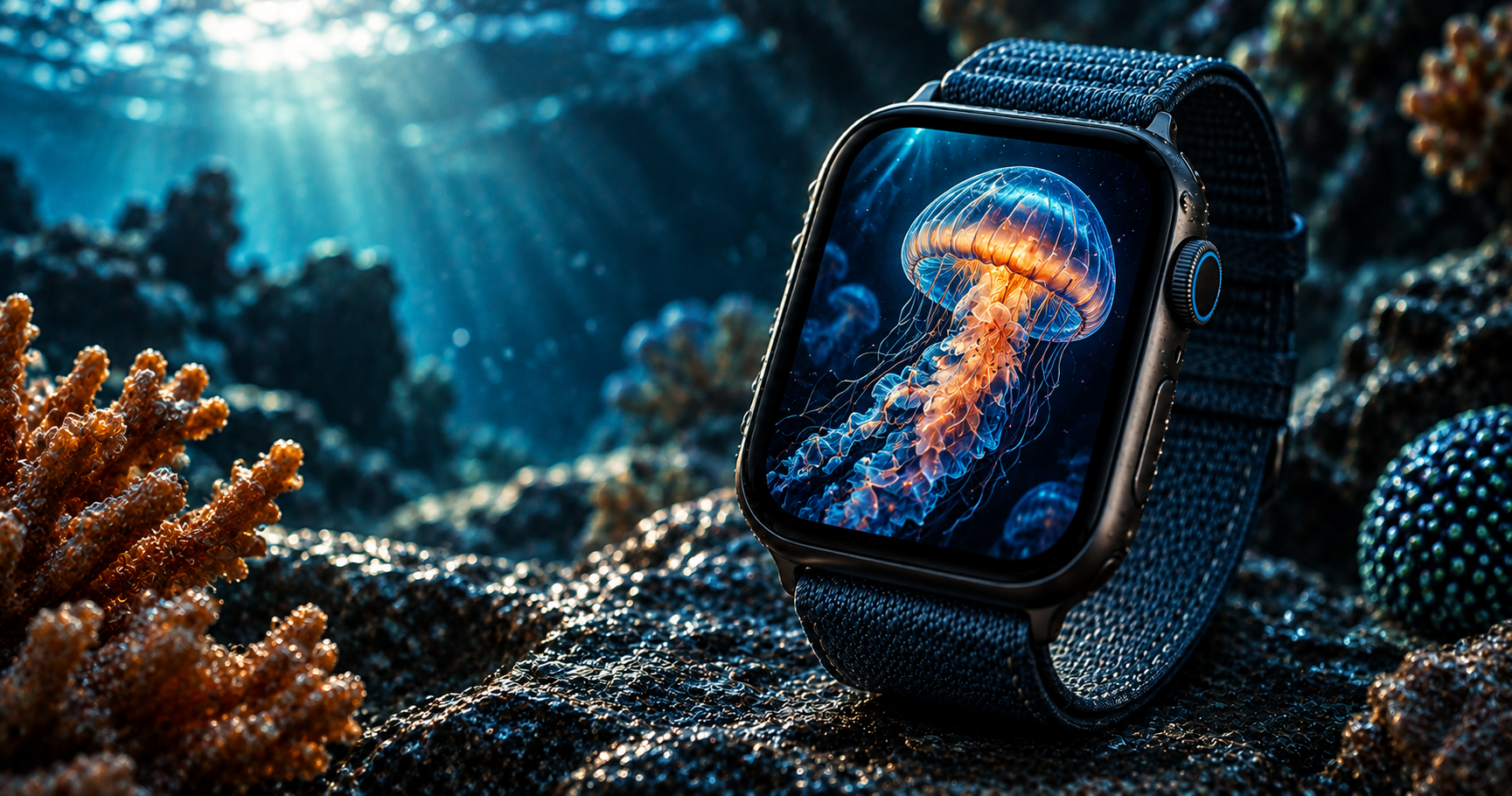
Why Underwater Wallpapers Are Made for OLED
Underwater wallpaper for Apple Watch is one of the most visually rewarding categories because the deep ocean is naturally dark. Below 200 metres, sunlight disappears completely. The only light comes from bioluminescent creatures, scattered shafts of surface light, or the photographer’s own equipment. This creates photographs that are 70-90% dark water — exactly the conditions where OLED produces its most dramatic results.
On Apple Watch’s OLED display, the dark ocean water renders as true black pixels that consume zero power. A glowing jellyfish, a shaft of sunlight, or a neon coral becomes the sole light source in the frame — each bright pixel producing its own illumination against absolute darkness. The effect is a wallpaper that looks like a tiny window into the deep sea, with marine life appearing to genuinely glow from within the watch screen.
The colour palette of the ocean also plays to OLED’s strengths. Apple Watch uses a P3 wide-color gamut that excels at rendering blues, teals, and greens — the exact range of underwater photography. A teal coral, an electric blue tang, or a green sea turtle pops with a saturation and depth that standard sRGB screens cannot reproduce.
For more ocean-themed options, see our ocean wallpaper guide. For nature themes beyond the sea, see nature wallpapers for Apple Watch.
12 Underwater Wallpaper Styles for Apple Watch
Ranked by OLED display impact, clarity at watch scale, and visual drama.
1. Glowing Jellyfish on Deep Black
A single translucent jellyfish — moon jelly, lion’s mane, or box jelly — glowing against the dark ocean. Jellyfish are the #1 underwater wallpaper subject because their bioluminescence creates a natural OLED effect: the animal literally produces its own light against darkness. The translucent bell and trailing tentacles create organic shapes that fill the portrait-oriented screen beautifully. Blue, purple, and orange jellyfish produce the most vivid results.
2. Coral Reef Close-Up
A macro photograph of coral — brain coral texture, staghorn branches, or soft coral polyps — filling the frame with colour and organic pattern. Coral close-ups are visually rich at any scale because the patterns are fractal-like: every zoom level reveals more detail. Warm-toned corals (orange, pink, red) against blue water create the most contrast. This style brings tropical reef energy to the wrist.
3. Sea Turtle Portrait
A green sea turtle swimming toward the camera, face and front flippers filling the frame against blue-black water. Sea turtles are the most universally appealing marine subject — peaceful, majestic, and instantly recognizable even at 41 mm. The green-brown shell against blue water provides natural colour contrast. Position the turtle’s head in the upper third so its face is the focal point above complications.
4. Bioluminescent Plankton
Thousands of tiny blue-glowing points scattered through dark water — bioluminescent dinoflagellates creating a field of underwater stars. This abstract style turns the watch face into a miniature night ocean. The scattered blue dots create a pattern similar to a starfield but with an organic, underwater quality. The effect on OLED is spectacular: individual blue pixels lit against total blackness, like a galaxy under the waves.
5. Whale Silhouette
A whale — humpback, blue, or orca — in dark silhouette against lighter water above, with sun rays filtering down from the surface. The whale’s massive silhouette creates a dramatic scale contrast against the tiny watch screen. Position the whale horizontally across the middle of the frame with light water above and dark water below. This creates a natural dark zone for complications at the bottom.
6. Sunlight Shafts Through Water
Beams of sunlight piercing through the ocean surface, radiating downward into blue-green depths. No marine life — just light and water. This is the most minimal underwater wallpaper: vertical light rays on a dark-to-light gradient. The directional lines create a sense of depth and movement. The light concentration at the top fading to darkness at the bottom naturally supports complication readability below.
7. Tropical Fish School
A dense school of colourful tropical fish — clownfish, tangs, or anthias — moving through blue water. Schools create visual density and energy that a single fish cannot match. The key at watch scale is choosing a photograph where individual fish are still distinguishable — a school of 20-30 fish works better than a cloud of hundreds that merge into a colour blur. Bright orange clownfish against blue water produce the highest contrast.
8. Kelp Forest
Giant kelp strands reaching upward toward filtered sunlight, creating an underwater forest canopy. Kelp forests have a cathedral-like quality — vertical lines, dappled light, and a sense of enclosed space. The green-gold kelp against blue water creates a warm-cool colour tension that is visually interesting without being busy. This style appeals to divers, surfers, and anyone drawn to Pacific coast marine environments.
9. Shark in Motion
A shark — great white, hammerhead, or reef shark — captured mid-swim against dark water. Shark imagery adds a dramatic, powerful energy that peaceful ocean scenes lack. The shark’s streamlined silhouette is recognizable at any size. For the most watch-friendly composition, use a profile view showing the shark from the side, filling 50-60% of the frame width. Dark water behind ensures OLED efficiency and complication readability.
10. Underwater Cave
Light entering an underwater cave from an opening above, illuminating the cave interior against surrounding darkness. This creates a natural spotlight effect — a bright opening surrounded by dark rock and water. The composition mimics a tunnel with light at the end, creating depth that draws the eye. Underwater caves in Cenotes (Mexico), Blue Holes (Belize), or Mediterranean sea caves produce the most dramatic photographs.
11. Octopus Portrait
An octopus face-on — eyes, tentacles curling around the frame, skin texture visible. Octopuses are fascinating watch wallpaper subjects because their ability to change colour and texture means no two photographs look alike. The intelligent eyes create an emotional connection. A blue-ringed octopus adds neon-blue spots; a giant Pacific octopus adds scale and reddish warmth. Dark backgrounds make the octopus skin tones and textures glow.
12. Bubbles Rising
Air bubbles rising through blue-black water from bottom to top, catching light and creating silver reflections. This is the simplest underwater wallpaper — just water and air — but the ascending bubbles create a calming, meditative quality. The silver-white bubbles on dark blue-black water produce excellent OLED contrast. The upward movement of the bubbles creates a natural visual flow that works well in the portrait orientation of the watch.
Underwater Color Palette for OLED
| Element | Colour Range | Hex Example | OLED Performance |
|---|---|---|---|
| Deep ocean water | Dark navy to black | #0A1929 | Exceptional — near-zero power |
| Shallow water | Teal to turquoise | #00838F | Very good — P3 gamut advantage |
| Jellyfish glow | Purple to pink | #CE93D8 | Excellent — vivid on black |
| Bioluminescence | Electric blue | #00B0FF | Exceptional — maximum glow |
| Coral warm tones | Orange to red | #FF7043 | Excellent — warm glow |
| Sunlight shafts | Gold to white | #FFD54F | Good — bright focal accent |
| Kelp/seaweed | Green to gold | #558B2F | Good — natural and warm |
Deep ocean backgrounds (#0A1929 to black) combined with bioluminescent subjects produce the most battery-efficient and visually striking underwater wallpapers.
Cropping Underwater Images for Apple Watch
Prioritise depth over width. Underwater scenes have a natural vertical orientation — light comes from above, subjects float at different depths. The portrait aspect ratio of the Apple Watch (4:5) matches this vertical structure. Crop to emphasise the top-to-bottom depth gradient.
Position the brightest element in the upper 40%. Whether it is a jellyfish, a sunlit surface, or a coral cluster, keep the brightest area above centre. The bottom of the frame should be the darkest area — deep water that provides a clean background for complications.
Increase contrast slightly. Underwater photographs often have a blue-green colour cast that reduces contrast. Before setting as a wallpaper, increase contrast by 10-15% and boost the saturation of warm tones (oranges, pinks) by 5-10% to compensate for the underwater haze.
Target resolution: 396×484 px for 45 mm, 352×430 px for 41 mm, 410×502 px for Ultra.
For the full wallpaper-setting process, see how to change Apple Watch wallpaper.
Resolution Reference Table
| Apple Watch Model | Screen Size | Recommended Resolution | Aspect Ratio |
|---|---|---|---|
| Ultra 2 / Ultra 3 | 49 mm | 410×502 px | ~4:5 |
| Series 7-10 (45 mm) | 45 mm | 396×484 px | ~4:5 |
| Series 7-10 (41 mm) | 41 mm | 352×430 px | ~4:5 |
| Series 4-6 (44 mm) | 44 mm | 368×448 px | ~4:5 |
| Series 4-6 (40 mm) | 40 mm | 324×394 px | ~4:5 |
| SE (2nd gen) | 40 mm / 44 mm | 324×394 / 368×448 px | ~4:5 |
Band Matching for Underwater Wallpapers
- Jellyfish + purple braided Solo Loop: The jellyfish glow extended to the band. Purple on purple with dark accents.
- Coral reef + orange Sport Band: Warm coral tones from screen to wrist. Tropical energy.
- Sea turtle + green Alpine Loop: Green turtle on screen, green outdoor band on wrist. The diver’s pairing.
- Deep ocean + midnight Sport Band: All-dark, all-depth. Navy screen blends into navy band seamlessly.
- Whale silhouette + black Ocean Band: The Apple Watch Ocean Band was designed for water — pairing it with an underwater wallpaper creates the ultimate dive watch look.
- Bioluminescence + teal Sport Band: Electric blue dots on screen, teal on wrist. Cool and luminous.
- Shark + graphite Milanese Loop: Predator on screen, metal on wrist. Sleek and serious.
For more combinations, see our band and face matching guide.
Browse the full WatchWalls collection — hundreds of curated Apple Watch wallpapers including ocean, marine, and deep-sea designs for every model.
Browse All Apple Watch Wallpapers →
Shooting Underwater Photos for Your Watch
If you dive or snorkel, your own underwater photos make the most personal wallpapers:
- iPhone 15/16 Pro can shoot underwater. Apple rates these models for water resistance to 6 metres. In shallow reef environments, you can capture excellent wallpaper-quality shots without a housing.
- Shoot toward the light. Point your camera slightly upward so subjects are silhouetted or backlit by surface light. This creates the natural dark-background effect that works best on OLED.
- Get close to subjects. Water reduces clarity over distance. The closer you are, the sharper and more saturated the colours. Macro shots of coral and small fish produce the best wallpaper-quality results.
- Use Portrait orientation. Your watch is portrait-shaped. Shoot vertically underwater for less cropping waste.
- Edit after: boost reds and oranges. Water absorbs warm colours first — reds disappear below 5 metres. Use any photo editor to recover warm tones that the water absorbed.
Free Sources for Underwater Wallpapers
- Unsplash — Underwater Dark: Professional underwater photography. Strong in jellyfish, coral, and deep ocean categories. Free high-resolution downloads.
- Pexels — Underwater: Free ocean and marine photographs with a different library than Unsplash.
- Pinterest — Underwater Apple Watch: Community boards with pre-sized underwater wallpapers.
- NOAA Photo Library: US government ocean and marine imagery — all public domain, free for any use. Excellent deep-sea and bioluminescence photographs.
- Your own dive/snorkel photos: iPhone 15/16 Pro shoots underwater to 6m. Your own reef photos are more personal than any stock image.
FAQ
What is the best underwater wallpaper for Apple Watch?
A glowing jellyfish against deep black water is the best overall choice. The jellyfish’s natural bioluminescence creates a stunning glow effect on OLED, and the dark ocean background saves battery. For a warmer look, a coral reef close-up in orange and teal provides tropical colour against blue water.
Do underwater wallpapers save battery on Apple Watch?
Yes. Deep ocean photographs are 70-90% dark water, which renders as off pixels on OLED — zero power consumption. Only the bright marine subjects (jellyfish, coral, fish) use power. An underwater wallpaper with a deep-sea background is one of the most battery-efficient options available.
Where can I find free underwater wallpapers for Apple Watch?
Unsplash and Pexels have thousands of free underwater photographs. Search for “underwater dark background” or “jellyfish dark” for OLED-ready results. NOAA’s Photo Library offers public domain marine imagery. Pinterest has pre-sized Apple Watch underwater wallpapers. If you dive or snorkel, iPhone 15/16 Pro can shoot underwater to 6 metres.
What size should an underwater Apple Watch wallpaper be?
For the 45 mm Apple Watch (Series 7-10), use 396×484 pixels. For 41 mm, use 352×430 pixels. For Ultra models, use 410×502 pixels. Position the brightest underwater element in the upper 40% so complications at the bottom remain readable against dark water.
Can I use my own underwater photos as Apple Watch wallpaper?
Yes. iPhone 15 Pro and 16 Pro are water-resistant to 6 metres and shoot excellent underwater photos without a housing. Shoot in portrait orientation, point slightly toward the surface for natural backlighting, and get close to subjects. Edit after to boost reds and oranges that water absorbs. Crop to 396×484 px and set via the Photos face.
