 WatchWalls AI
Best Monochrome Wallpapers for Apple Watch: Black & White Designs
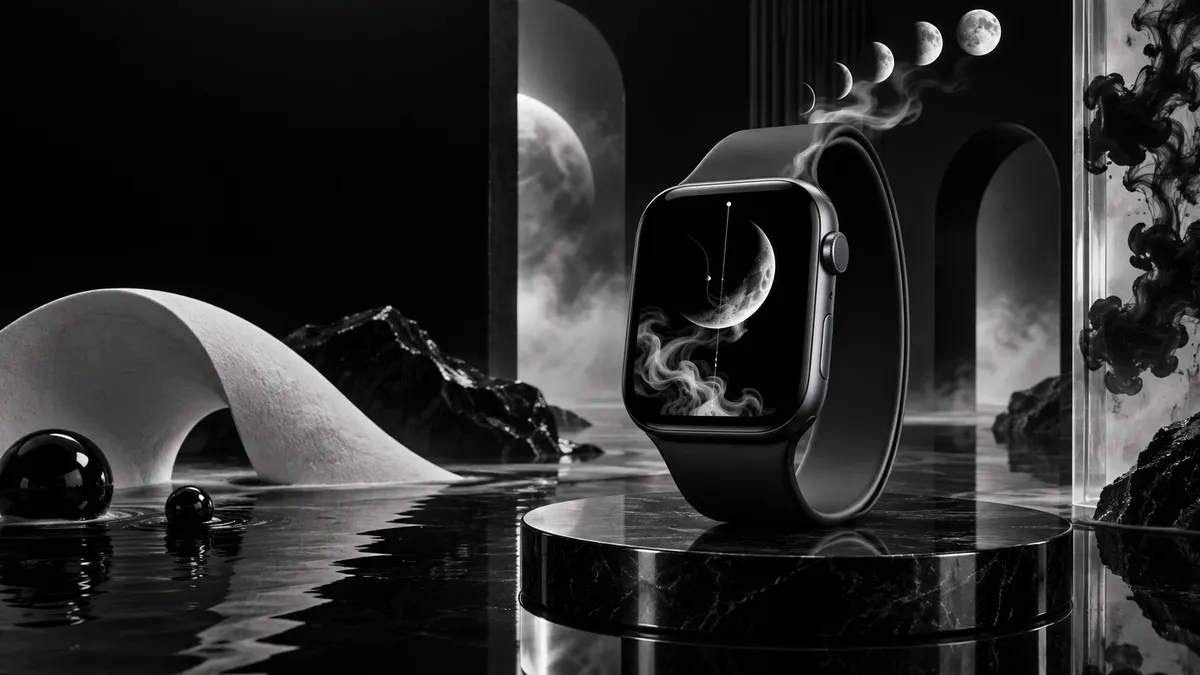
Why Monochrome Works on Apple Watch OLED
Apple Watch Series 4 and later use LTPO OLED panels. On OLED, pixels that display pure black are simply turned off — they draw zero power. A monochrome wallpaper filled with dark areas can noticeably reduce how often you reach for a charger, especially with the Always-On Display enabled. Studies on OLED power consumption consistently show black pixels use 60–80 % less energy than white ones at the same brightness level.
Beyond battery, there is a visual argument. The contrast ratio on Apple Watch OLED is effectively infinite between on and off pixels. A sharp black-and-white photograph or a crisp geometric line drawing looks cleaner on this screen than it ever could on an LCD. Colors can bleed or shift under the small, curved glass; a well-chosen monochrome wallpaper never does.
There is also the practical side: a monochrome background never fights with your watch face complications. White text on a dark field is always readable. Dark text on a white field works just as well. You spend less time fiddling with face colors to find something legible.
12 Monochrome Styles Worth Using
Below are twelve categories that reliably look strong on the Apple Watch display. For each style, the key is high contrast monochrome wallpaper and a clear subject — the screen is small, so busy mid-tone images turn into gray noise.
1. Black & White Photography
Classic documentary or street photography converted to grayscale. Choose images with a strong single subject — a face, a building corner, a lone tree. Avoid group shots or busy scenes; detail is lost below 400 px wide. Unsplash’s black and white collection has thousands of royalty-free options sorted by subject.
2. Silhouette Art
A dark shape against a lighter sky or solid background. Bird silhouettes, human figures mid-jump, bare winter trees — all read instantly at watch scale. The hard edge between black and white is exactly what OLED renders best. Pair with a dark watch face for a dramatic look.
3. Ink Splash
High-resolution scans of ink dropped into water or brushed across paper. The organic, unpredictable shapes feel different from every other tech aesthetic. A white background with a single black ink explosion works particularly well under a minimal watch face with white complications.
4. Geometric Line Art
Thin white lines on black — hexagons, triangles, wireframe spheres, Penrose patterns. The geometry echoes the precision of the watch hardware. This style works at any resolution because the lines stay sharp even when scaled. See minimalist Apple Watch face ideas for matching face styles.
5. Fog & Mist (Horizontal Compositions)
A forest half-swallowed by morning fog, or a city skyline fading into white mist. These images have a natural gradient from dark to light that softens toward the top of the watch face, leaving room for the time display to stay legible. Look for horizontal compositions where the horizon sits in the lower third.
6. Architecture B&W
Facades, archways, staircases, and repetitive structural patterns photograph beautifully in grayscale. The geometry is inherently watch-compatible. A single vanishing-point corridor or a grid of windows fills the square canvas without needing cropping adjustments.
7. High-Contrast Portrait
A face lit from one side — dramatic chiaroscuro — reduces to pure black and white shadow. The result looks more like graphic art than a photograph. These images tend to have a large dark area (the shadow side) that gives OLED its power-saving advantage while keeping the lit side as a bright focal point.
8. Typography & Quotes
White serif or sans-serif text on a solid black background, or black letterforms on white. Choose a single short word or a two-line quote. Avoid anything longer — at 400-something pixels wide, six lines of text becomes unreadable. This style suits people who use a watch face with no complications and want their wallpaper to carry the message.
9. Smoke & Vapor
Wisps of white smoke curling against black. The soft gradients look almost three-dimensional on OLED, and the dark surround means most of the screen is off. This is one of the highest battery-saving options in this list after silhouette art. For more ideas in this direction, check aesthetic Apple Watch wallpaper picks.
10. Mountain Outline
A single mountain range rendered as a flat silhouette or a clean line drawing. This style is popular because it occupies the lower portion of the display, leaving the upper sky area dark — ideal for watch faces that show date and battery in the top complications row.
11. Moon Phases
A sequence of moon phases across a black field, or a single full moon with crater detail in high contrast. The circular shape mirrors the watch itself. A waxing crescent against pure black uses almost no power for the dark areas while the white arc pops sharply. You can find royalty-free moon phase images on Pinterest’s moon phase board.
12. Pen Sketch
Hand-drawn illustrations — botanical line sketches, animal studies, architectural drawings — scanned in high resolution. The texture of the paper and the variability of ink weight give these images a warmth that purely digital art lacks. A sketch of a watch mechanism is an obvious choice, but botanical and wildlife sketches are equally popular.
Color Variations Beyond Pure Black & White
Monochrome does not have to mean strictly black and white. Three tonal ranges expand the palette without adding complexity:
- Sepia tone. A warm brown-to-cream gradient instead of black-to-white. Sepia reads as vintage and organic. It pairs exceptionally well with the Milanese Loop in gold or starlight and with the leather bands in tan or saddle brown.
- Dark gray gradients. Instead of pure black, use deep charcoal fading to mid-gray. This softens the contrast of a monochrome wallpaper slightly and gives the image a more cinematic feel. Still OLED-efficient because dark grays draw far less power than saturated colors.
- Inverted images. A normally dark photo flipped to light backgrounds. White silhouettes on a black background become black silhouettes on white. The inverted version often reads better on white watch faces with dark complications.
If you want to explore the full range of dark backgrounds, the Apple Watch black wallpaper collection covers pure-black and near-black options with download links.
How to Convert Your Own Photos to Monochrome
You do not need a third-party app to create a custom monochrome wallpaper. The iPhone’s built-in tools handle it well.
- Open Photos and select your image. Tap Edit in the top right corner.
- Tap the Filters icon (three overlapping circles). Scroll to Mono, Silvertone, or Noir. Each applies a different tonal curve — Mono is neutral, Silvertone adds a cool cast, Noir boosts contrast heavily.
- Adjust the intensity slider below the filter strip. Pulling it to 100 gives the strongest conversion.
- Tap the crop tool and set the ratio to a square (1:1). Drag to center your subject.
- Save a copy (tap Done, then choose Save as New Photo to preserve the original).
- Set as wallpaper via the Watch app on iPhone: My Watch → Photos → Synced Album → choose your album → on the watch, press the crown to browse to your photo and press and hold to set as background.
For more detailed steps on the full transfer process, see how to change Apple Watch wallpaper.
If you want more control over the grayscale conversion — particularly the tonal mapping of specific colors — Adobe Lightroom Mobile (free tier) gives you individual red, orange, yellow, green, aqua, blue, purple, and magenta luminance sliders in its B&W panel. Turning the sky’s blue luminance down while boosting the green channel’s luminance, for example, gives a classic horizontal effect with dramatic dark skies.
Band & Case Pairing Guide
Monochrome wallpapers work with nearly any band, but some combinations are particularly strong:
- Black Sport Band / Black Sport Loop. The all-black wrist look is unified and modern. A white-on-black wallpaper (smoke, geometric lines, moon) provides maximum contrast with the dark band without interrupting the visual flow from wrist to screen.
- Silver Milanese Loop. The woven steel has its own intrinsic pattern. A clean geometric line art or architectural wallpaper echoes that structured texture. Avoid overly soft fog wallpapers here — the Milanese Loop’s precision pairs better with sharp geometry.
- Gray / Slate Sport Band. The neutral mid-tone band works as a visual bridge between the black bezel and any monochrome wallpaper image. Sepia-tone images look especially warm against the cooler gray band.
- Natural / Sand Loop. Lighter bands benefit from wallpapers that have white or light-gray sections at the bottom edge, so the visual transition from band to screen is smooth rather than abrupt.
- Starlight Aluminum Case. The slightly warm silver tone pairs well with sepia and warm-gray wallpapers. A pure cold-black-and-white image can look slightly at odds with the warm case finish.
For a broader set of coordinated ideas, browse Apple Watch wallpaper ideas organized by band color and case material.
Resolution & Format Reference
| Model | Case Size | Screen Resolution | Recommended Image Size |
|---|---|---|---|
| Apple Watch Series 10 / Ultra 2 | 46 mm / 49 mm | 416×496 px | 416×496 px or larger, square crop |
| Apple Watch Series 10 / Series 9 | 42 mm / 41 mm | 352×430 px | 352×430 px minimum |
| Apple Watch Series 8 / 7 | 45 mm / 44 mm | 396×484 px | 396×484 px |
| Apple Watch Series 8 / 7 | 41 mm / 40 mm | 352×430 px | 352×430 px |
| Apple Watch SE (2nd gen) | 44 mm | 368×448 px | 368×448 px |
| Apple Watch SE (2nd gen) | 40 mm | 324×394 px | 324×394 px |
Always save in PNG for maximum sharpness. JPEG compression introduces artifacts in high-contrast black-and-white images — fine gradients in smoke or fog can develop banding or noise. PNG avoids this entirely at the cost of a slightly larger file, which is not a concern at these dimensions.
Where to Find Free Monochrome Wallpapers
Three reliable sources cover almost every style listed above:
- Unsplash — Black & White Minimal. Royalty-free, high resolution, licensed for personal and commercial use. Filter by “dark” to find images heavy on black tones. Download the largest available size and crop to your watch’s resolution.
- Pinterest — Apple Watch Monochrome Wallpaper. Community-curated boards with images already cropped for watch screens. Pin counts indicate which styles are most popular. Many pins link back to original creator pages for proper attribution.
- Apple’s own Photos app (Filters → Mono/Noir). Your personal photo library is the most personal source. A photo from a trip or a portrait of someone close to you, converted to high-contrast black and white, is both unique and meaningful in a way no stock image can be.
Browse the full collection of black, white, and grayscale Apple Watch wallpapers — pre-cropped to the correct resolution for every model, free to download.
See All Wallpaper Collections
Does a black wallpaper actually save battery on Apple Watch?
Yes, on OLED models (Series 4 and later). Pure black pixels are turned off completely, consuming no power. A wallpaper that is 80 % black will use significantly less battery than a colorful image of the same brightness, especially with Always-On Display active. The difference is most noticeable over a full day of use.
Yes, on OLED models (Series 4 and later). Pure black pixels are turned off completely, consuming no power. A wallpaper that is 80 % black will use significantly less battery than a colorful image of the same brightness, especially with Always-On Display active. The difference is most noticeable over a full day of use.
